Play Metal Revolution on PC Play Metal Revolution on PC and Mac
Download Metal Revolution on PC with MuMuPlayer, get a PC like gameplay along with smart control and high graphics performance.
MuMuPlayer, the top Android emulator for PC and Apple silicon Mac, delivers an optimal gaming experience with minimal RAM usage and high FPS. It also allows you to create multiple instances of the emulator and run several games simultaneously, thanks to its Multi-instance feature. Its advanced emulator features ensure smooth gameplay, even on low-end PCs.
Download and play Metal Revolution on PC with MuMuPlayer and start enjoying your gaming experience now.
Download Metal Revolution on PC or Mac with MuMuPlayer, get a PC like gameplay along with smart control and high graphics performance.
MuMuPlayer, the top Android emulator for PC and Apple silicon Mac, delivers an optimal gaming experience with minimal RAM usage and high FPS. It also allows you to create multiple instances of the emulator and run several games simultaneously, thanks to its Multi-instance feature. Its advanced emulator features ensure smooth gameplay, even on low-end PCs.
Download and play Metal Revolution on PC or Mac with MuMuPlayer and start enjoying your gaming experience now.
About the Game
You can be the legend in this next-gen multiplayer fighting game!

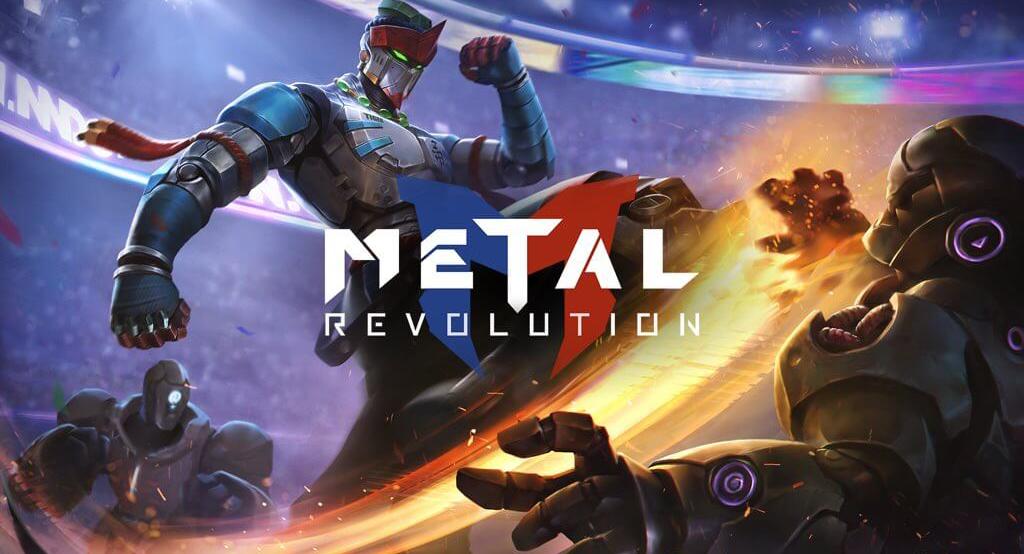
Metal Revolution is a free, hardcore mecha fighting game which will bring you to the new era of fighting with simple controls, cyberpunk maps, profound game mechanics and 60 fps optimization. Flex your skills with a variety of unique mechas, from Muay Thai boxer to gangster, in global ranked matches. Check out the lore of mechas and the cyberpunk background story in Arcade Mode. Earn trophies to unlock and upgrade mechas. Whether you are a new or veteran player, it's time for you to prove yourself in epic battles!

Gaming experience comparable to consoles
-Excellent visual representation presented by amazing models and realistic cutscenes
-Authentic experience of fighting arcade games
-Enjoy hardcore battles at up to 60 fps

Simple and comfortable controls
-Simply perform basic actions and combos with a few taps
-Acquire advanced techniques and combos with well-timed inputs
-Break the defense of opponents with mixed, alternate, and passive-aggressive techniques!
-Charge up energy and unleash the ultimate move when the time comes

A great variety of mechas, scenes, and personalized items
-Anthropomorphic, animal, American, Chinese, Japanese... Unlock mechas in different styles to expand your collection
-Each mecha has its unique battle style and skills
-Personalize your mechas with different skins
-Fight in a variety of cyberpunk stages, from the rooftop in a prosperous city to the ghost town amidst the desert
-Collect funny Emoji to mock opponents or exude confidence

Earn trophies to unlock and upgrade more mechas
-Earn trophies in battles
-Exchange them for different rewards
-Upgrade mechas to unlock their super moves
-Unlock mecha talents and create your own talent combination

Numerous game modes for you to play
-Show your opponents what you got in the Versus mode!
-Team up with your friends in the Duo Versus mode
-Use different mechas to combat in the King of Fighters-style Versus mode
-Play with other players face-to-face in the Local mode
-Choose your opponent in Game Hall and beat them hollow
-Complete the challenging stages in Arcade Mode

Follow us on social media to keep up to date with the latest news and event info, and communicate with other players and the developers.
Facebook: https://www.facebook.com/MetalRevolutionMobile
Youtube: https://www.youtube.com/c/MetalRevolution
Twitter: https://twitter.com/Mtl_Revolution
Instagram: https://www.instagram.com/mtl_revolution/
Discord: https://discord.gg/ZK2
Emulator Features
Highest Android 15 Support Best Compatibility on Mac

With a smart button scheme and image recognition function, provide a more concise UI, and support custom button mapping to meet different needs. With a smart button scheme and image recognition, enjoy a cleaner UI and custom button mapping to fit different gaming needs on Mac.

Run multiple games independently at the same time, easily manage multiple accounts, play games while hanging. Take your Mac gaming further with multiple independent instances, easy account management, and seamless AFK gaming on Apple Silicon Mac.

Break through FPS limit, and enjoy a seamless gaming experience without lag and delay! Break through FPS limits for a seamless, lag-free gaming experience on MacBook, Mac mini, iMac, and Mac Studio.

Get a 3-second startup with 52% less memory usage and 65% more stability. Enjoy 3-second startup, 52% less memory usage, and 65% greater stability on Apple Silicon Mac.
How to Download and Play Metal Revolution on PC and Mac
Installation Guide
Download MuMuPlayer
Download MuMuPlayer and install it on your PC or Mac
Sign-in Google Store
Complete Google sign-in to access the Play Store
Search and Install
Search Metal Revolution in the Play Store
Enjoy Gaming
Enjoy 120 FPS high-def gameplay with big screen
System Requirements
Windows PC
Vulkan / DirectX supported. 4 cores + 4GB RAM recommended. Up to 240 FPS. VT required.
macOS
Recommended: Apple Silicon Mac with 8GB RAM or above. Up to 240 FPS.