How to deal with Lock Screen Emergency
If you encounter the issue where MuMu Player locks the screen and a password is required for emergencies, follow the steps below:
Method 1:
1). Download the patch:
https://drive.google.com/file/d/1K64zoCsKS4xHrE2s3ZpfLRXjMCT3VUsH/view?usp=sharing
2). Start the emulator and run the script
3). The script will automatically execute the operation. If the following screenshot appears, the operation has been successfully cleared
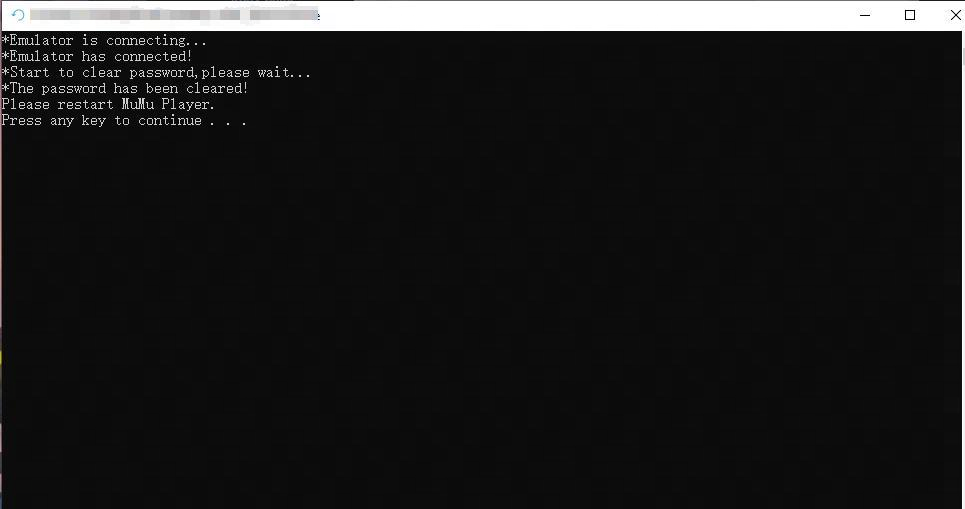
4). Restart the emulator. The screen lock password will be cleared
Method 2:
1). Start your MuMu Player and wait until you see the Android system.
2). Click Menu - Help center - Player Information - Log to open the directory
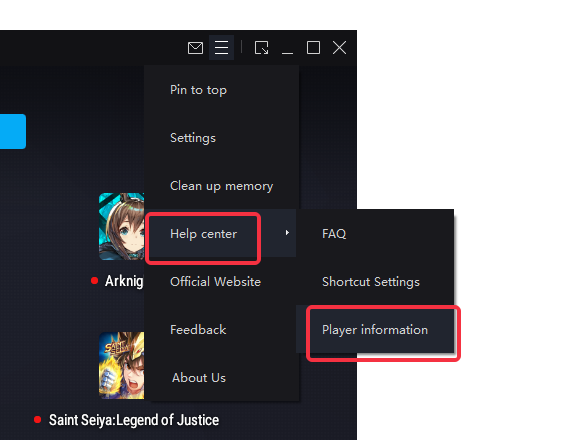
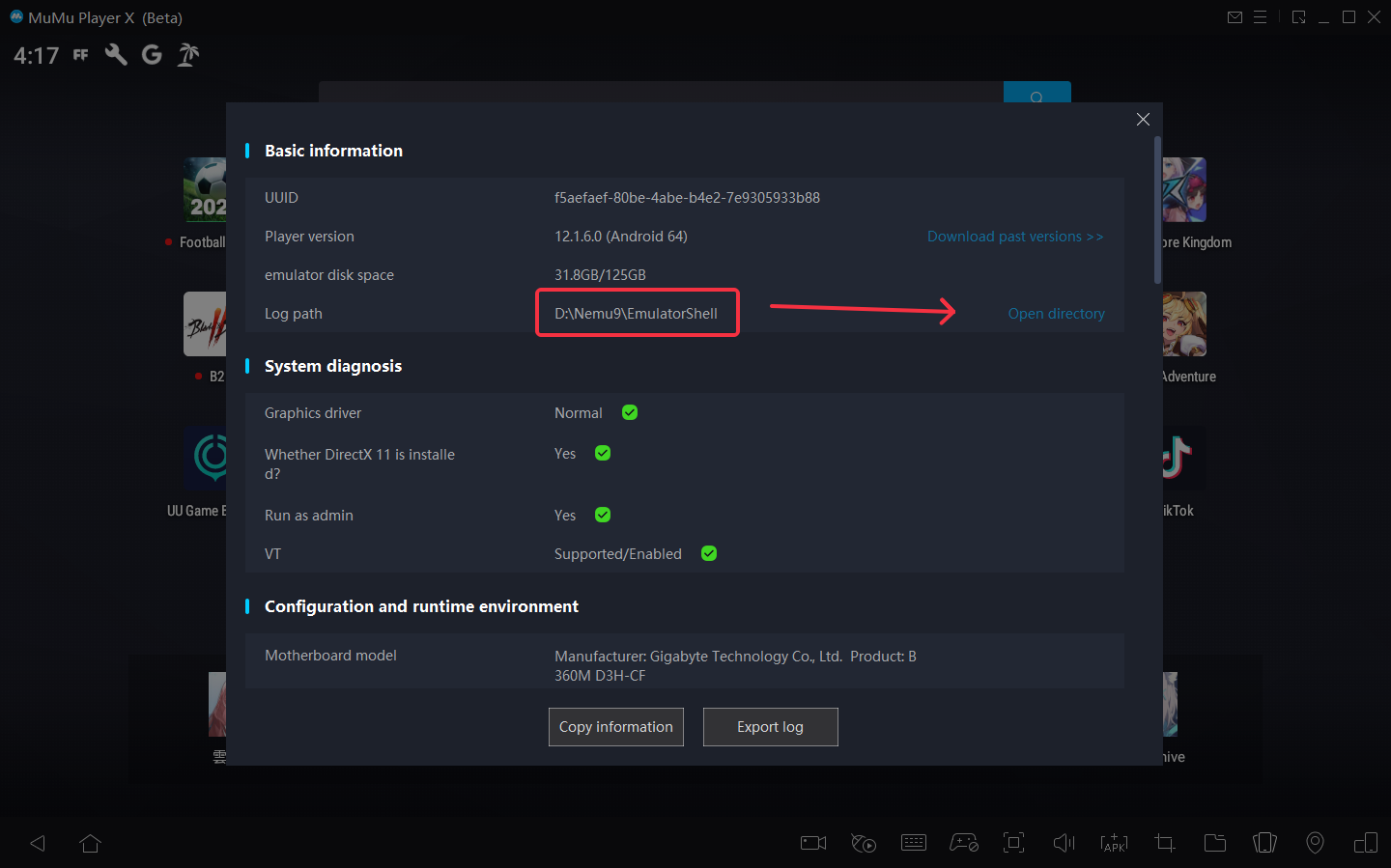
3). Connect to the device and enter the following command:
If you use MuMu Player 6:

If you use MuMu Player X:

Then you will see a window like this:
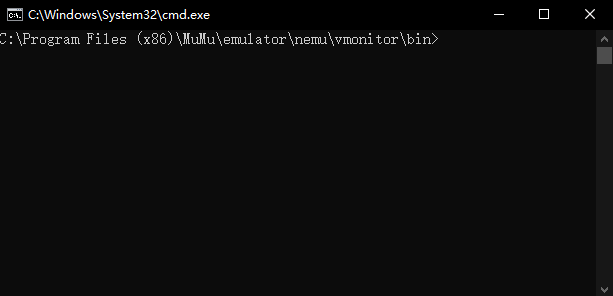
Enter the command step by step:
adb_server.exe connect 127.0.0.1:7555
Click [Enter]
adb_server.exe root
Click [Enter]
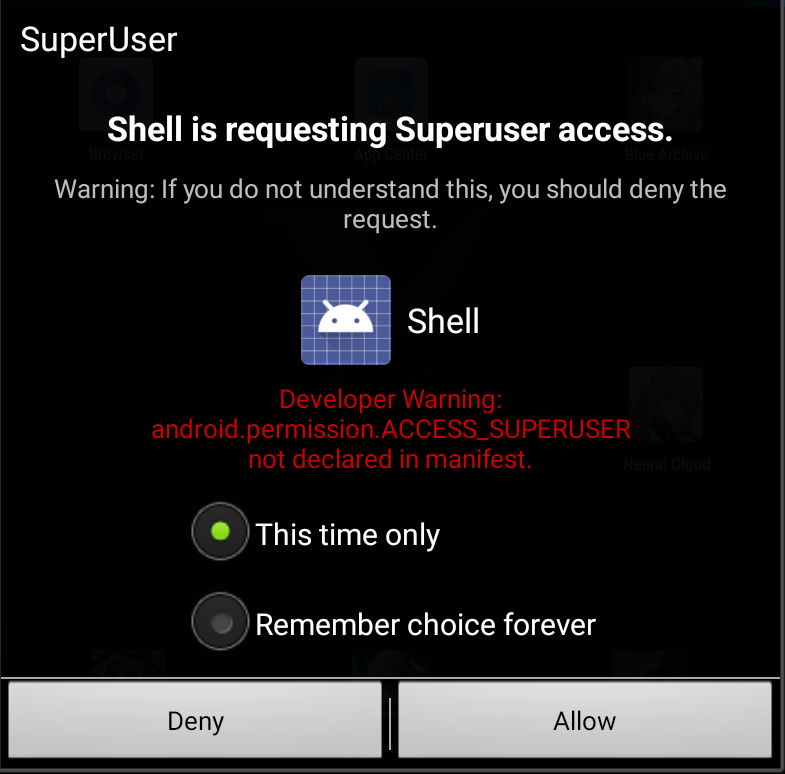
( a window will pop up on the emulator, click "Allow")
adb_server.exe connect 127.0.0.1:7555
Click [Enter]
adb_server.exe shell
Click [Enter]
rm /data/system/locksettings*
Click [Enter]
reboot
Click [Enter]
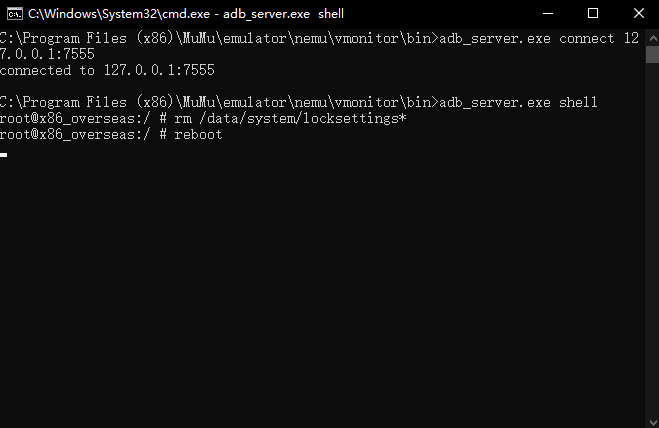
If you see the result like the screenshot shows, that means you have done. The Android System will reboot and no lock.
Restart your MuMu Player, hope you enjoy it.
End of Article