How to uninstall MuMuPlayer properly
The wrong way of uninstalling MuMuPlayer will result in an error when reinstalling the emulator.
| √ | × |
| Find MuMuPlayer through "Control Panel"-"Programs and Features", and uninstall the application. | ①Through a third-party application (360, Tencent) ②Right-click the folder to delete or drag it into the "Recycle Bin" |
What if MuMuPlayer is not completely uninstalled through a third-party application?
Method 1: Go to the official website to reinstall MuMuPlayer and overwrite the installation, then uninstall it through the control panel;
Method 2: If the overwrite installation fails, you need to perform the following steps:
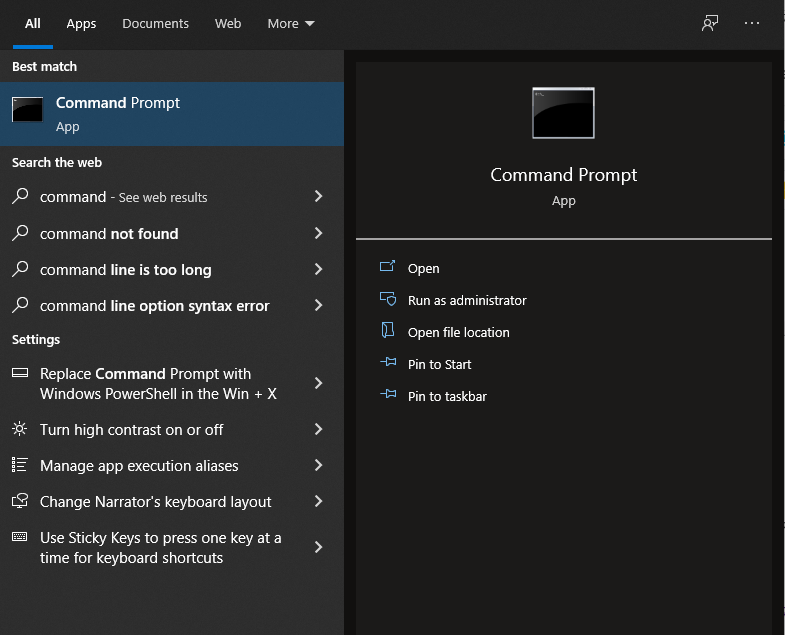
1. Under the start menu, for Windows 10 system—start "Command Prompt" with administrator privileges; for Windows 7 system—start "Run" with administrator privileges;
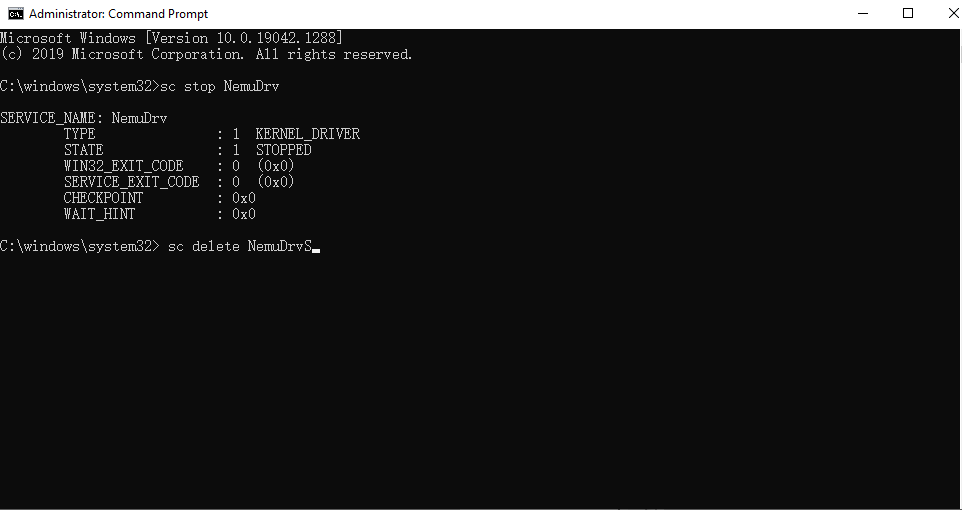
2. First enter sc stop NemuDrv, then press Enter; then enter sc delete NemuDrv, then press Enter to solve the problem.
What should I do if I right-click to delete the folder or drag it into the "Recycle Bin"?
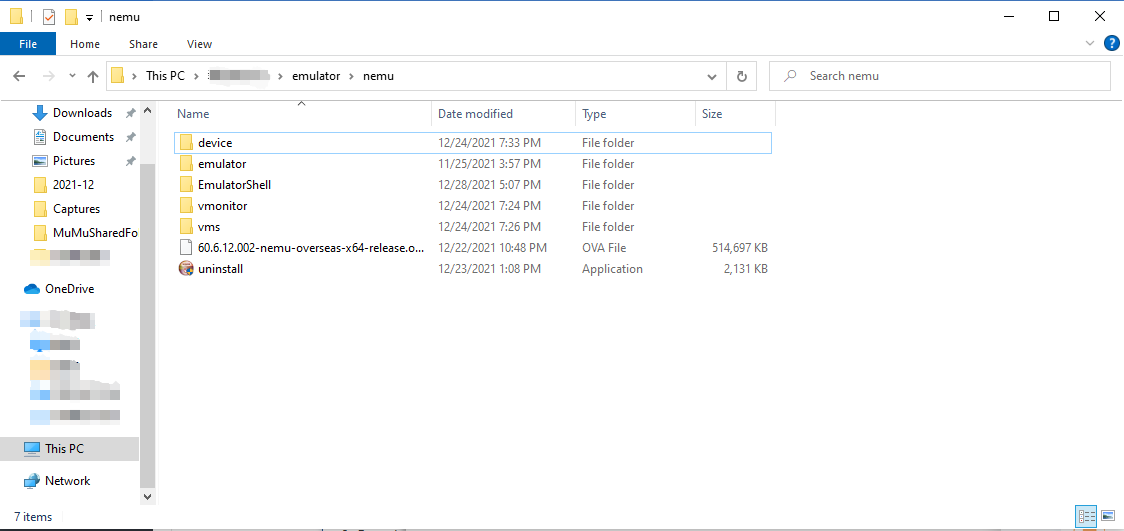
1. Re-download the uninstaller;
2. Put the uninstaller in the original MuMu installation folder "Nemu". If the folder is also deleted, you can recreate a folder with the same name and place the file in it;
3. Run the uninstall.exe directly to uninstall.
Consult "online customer service" via Messenger and get more help
End of Article