LEGO® Life: kid-safe community
สังคม
ปรับปรุงล่าสุด::2022-04-25
ผู้พัฒนา:LEGO System A/S
เล่น WhatsApp Messenger บน PC
สำหรับแฟน ๆ ของ LEGO® Life: kid-safe community การเล่น LEGO® Life: kid-safe community บนพีซีด้วย MuMu Player หน้าจอที่ใหญ่ขึ้นพร้อมกราฟิกที่ดีกว่าสามารถเพิ่มประสบการณ์การดื่มด่ำของคุณได้อย่างมาก เพื่อให้ได้รับการสนับสนุนการทำแผนที่คีย์เต็มรูปแบบเพื่อการควบคุมที่แม่นยำและกำจัดข้อจำกัดของแบตเตอรี่หรือข้อมูลมือถือ เพียงใช้ MuMu Player สำหรับทุกความต้องการของคุณ
MuMu Player ซึ่งเป็นอีมูเลเตอร์ Andriod ที่ยอดเยี่ยมที่สุดสำหรับพีซี ทำหน้าที่เป็นอุปกรณ์ Android เสมือนบนพีซีของคุณ ซึ่งสามารถมอบประสบการณ์การเล่นเกมที่ดีที่สุดด้วยการใช้ RAM น้อยและ FPS สูง นอกจากนี้ คุณสามารถมีบัญชีเกมได้หลายบัญชีบนพีซีเครื่องเดียวในคราวเดียว โดยใช้ประโยชน์จากคุณสมบัติ Multi-drive ของ MuMu Player คุณสมบัติอีมูเลเตอร์ที่พัฒนาขึ้นอย่างน่าทึ่งทำให้เกมมือถือยอดนิยมสามารถทำงานได้อย่างราบรื่นแม้ในพีซีระดับล่าง ดาวน์โหลดและเล่น LEGO® Life: kid-safe community บนพีซีด้วย MuMu Player และสนุกกับเวลาเล่นเกมของคุณตอนนี้
สารสนเทศเกม
 LEGO® Life is a safe, creative social app designed for kids and keen LEGO builders. Kids can share videos they create in the fully moderated community, get inspired and engage with other young LEGO creators using emoticons and moderated text comments in an entirely free and safe kid-friendly social media app. A fun app for nurturing kids’ creativity and education with awesome LEGO building ideas, decorating challenges and quizzes for kids, LEGO Life is the ultimate companion for  LEGO creators, packed with fun and fuelled by imaginations.

With LEGO Life kids can:

- Build themselves using the LEGO Minifigure Avatar creator and customise their character profile with a safe, anonymous nickname

- Bring their Avatar to life with an augmented reality feature on compatible phones

- Safely upload and share photos of their creations in the LEGO Life community with a one-time account verification by a parent

-  Use emoticons and text stickers to chat with other young LEGO creators in the community

- Discover creative building tips and hacks to learn how to use LEGO bricks in brand new ways

- Take on exciting challenges for kids, kids’ quizzes, decorating and creative building activities

- Find awesome, kid-safe videos as an alternative to kids tv, featuring LEGO Harry Potter™, LEGO Star Wars™, LEGO NINJAGO, LEGO Friends, LEGO Minecraft™, LEGO Technic, LEGO City and more!

- Friend their favourite LEGO characters, including LEGO Batman, Anna and Elsa from LEGO Disney Frozen or the LEGO Friends, and follow their posts

Safe, kid-friendly social media space for children to share:

- To ensure safety, kids have a completely anonymous profile and username and can make their own LEGO Minifigure using the avatar creator

- Verify your child’s account to control the actions they can perform and unlock the full LEGO Life experience for your child, including features where they can share multiple pictures or comment with text on LEGO posts

- Account verification is quick, easy and is only required once

- All uploads, including videos and text comments, are fully moderated before being approved as safe for kids

Important information:

- The app is FREE and there are no adverts, in-app purchases or third-party advertising

LEGO marketing content and information is served in the hope of inspiring play alone or in creative children’s groups

- All uploads, including videos and text comments, are moderated before being declared as safe for kids sharing - those revealing personal information or containing unsuitable material are rejected

- Verified Parental Consent requires a one-time credit or debit card review to ensure the person verifying is an adult. Verification is totally FREE of charge. Your card details will not be stored anywhere on our systems

-  Identity verification is possible using the most common international credit and debit cards

- As part of the LEGO Account sign-up, we collect the following information from you and your child:
o The country in which you live
o Your email address
o Date of birth

We use your personal information to manage your account and review anonymised data to provide a safe, contextualised and excellent LEGO building and kids’ learning and social networking experience. You can learn more here: https://www.lego.com/privacy-policy and here: https://www.lego.com/legal/notices-and-policies/terms-of-use-for-lego-apps/.

- For app support, please contact LEGO Customer Service: www.lego.com/service

- The list of compatible devices for the augmented reality avatar maker feature can be found at www.lego.com/service/device-guide

LEGO, the LEGO logo, the Brick and Knob configurations and the Minifigure are trademarks of the LEGO Group. ©2021 The LEGO Group.

Find fun kids’ videos and lots of LEGO quizzes, decorating and building activities in our creative social media network for young LEGO Creators.
คุณสมบัติโปรแกรมจำลอง
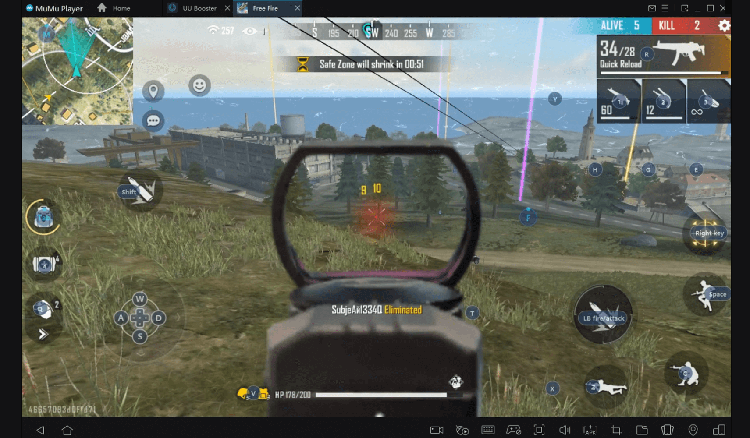
คุณสามารถใช้รูปแบบการควบคุมในตัวซึ่งสะดวกสบายเพียงพอ แต่ด้วย MuMu Player คุณจะได้รับความสามารถในการเขียนสคริปต์ที่กำหนดเองสำหรับระบบควบคุมแทบทุกระบบเท่าที่จะจินตนาการได้!

ต้องการเรียกใช้หลายบัญชีในเกมเดียวพร้อมกัน หรือเล่นหลายเกมพร้อมกันหรือไม่ มัลติอินสแตนซ์ตอบสนองทุกความต้องการของคุณ!
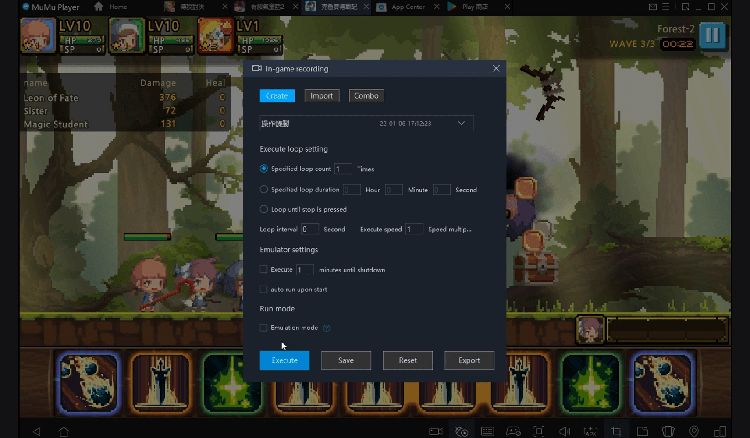
การบันทึกการดำเนินการที่ซับซ้อนเพียงครั้งเดียว เพียงคลิกเมาส์เพียงครั้งเดียว คุณก็จะปล่อยมือเป็นอิสระ และจัดการและเรียกใช้สคริปต์เฉพาะโดยอัตโนมัติ
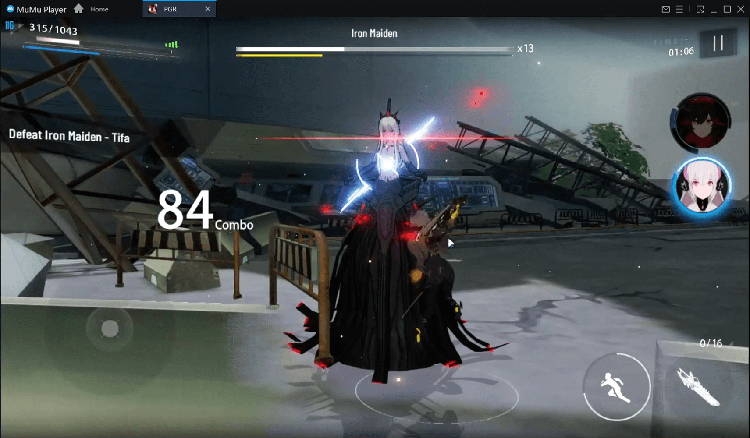
ทะลวงขีดจำกัด FPS และเพลิดเพลินไปกับประสบการณ์การเล่นเกมที่ไร้รอยต่อโดยไม่กระตุกและล่าช้า!
ดาวน์โหลดอย่างปลอดภัย
ใช้งานฟรี
บริการลูกค้าออนไลน์
คู่มือการติดตั้ง
วิธีดาวน์โหลด LEGO® Life: kid-safe community บนพีซี
-
① ดาวน์โหลดและติดตั้ง MuMu Player บนพีซีของคุณ
-
② เริ่ม MuMu Player และลงชื่อเข้าใช้ Google ให้เสร็จสิ้นเพื่อเข้าถึง Play Store
-
③ ค้นหา LEGO® Life: kid-safe community ใน App center
-
④ ลงชื่อเข้าใช้บัญชี Google Account (หากยังไม่ได้ทำในขั้นที่ 2) เพื่อติดตั้ง LEGO® Life: kid-safe community
-
⑤ เมื่อการติดตั้งเสร็จสิ้น ให้คลิกที่ไอคอนเกมเพื่อเริ่มเกม
-
⑥ สนุกกับการเล่น LEGO® Life: kid-safe community บนพีซีของคุณด้วย MuMu Player
การกำหนดค่าที่แนะนำ
เคล็ดลับและคำแนะนำเพื่อช่วยให้คุณเริ่มต้น
คำแนะนำเพิ่มเติมสำหรับ LEGO® Life: kid-safe community-
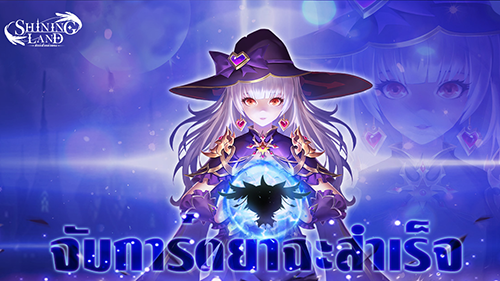
เกม MMORPG "Shining Land: สัตว์เลี้ยงช่วยรบ" จะเปิดตัวอย่างเป็นทางการในวันที่ 24 พฤศจิกายน
-
กวดวิชาสร้างหลายบัญชีของGODDESS OF VICTORY: NIKKE และวิธีตั้งค่าแนวนอน
-
TERA Classic SEA เปิด OBT บน iOS และ Android แล้ววันนี้! ระเบิดความมันส์กับตำนาน MMORPG สุดคลาสสิก
-

Myth-M เกม RPG จากตำนานจีนเปิดให้เล่นบนสโตร์ไทยทั้งสองระบบแล้ว