Play TDZ X: Traffic Driving Zone on PC and Mac
Download TDZ X: Traffic Driving Zone on PC or Mac with MuMuPlayer, get a PC like gameplay along with smart control and high graphics performance.
MuMuPlayer, the top Android emulator for PC and Apple silicon Mac, delivers an optimal gaming experience with minimal RAM usage and high FPS. It also allows you to create multiple instances of the emulator and run several games simultaneously, thanks to its Multi-instance feature. Its advanced emulator features ensure smooth gameplay, even on low-end PCs.
Download and play TDZ X: Traffic Driving Zone on PC or Mac with MuMuPlayer and start enjoying your gaming experience now.
About the Game
Traffic Driving Zone is a multiplayer racing game that offers an authentic driving experience.
If you're a fan of car games and enjoy racing with friends, TDZ X: Traffic Driving Zone is perfect for you!
Get ready to hit the road with stunning visuals, dynamic modes, and a plethora of customization options.
Select from over 50+ car models, enjoy lifelike engine sounds, and push your driving skills to the limit in vibrant, intricately designed environments. Whether you're racing in the city under the stars or speeding through sunlit deserts, TDZ X guarantees a rush like no other!
----------------
FEATURES

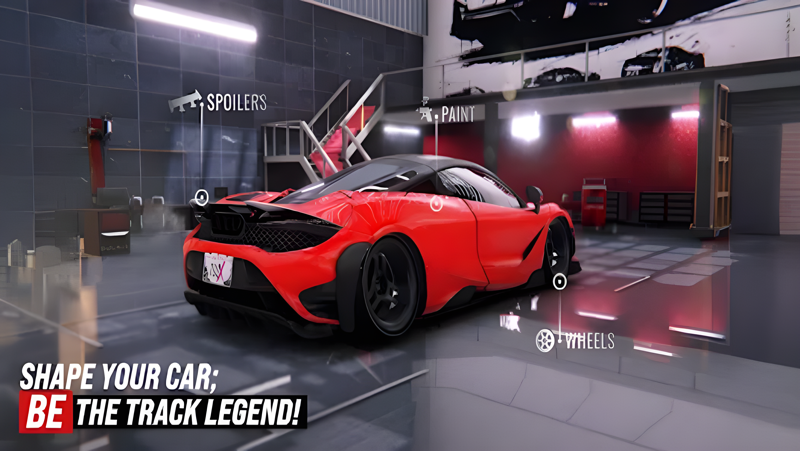
• Revamped Garage
With a sleek redesign and optimized performance, enhancing and customizing your car has never been easier or more stylish.

• Stunning Visuals
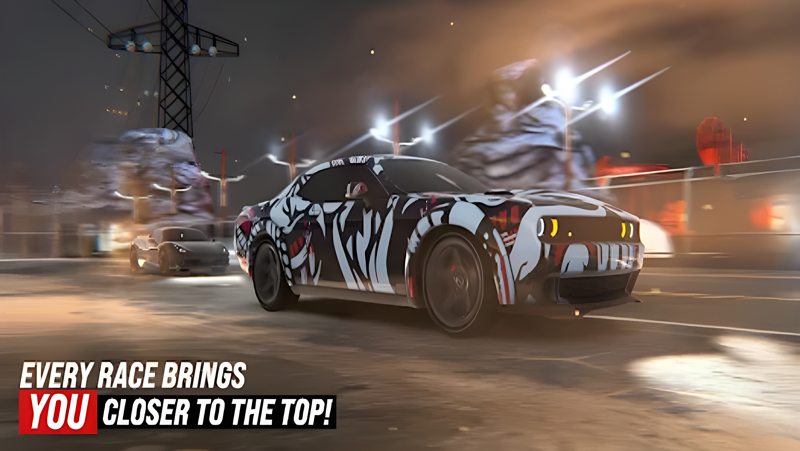
Immerse yourself in a world of ultra-detailed environments and vehicles.

• Decals System
Express your creativity with the new decals feature. Apply unique designs to any car and stand out in the competition.

• Daily Reward Bonuses
Earn exclusive rewards with consecutive logins and boost your progress!

• New Chests
Open new chests to collect cars, parts, and car cards to power up your gameplay.

• Remade Maps
Updated, detailed maps like Miami Sunny, New York Night, and Desert Sunny offer enhanced visuals and immersive gameplay.

• Smooth Vehicle Mechanics
Enjoy an unparalleled driving experience with finely tuned controls.

• My Cars Section
Quickly view and select your owned cars in the new "My Cars" section.

• Flag Selection
Choose and display a flag of your choice before each race.

----------------

GAME MODES

• Ranked Mode
Compete against players worldwide and climb the leaderboard. Adjusted difficulty levels ensure a balanced, challenging experience.

• Story Mode
Race against 7+ bosses like Mia and Zenith across 70+ missions featuring unique audio narration.

• Drag Mode
Feel the thrill with 3 new maps, including Dubai Sunny and Desert Night.

• Traffic Race Mode
Navigate through bustling streets and prove your skills in crowded traffic.

• Missions and Single Mode
Complete tasks or race solo to sharpen your skills.

----------------

NEW SYSTEMS
• Upgrade System
Personalize every detail of your car with the new upgrade system. Collect parts and unlock powerful boosts.

• Fuse System
Combine 5 identical parts to upgrade their level and maximize your car’s potential.

----------------

REMEMBER:

LET'S ADHERE TO TRAFFIC RULES IN REAL LIFE AND CAUTION THOSE WHO DON'T!

LET'S RESERVE ILLEGAL MOVES FOR THE GAMING WORLD ONLY!
Emulator Features

With a smart button scheme and image recognition function, provide a more concise UI, and support custom button mapping to meet different needs.

Run multiple games independently at the same time, easily manage multiple accounts, play games while hanging.

Break through FPS limit, and enjoy a seamless gaming experience without lag and delay!

Get a 3-second startup with 52% less memory usage and 65% more stability.
How to Download and Play TDZ X: Traffic Driving Zone on PC and Mac
Installation Guide
① Download and install MuMuPlayer on your PC or Mac. It will identify automatically your current system and download the latest version.
② Start MuMuPlayer and complete Google sign-in to access the Play Store, or do it later.
③ Search TDZ X: Traffic Driving Zone in the Play Store.
④ Complete Google sign-in (if you skipped step 2) to install TDZ X: Traffic Driving Zone.
⑤ Once installation completes, click the TDZ X: Traffic Driving Zone icon on the home page to start the game.
⑥ Enjoy playing TDZ X: Traffic Driving Zone on your PC or Mac with MuMuPlayer.
Installation Guide
Recommended computer configuration
For Windows:4-core CPU, 4GB RAM, i5 OS, GTX950+ graphics card
For macOS: 4-core CPU, 4GB RAM
Recommended Android Device performance settings
Graphics renderer mode
Vulkan and DirectX both supported
Performance Settings
Recommended performance settings: 2 cores, 2GB. >>How to adjust performance settings
Recommended Android Device Display Settings
Resolution Settings
Go to Device Settings > Display > Resolution Settings to adjust your device's resolution as needed.
FPS Settings
MuMuPlayer supports up to 240 FPS. >>How to enable high FPS mode
Recommended to enable VT
Enabling VT will significantly improve emulator performance, reduce screen freezing, and make games run more smoothly. >>How to enable VT