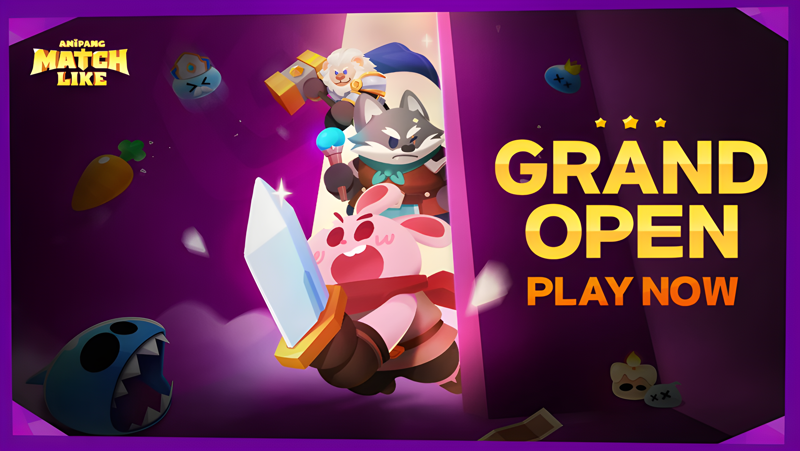
Play Anipang: Matchlike on PC and Mac
Download Anipang: Matchlike on PC or Mac with MuMuPlayer, get a PC like gameplay along with smart control and high graphics performance.
MuMuPlayer, the top Android emulator for PC and Apple silicon Mac, delivers an optimal gaming experience with minimal RAM usage and high FPS. It also allows you to create multiple instances of the emulator and run several games simultaneously, thanks to its Multi-instance feature. Its advanced emulator features ensure smooth gameplay, even on low-end PCs.
Download and play Anipang: Matchlike on PC or Mac with MuMuPlayer and start enjoying your gaming experience now.
About the Game
The peaceful Puzzlerium Continent is suddenly rocked by a massive shock! 🌍🔥
A gigantic slime falls from the sky, splitting into thousands, even millions of smaller slimes..
Driven by determination, the courageous warrior Ani sets out on a quest for justice, pursuing these slimes! 🗡️🌪️

▶A fresh take on roguelike match-3 with an unprecedented blast!
Progress through stages by clearing match-3 puzzles and acquiring random skills!
With diverse elements, tackle bosses using new skills with every play.
Experience the exhilarating blend of RPG combat and the crunchy puzzles!
Level up and win the match-3 gameplay with strategic tactics! 🎮💥

▶Defeat the monsters! Dynamic puzzle gameplay awaits you
Match-3 puzzle game full of excitement, facing unique monsters
Pop the blocks to attack the monsters!
Watch your heroes' power grow incessantly with match-3 play!
As you defeat monsters and grow, the combination of puzzle and strategy enhances the joy of RPG. 🧩👊

▶Cool and refreshing puzzles with movable special blocks!
Create big bangs by moving special blocks where you want!
Hit bosses hard and take them down!
Sweep monsters away with the overwhelming impact of special blocks!
Level up effortlessly with strategic use of special blocks. 🚀🤖

▶Chapters get tougher, new challenges await
Choose different skills in chapters filled with consecutive puzzle stages.
Experience the unique dynamics based on your equipped weapon.
Enjoy personalized play and impactful moves with each skill selection!
Discover your own skill combos and take on challenging stages against bosses! 🎭🎲

▶Level up your heroes for more thrilling play!
Heroes get stronger as you play! Level up by earning EXP
Experience various playstyles with heroes' diverse abilities!
Explore dungeons, defeat terrifying bosses, and collect items!
Double the fun with match-3 and RPG synergy! Enjoy hero growth through RPG elements.
Continuous growth in the match-3 puzzle game! Double the fun of growth, strategy, and match-3! 🚀🎭


Experience endless growth and thrilling puzzle play with the perfect blend of RPG elements.
Start your adventure with warrior Ani in Anipang Matchlike now! 🌟

Please note that Anipang Matchlike is free to download and play, however, you can purchase some in-game items with real money. If you want to limit this feature, please disable in-app purchases in your device's settings.
Emulator Features

With a smart button scheme and image recognition function, provide a more concise UI, and support custom button mapping to meet different needs.

Run multiple games independently at the same time, easily manage multiple accounts, play games while hanging.

Break through FPS limit, and enjoy a seamless gaming experience without lag and delay!

Get a 3-second startup with 52% less memory usage and 65% more stability.
How to Download and Play Anipang: Matchlike on PC and Mac
Installation Guide
① Download and install MuMuPlayer on your PC or Mac. It will identify automatically your current system and download the latest version.
② Start MuMuPlayer and complete Google sign-in to access the Play Store, or do it later.
③ Search Anipang: Matchlike in the Play Store.
④ Complete Google sign-in (if you skipped step 2) to install Anipang: Matchlike.
⑤ Once installation completes, click the Anipang: Matchlike icon on the home page to start the game.
⑥ Enjoy playing Anipang: Matchlike on your PC or Mac with MuMuPlayer.
Installation Guide
Recommended computer configuration
For Windows:4-core CPU, 4GB RAM, i5 OS, GTX950+ graphics card
For macOS: 4-core CPU, 4GB RAM
Recommended Android Device performance settings
Graphics renderer mode
Vulkan and DirectX both supported
Performance Settings
Recommended performance settings: 2 cores, 2GB. >>How to adjust performance settings
Recommended Android Device Display Settings
Resolution Settings
Go to Device Settings > Display > Resolution Settings to adjust your device's resolution as needed.
FPS Settings
MuMuPlayer supports up to 240 FPS. >>How to enable high FPS mode
Recommended to enable VT
Enabling VT will significantly improve emulator performance, reduce screen freezing, and make games run more smoothly. >>How to enable VT