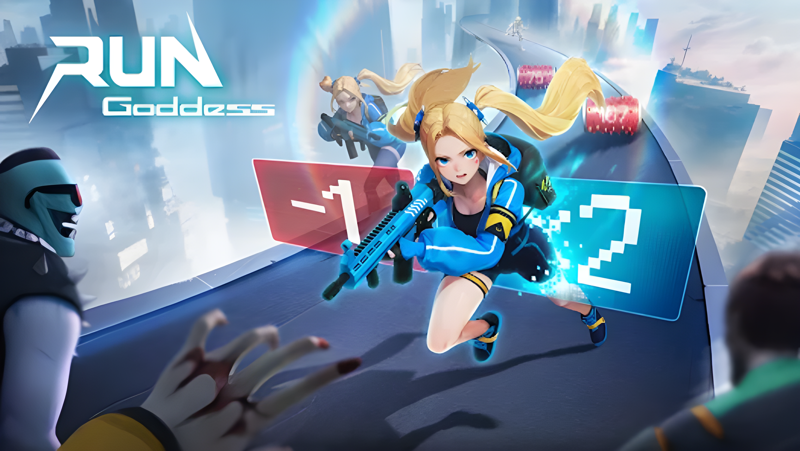
Play Run! Goddess on PC and Mac
Download Run! Goddess on PC or Mac with MuMuPlayer, get a PC like gameplay along with smart control and high graphics performance.
MuMuPlayer, the top Android emulator for PC and Apple silicon Mac, delivers an optimal gaming experience with minimal RAM usage and high FPS. It also allows you to create multiple instances of the emulator and run several games simultaneously, thanks to its Multi-instance feature. Its advanced emulator features ensure smooth gameplay, even on low-end PCs.
Download and play Run! Goddess on PC or Mac with MuMuPlayer and start enjoying your gaming experience now.
About the Game
Run! Goddess is a fast-paced mobile game that combines parkour and shooting elements. Recruit powerful goddesses, each with unique abilities and weapons, to battle zombies, upgrade your base, and strive for survival in the Last War!

After a zombie virus devastates humanity, some young girls experience a dual awakening, becoming "Awakened Ones" with extraordinary strength. The Joint Front launches the Dawn Goddess Project, forming the Valhalla Special Ops Unit, the Dawn Valkyries.

These brave girls fight through hordes of zombies to rescue survivors and uncover the truth behind the disaster. Their epic story unfolds in a world of despair and hope.

■ Swift Minds, Faster Moves!
Embark on an exhilarating survival challenge, deftly dodging and battling endless waves of zombies. It's not just about reflexes; strategic thinking is key, as each lane presents unique obstacles and enemies waiting for you!

■ Build Your Secret Base
Customize your stronghold and expand your army of goddesses—you are the beacon of hope in this shelter, guiding survivors toward a brighter future. In this Shooting game, every decision you make in building and development will shape the fate of your survivors.

■ Tap to Open, Surprises Await!
Uncover mysterious treasure chests during your adventure! Tap to open them and receive amazing rewards and rare items to power up your combat and survival abilities.

■ Assemble Your Dream Team
Recruit a roster of unique, captivating anime goddesses to form your unstoppable squad. Each goddess wields distinct skills; strategically combine them to effortlessly conquer zombies and claim victory!

■ Unite for a Greater Cause
In a world teeming with zombies, survival is a team effort. Join forces with allied players to fend off the zombie threat—believe that the survivors stand with you.
Emulator Features

With a smart button scheme and image recognition function, provide a more concise UI, and support custom button mapping to meet different needs.

Run multiple games independently at the same time, easily manage multiple accounts, play games while hanging.

Break through FPS limit, and enjoy a seamless gaming experience without lag and delay!

Get a 3-second startup with 52% less memory usage and 65% more stability.
How to Download and Play Run! Goddess on PC and Mac
Installation Guide
① Download and install MuMuPlayer on your PC or Mac. It will identify automatically your current system and download the latest version.
② Start MuMuPlayer and complete Google sign-in to access the Play Store, or do it later.
③ Search Run! Goddess in the Play Store.
④ Complete Google sign-in (if you skipped step 2) to install Run! Goddess.
⑤ Once installation completes, click the Run! Goddess icon on the home page to start the game.
⑥ Enjoy playing Run! Goddess on your PC or Mac with MuMuPlayer.
Installation Guide
Recommended computer configuration
For Windows:4-core CPU, 4GB RAM, i5 OS, GTX950+ graphics card
For macOS: 4-core CPU, 4GB RAM
Recommended Android Device performance settings
Graphics renderer mode
Vulkan and DirectX both supported
Performance Settings
Recommended performance settings: 2 cores, 2GB. >>How to adjust performance settings
Recommended Android Device Display Settings
Resolution Settings
Go to Device Settings > Display > Resolution Settings to adjust your device's resolution as needed.
FPS Settings
MuMuPlayer supports up to 240 FPS. >>How to enable high FPS mode
Recommended to enable VT
Enabling VT will significantly improve emulator performance, reduce screen freezing, and make games run more smoothly. >>How to enable VT