Jouez à Stick Fight sur PC et Mac
Téléchargez Stick Fight sur PC ou Mac avec MuMuPlayer, profitez d'un gameplay semblable à celui d'un PC avec un contrôle intelligent et des performances graphiques élevées.
MuMuPlayer, le meilleur émulateur Android pour PC et Mac avec puce Apple, offre une expérience de jeu optimale avec une utilisation minimale de la RAM et un FPS élevé. Il vous permet également de créer plusieurs instances de l'émulateur et de faire fonctionner plusieurs jeux simultanément, grâce à sa fonction Multi-instance. Ses fonctionnalités avancées d'émulateur garantissent un gameplay fluide, même sur des PC bas de gamme.
Téléchargez et jouez à Stick Fight sur PC ou Mac avec MuMuPlayer et commencez à profiter de votre expérience de jeu dès maintenant.
À propos du jeu
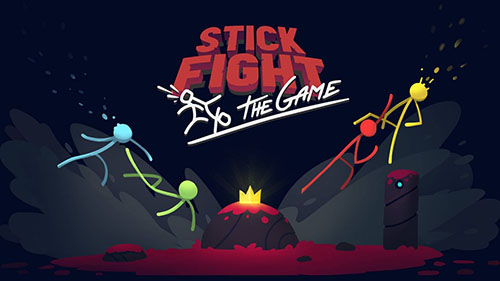
Stick Fight: The Game Mobile is an official stick-fighting game on mobile. Join the hilarious brawler, Stick Fight: The Game Mobile, which is a physics-based couch/online fighting game where you battle it out as the iconic stick figures from the golden age of the internet.

Stick it to them!
Challenge friends and Stick Fight fans from around the world. Control the Stick figure to run, jump, and fight. Face off against each other in 4- stick fight free-for-alls! After 9 matches, rank the top of 4. Now with an armory of humorous weapons and 100+ maps!

Relive the classic Stick figure cartoons with action-packed free-for-all duels!

KEY FEATURES:
- The official Stick Fight game on mobile!
- Hilarious battles with up to 3 friends!
- 100 amusing maps, dozens of funny weapons, like guns shooting snakes out, or bomb which blows yourself up, and unlimited ways to die!
- Make your own maps with the built-in level editor: the sky is the limit!
- Customize your stick figures with the brand-new avatar store and color system!
- Brawl online with players from around the world! Download the game and win the glory for your country.
Fonctionnalités de l'émulateur

Avec un schéma de boutons intelligente et une fonction de reconnaissance d'image, offrez une interface utilisateur plus concise et prenez en charge la personnalisation des mappages de boutons pour répondre à différents besoins.

Exécutez plusieurs jeux indépendamment en même temps, gérez facilement plusieurs comptes, jouez à des jeux avec l'opération synchrone.

Dépassez la limite de FPS et profitez d'une expérience de jeu fluide sans lag ni retard !

Démarrage 3s, mémoire -52%, stabilité +65%, 2,2M jeux Android fluides.
Comment télécharger et jouer à Stick Fight sur PC et Mac
Guide d'installation
Télécharger MuMuPlayer
Télécharger et installer MuMuPlayer sur votre PC ou Mac
Connexion Google Store
Se connecter à Google pour accéder au Play Store
Rechercher et installer
Rechercher Stick Fight dans le Play Store
Profiter du jeu
Profitez de 120 FPS et d'un grand écran haute définition
Configuration requise
Windows PC
Support Vulkan / DirectX. 4 cœurs + 4 Go de mémoire recommandés. Jusqu'à 240 FPS. VT requis.
macOS
Recommandé : Apple Silicon Mac avec 8 Go de mémoire ou plus. Jusqu'à 240 FPS.