如果模擬器沒有聲音怎麼辦
2025-12-25
如果您的電腦音訊本應正常,但在模擬器中卻沒有聲音,請嘗試以下故障排除步驟:
1) 在您的電腦上播放其他影片/音訊檔案,檢查是否有聲音;
2) 檢查模擬器的音量是否被關閉;
3) 更新電腦的聲卡驅動程式,點擊這裡下載 DriverGenius;
4) 嘗試切換耳機和喇叭插孔的位置;
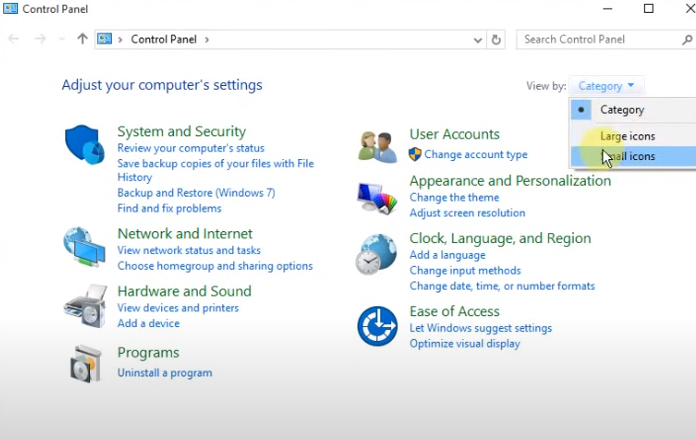
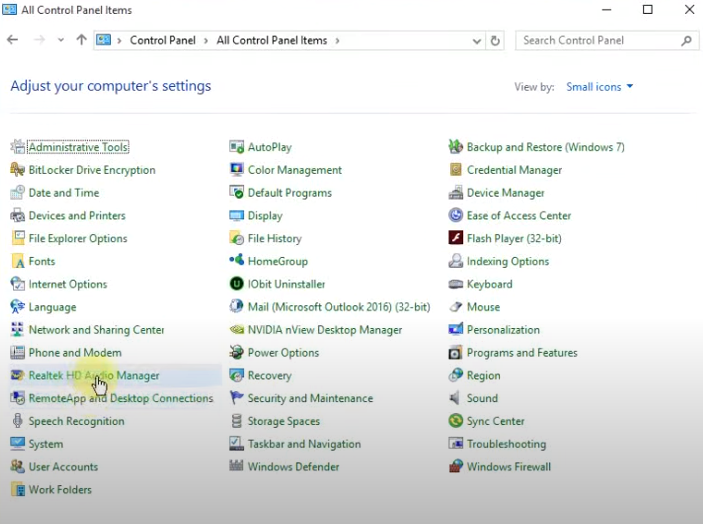
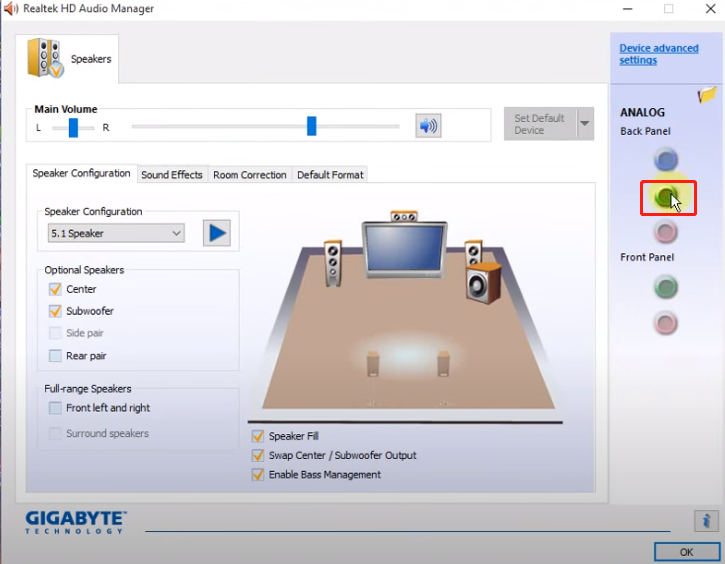
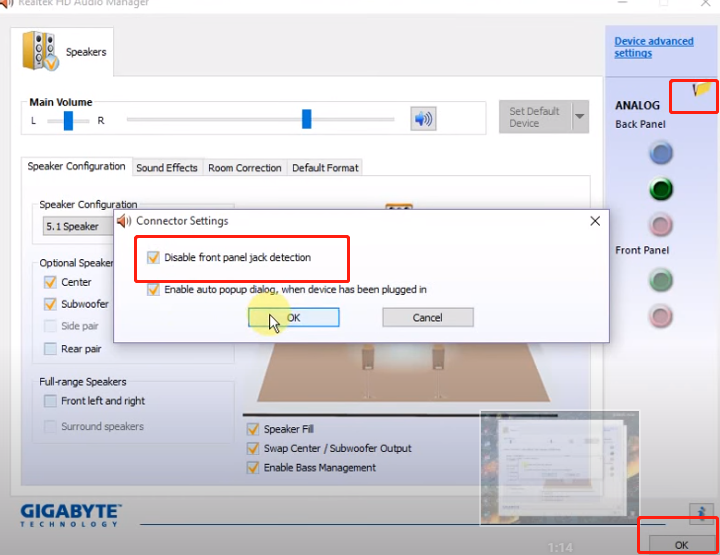
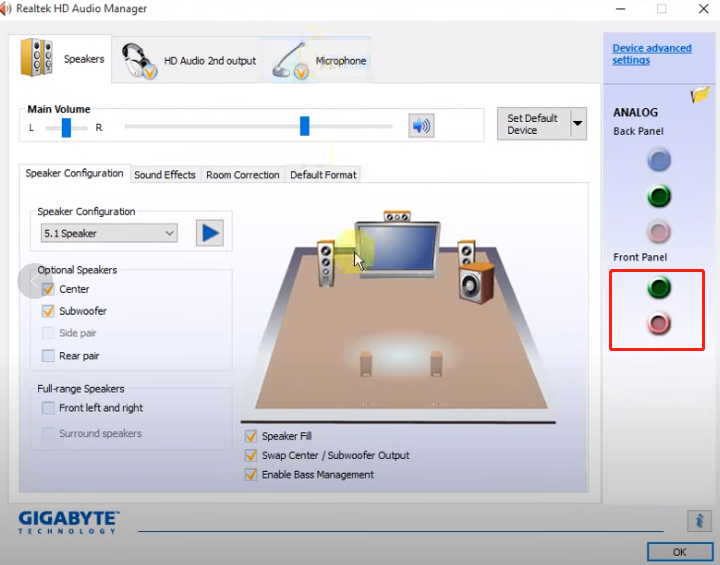
5) 如果切換插孔後有聲音,請打開控制台並選擇「Realtek HD Audio Manager」-「連接器設定」- 勾選「停用前面板插孔檢測」及「啟用裝置插入時自動彈出對話框」。重新插入裝置並為其設定合適的類型。然後重新啟動模擬器。
文章已到底
關鍵字: