
Play Airship Knights on PC and Mac
Download Airship Knights on PC or Mac with MuMuPlayer, get a PC like gameplay along with smart control and high graphics performance.
MuMuPlayer, the top Android emulator for PC and Apple silicon Mac, delivers an optimal gaming experience with minimal RAM usage and high FPS. It also allows you to create multiple instances of the emulator and run several games simultaneously, thanks to its Multi-instance feature. Its advanced emulator features ensure smooth gameplay, even on low-end PCs.
Download and play Airship Knights on PC or Mac with MuMuPlayer and start enjoying your gaming experience now.
About the Game
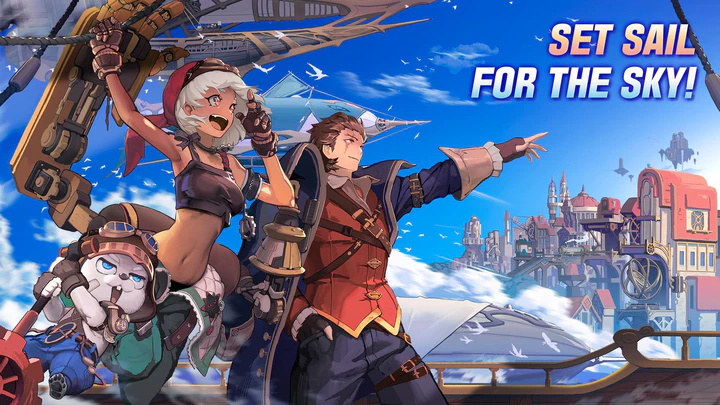
"An arcane punk world where airships fly through the sky.
You are the first airship captain from Cloud Island!"

Break through the infinite stages with AFK play and become a legendary hero!

■ Board the airship and Fight in 'Time Attack' Idle Battles
- A 15 seconds match! Defeat the monsters in time and advance!
- Combat and growth are automatic so increasingly stronger enemies won't be any problem for you.

■ An adventure story that blends magic and engineering
- Lose yourself in this animated fantasy world.
- Double the immersion with the unique story of each knight, and the battles are more exhilarating!

■ Get stronger with 'returns' in this endless journey
- Once you feel the limit to your endless journey, open the portal and go back to the beginning!
- With more power, you will be able to travel even farther.

■ With a powerful engine, upgrade to have the strongest airship
- Enhance your magic engine to quickly increase your combat power!
- Manage 8 cabins including the Control Room, Engine Room and Research Room to strengthen your airship.

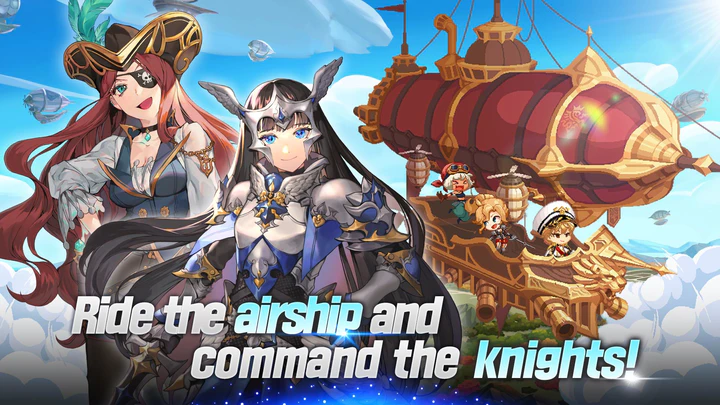
■ 40 Pixel Knights with incredible looks and abilities!
- Create your own party with knights with various attributes and positions.
- You can help your knights grow in various ways, such as promotion, awakening, and equipment.

■ Explore the World Map for a wider world view
- Arena: 1:1 PVP to unveil powerful knights
- Elemental Island: Battle with the White Tiger, Black Tortoise, Blue Dragon, and the Red Bird!
- Soul Dungeon: Challenge the dungeon to upgrade to the Knights Templar.
- Sky Tower: Conquer the tower filled with monsters and uncover ancient secrets.
- Raid: Subdue bosses with friends and acquire familiars!
- Temple: The Promotion Battle of the Captains! Overcome the trials of the goddess.
Emulator Features

With a smart button scheme and image recognition function, provide a more concise UI, and support custom button mapping to meet different needs.

Run multiple games independently at the same time, easily manage multiple accounts, play games while hanging.

Break through FPS limit, and enjoy a seamless gaming experience without lag and delay!

Get a 3-second startup with 52% less memory usage and 65% more stability.
How to Download and Play Airship Knights on PC and Mac
Installation Guide
① Download and install MuMuPlayer on your PC or Mac. It will identify automatically your current system and download the latest version.
② Start MuMuPlayer and complete Google sign-in to access the Play Store, or do it later.
③ Search Airship Knights in the Play Store.
④ Complete Google sign-in (if you skipped step 2) to install Airship Knights.
⑤ Once installation completes, click the Airship Knights icon on the home page to start the game.
⑥ Enjoy playing Airship Knights on your PC or Mac with MuMuPlayer.
Installation Guide
Recommended computer configuration
For Windows:4-core CPU, 4GB RAM, i5 OS, GTX950+ graphics card
For macOS: 4-core CPU, 4GB RAM
Recommended Android Device performance settings
Graphics renderer mode
Vulkan and DirectX both supported
Performance Settings
Recommended performance settings: 2 cores, 2GB. >>How to adjust performance settings
Recommended Android Device Display Settings
Resolution Settings
Go to Device Settings > Display > Resolution Settings to adjust your device's resolution as needed.
FPS Settings
MuMuPlayer supports up to 240 FPS. >>How to enable high FPS mode
Recommended to enable VT
Enabling VT will significantly improve emulator performance, reduce screen freezing, and make games run more smoothly. >>How to enable VT

(1).png?fop=imageView/0/w/150/h/150)