Play Avatar: Realms Collide on PC and Mac
Avatar: Realms Collide is a 4X strategy mobile game developed by Tilting Point, set within the beloved worlds of Avatar: The Last Airbender and The Legend of Korra. Players step into the role of a rising leader tasked with uniting legendary heroes across generations to confront a dangerous cult emerging from the Spirit World. With city building, resource management, large-scale alliance warfare, and hero collection all woven together, the game delivers an expansive strategy experience rooted in a universe fans already love. Playing through MuMuPlayer on PC gives you the full scope of this world on a bigger screen with smoother controls.
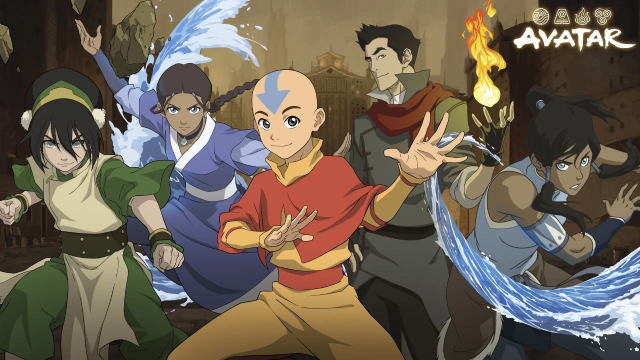
The game earned Pocket Gamer's 2026 Best Strategy Game of the Year, and it earns that recognition through the depth of what it offers. You can build and upgrade your city, choose your elemental allegiance, research new upgrades, manage resources, and push your territory outward across a persistent world map. A roster of iconic heroes including Aang, Korra, Sokka, and Zuko can be recruited, leveled up, and equipped with gear for use across PvE battles, PvP combat, and alliance wars. Animal companions from the Avatar universe add another strategic layer, growing alongside your heroes and contributing stat boosts and combat support in battle. Seasonal events, global multiplayer, and long-term progression systems keep the content evolving well beyond the early game.
For a strategy game built on managing multiple systems at once, playing Avatar: Realms Collide on PC through MuMuPlayer is a genuine advantage. The larger display makes city planning, map navigation, and battle formations far easier to read and control. Keyboard and mouse inputs allow for faster decisions during alliance wars and PvP encounters where timing matters. MuMuPlayer's stable performance also ensures that resource timers run smoothly in the background, so your city keeps progressing even while you focus on other tasks. If you want the full strategic experience this game offers, starting on PC with MuMuPlayer is the smartest way to play.
About the Game
Avatar: Realms Collide brings the Four Nations to life in a strategy game that blends city building, hero collection, and large-scale multiplayer conflict into a single connected experience. The story begins with a threat unlike any the Avatar world has faced before. A powerful cult has risen from the Spirit World, sowing chaos across the land and unraveling the balance that generations of Avatars worked to protect. With the harmony of the Four Nations at stake, players must step up as leaders, assembling a force capable of pushing back the darkness.
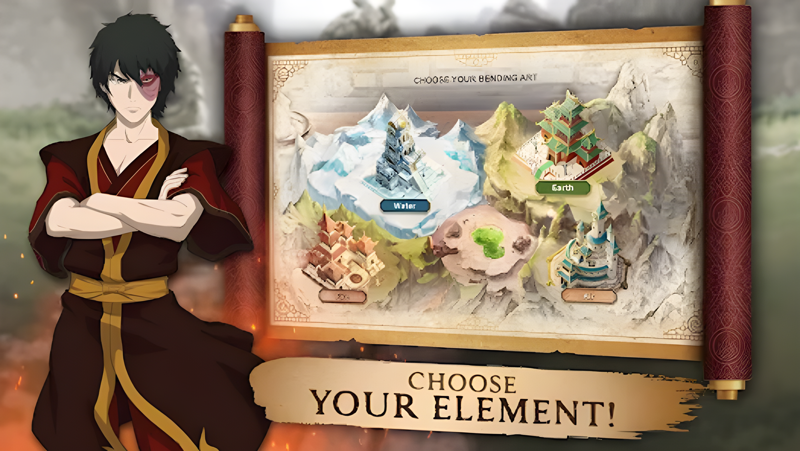
At the heart of the game is a full 4X strategy loop. You begin by establishing your city, choosing your elemental identity, and constructing the foundations of a growing civilization. From there, the work expands in every direction:
- Build and continuously upgrade your city structures to increase output and defensive strength
- Allocate resources wisely across construction, research, and military development
- Advance through a research tree that unlocks new capabilities over time
- Extend your reach across the world map by claiming strategic territories
- Fortify your borders and prepare for both PvE threats and rival players
The hero system gives Avatar: Realms Collide much of its personality. Characters drawn from both Avatar: The Last Airbender and The Legend of Korra can be recruited and developed across multiple dimensions. Aang, Korra, Zuko, Sokka, and many others each bring distinct abilities to the field. Gearing them up, upgrading their skills, and arranging them into specialized lineups for different types of content forms a core part of the strategic depth. A lineup built for a story-driven PvE encounter will look very different from one assembled for a high-stakes PvP clash or an organized alliance war.
Companions from the Avatar universe add yet another dimension to combat and progression. These animal allies are not cosmetic additions. They grow stronger alongside your heroes, unlock their own abilities over time, and contribute meaningfully to battle through stat bonuses and active support roles. Players can also customize their companions' appearances, adding a personal touch to their roster while reinforcing their competitive builds.
The multiplayer side of the game is built for sustained engagement. Forming an alliance connects you with players from around the world, opening up coordinated strategies, shared resource networks, and collaborative warfare. Alliance conflicts play out on a persistent battlefield where collective planning matters as much as individual strength. Competitive PvP, seasonal challenges, and regularly updated live-service content ensure that the landscape keeps shifting and there is always a new goal within reach.
Avatar: Realms Collide is rated for players aged 13 and up, and its combination of familiar characters, deep systems, and ongoing multiplayer makes it a strong fit for strategy fans who want a game built for the long haul. Whether you are pushing through the main story, grinding for hero upgrades, or coordinating a large-scale alliance offensive, the game rewards patience and planning in equal measure.
Emulator Features

With a smart button scheme and image recognition function, provide a more concise UI, and support custom button mapping to meet different needs.

Run multiple games independently at the same time, easily manage multiple accounts, play games while hanging.

Break through FPS limit, and enjoy a seamless gaming experience without lag and delay!

Get a 3-second startup with 52% less memory usage and 65% more stability.
How to Download and Play Avatar: Realms Collide on PC and Mac
Installation Guide
Download MuMuPlayer
Download and install MuMuPlayer on your PC or Mac
Sign-in Google Store
Complete Google sign-in to access the Play Store
Search and Install
Search Avatar: Realms Collide in the Play Store
Enjoy Gaming
Enjoy 120 FPS high-def gameplay with big screen
System Requirements
Windows PC
Vulkan / DirectX supported. 4 cores + 4GB RAM recommended. Up to 240 FPS. VT required.
macOS
Recommended: Apple Silicon Mac with 8GB RAM or above. Up to 240 FPS.