Attack on Tank Beginner Guide: Missions and Tactics
Attack on Tank: World Warfare has passed a million downloads by being unromantic about armored combat. Hits are calculated with a damage model that rewards angle and shot placement, AI units move with real intent, and the battlefield includes support fire you do not control. That combination punishes players who drive forward and shoot at whatever is visible.
Attack on Tank is a game where a single well-placed shot or a careless angle decides the entire engagement. However, aiming with touch controls on a moving tank is imprecise, and long battles amplify the fatigue that causes mistakes.
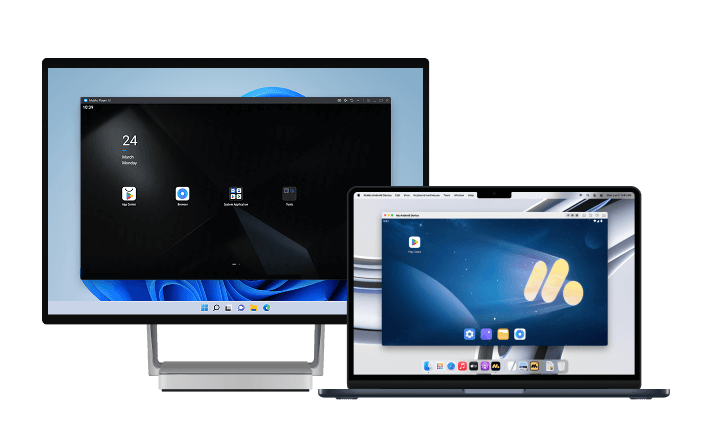
If you're looking for a more comfortable way to play, MuMuPlayer is a great option for PC and Mac. As an Android emulator optimized for running mobile games on desktop, MuMuPlayer offers intuitive keyboard and mouse controls alongside stable performance. With MuMuPlayer, you can control Attack on Tank PC with the precision armored combat requires.
Download MuMuPlayer using the button below and enjoy Attack on Tank PC with greater comfort and control.
Mission Types and What They Ask
Missions vary from reconnaissance to full-scale raids, and each type rewards a different behavior.
- Reconnaissance: survival and information. Do not trade shots you do not need to take.
- Ambush: position before contact. The first shot from cover decides most ambush encounters.
- Raids: pressure and speed. Groups of enemies with support require aggression at the right angle.
- Blitz operations: momentum. Stopping to duel every enemy is how a blitz becomes a grind.
The mission briefing matters more than the tank you bring. A heavy tank in a reconnaissance mission is slower than the role needs, and a light tank in a raid lacks the armor to hold the push.
Tank Roles Across Nations
The roster includes famous models from the Soviet Union, Germany, the United States, the Empire of Japan, the British Empire, and the Kingdom of Italy. They differ in ways that matter on the ground.
- Heavy armor: holds a line and absorbs support fire. Best in raids and defensive pushes.
- Mobile platforms: reposition quickly and exploit flanks. Best in blitz and ambush roles.
- Long-range guns: punish from distance where enemy AI must close ground.
- Balanced models: the practical choice while learning, because they forgive one mistake.
Early on, pick the tank that matches the mission rather than the tank you like. Free tanks unlock by advancing missions, and online tanks become available as campaign progress, so variety arrives through play.
Damage, Angle, and the Physics Model
The damage system uses complex physics calculations, which means placement and angle beat raw gun size in many duels.
- Angle the hull: a sloped plate deflects where a flat one penetrates.
- Aim for weak points: the same shot in the wrong spot does nothing.
- Move after firing: a stationary tank is a solved problem for enemy AI.
- Respect the coaxial machine gun: it doubles as a sighting device, useful for acquiring targets before committing the main gun.
Players who lose consistently usually are not losing to stronger tanks. They are losing to the first shot of an engagement they did not position for.
Support Fire and Battlefield Systems
- Battleships and cruisers: offshore support that changes which ground is safe to hold.
- Heavy howitzers: indirect fire that arrives with warning. Moving after the warning is the whole counter.
- Air attacks: a callable influence on the battle, best saved for clusters rather than single targets.
- Anti-tank mines: used to disable enemy tracks. Immobilizing a tank is often better than damaging it.
- View switching: first and third person both have uses; third person reads the terrain, first person reads the shot.
The systems reward players who think in terms of disabling rather than destroying. A tracked tank is out of the fight without needing another shell.
Progression Without Wasting Gold
- Silver coins from reward ads: the free currency loop. Slow, and enough for steady progress.
- Gold coins from purchases: premium currency. Spend on a tank that fills a mission gap, not on the most expensive option.
- Free tanks via missions: advancing the campaign is the cheapest route to variety.
- Online tanks unlock through campaign: PvP access follows single-player progress, so clearing missions is not optional.
The game requires an internet connection, and it recommends backing up your data. The first launch may take a little time depending on device, which is normal rather than a fault.
Multiplayer PvP Basics
- Learn one map before queueing repeatedly: angles that work in one terrain do not transfer.
- Play the objective, not the duel: real players punish a tank that stops to fight.
- Keep a support option available: mines and air support change a losing fight more than another shell does.
- Watch the sky and coast: support fire decides ground control in ways you cannot shoot away.
A First Session, In Order
- Clear reconnaissance missions: they teach sight lines and enemy behavior without demanding duels.
- Then one ambush: practice the first shot from cover, which is the skill every later mission uses.
- Then a raid: this is where tank choice starts to matter, so bring armor rather than speed.
- Finish with a blitz: momentum missions confirm whether your driving and aiming habits hold under pressure.
The order matters because each mission type assumes the previous one's skill. Jumping into a blitz first usually produces a long series of duels, which is the opposite of what the mission asks for.
Common Early Mistakes
- Dueling every enemy: objectives pay, kills do not.
- Ignoring support fire warnings: indirect fire is announced before it lands.
- Using mines for damage: disabling tracks removes a tank from the fight more reliably.
- Buying the most expensive tank: buy the one that fills a mission gap.
- Playing online before the campaign: online tanks unlock through campaign progress.
Every item on that list is a habit rather than a stat, which is why the fix is attention instead of currency. Players who stop dueling and start positioning usually find the game becomes easier without a single upgrade.
That is the fastest improvement available in this game, and it costs nothing but a change of intention before the next mission.
How to Play Attack on Tank : World Warfare on PC or Mac with MuMuPlayer
1. Download and install MuMuPlayer for PC or Mac.
2. Launch MuMuPlayer and search for Attack on Tank PC in MuMu Store.
3. Click Attack on Tank PC in the search results to download and install it. If you can't find it in MuMu Store, you can also download the game's APK file and install it locally in MuMuPlayer.
4. Click the Attack on Tank PC icon on the home screen to launch the game.
With just a few minutes of setup, you can start your campaign on PC or Mac. Take your experience further with MuMuPlayer's intuitive controls, high-quality graphics, stable performance, and more. Start your first mission today!
Final Thoughts
Attack on Tank rewards preparation over aggression. Match the tank to the mission, angle the hull before firing, and treat immobilizing a target as a win. Support fire from ships and howitzers decides ground you cannot shoot your way free of, so plan around it rather than enduring it. Precise aiming is the whole skill, and replacing touch controls with a mouse makes every duel a decision instead of a guess.
End of Article