Cloud Spirits Release Date & Pre-Registration
Cloud Spirits is a fantasy MMORPG for PC, iOS, and Android with a launch window of Q4 2026, and pre-registration is already open through the publisher's own site rather than only through app stores. That detail matters, because the official campaign runs on a milestone and guild count rather than a single store button, and the rewards unlock for everyone who joined the same guild. Here is where the release stands, how the pre-registration actually works, and what the game looks like once it opens.
Cloud Spirits PC stands out for its polished visual style, well-designed UI, and attention to detail, delivering an immersive gaming experience. However, enjoying all these visual details on a small mobile screen can leave you wanting more.
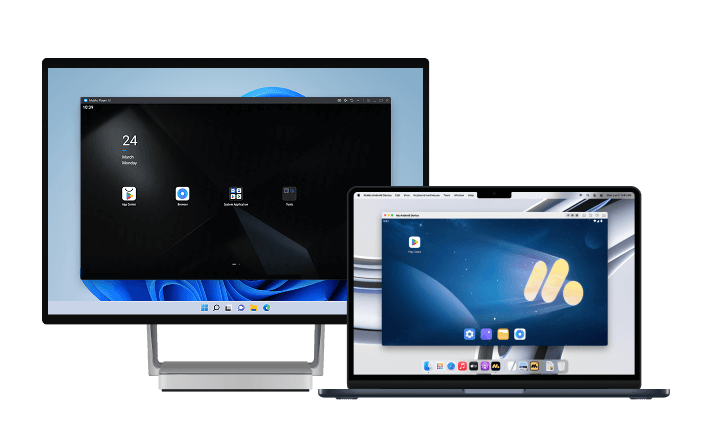
For a more vivid and immersive experience, we recommend playing Cloud Spirits PC on PC or Mac with MuMuPlayer. Enjoy sharper, high-quality graphics and appreciate every detail of the game's UI on a larger screen. With a wider view, you can fully experience the visual appeal of the game. MuMuPlayer also supports high frame rates and high-resolution graphics on both Windows PCs and Apple Silicon M-series Macs, delivering smoother and more enjoyable gameplay.
Download MuMuPlayer using the button below and experience Cloud Spirits PC in high quality on a larger screen!
Release Date: Q4 2026
The publisher's official site lists Cloud Spirits as launching in Q4 2026, alongside the platforms and a "first look" showcase. There is no confirmed day inside that window yet.
- Window: Q4 2026, meaning the last three months of the year.
- Status signal: the official site still marks the title as coming soon while the pre-registration page is live. Treat the pre-registration page and the app store listing as the two authoritative sources for the exact date.
- Region note: the campaign is being run through a Southeast Asia publishing arm, and the pre-registration site is regionally focused. Open the site from your own region to see the correct reward track.
Because the window is a quarter rather than a date, do not plan around a specific day. Register once, then wait for the push notification.
How Pre-Registration Works
This is not a single store tap. The official page runs a milestone counter, and it also runs a guild element that changes what you get.
- 1. Open the official pre-registration page and complete the registration form for your region. That is the entry that counts toward the milestone total.
- 2. Create a guild or join an existing one on the site. This is a website action, not an in-game one, and it is the part most players skip.
- 3. Invite friends until your guild hits the next member tier. Rewards are distributed by tier, so a guild one member short of a threshold collects the lower tier for everyone.
- 4. Confirm the store listing too: register on Google Play or the App Store as a backup notification path. Store registration is separate from the site campaign and costs nothing.
The guild mechanic is the reason to organize before launch. Solo registration gets you the milestone rewards; guild registration adds the tier rewards, and those require other people to be registered in the same group.
What the Rewards Track Rewards
The campaign is structured as cumulative milestones: as total registrations climb, additional reward tiers unlock for the whole player base, and guild membership adds a second layer on top.
- Milestone rewards: unlock for everyone registered when the counter passes each threshold. Nothing is lost by registering early, and registering late risks missing a tier that already closed.
- Guild tier rewards: scale with member count. The only lever you control is how many people you bring in.
- Launch-window value: pre-registration rewards are typically starting materials and currency rather than late-game power, so treat them as a faster opening rather than a competitive edge.
If you plan to play with a group, register all of them through the same guild link. That is the highest-value action available before launch, and it costs nothing but coordination.
What the Game Actually Is
Cloud Spirits is built on a pairing: every hero has a Spirit companion, and the two combine through Soul Resonance to transform your character into the Spirit. Six base classes each branch into two advanced paths, and class names in the material include front-line leaning archetypes.
- Classes: six to start, each with two distinct advanced paths. Choosing a path decides your gear priorities and which PvP formats suit you.
- Spirits: companions with their own abilities, not cosmetic pets. They carry the Resonance mechanic, so under-investing in them caps your own ceiling.
- PvP: five formats, including a 7v7 sequential-fight mode, a 3v3 league limited to one Spirit per player, a shrinking-zone tournament with random skill unlocks, ranked 2v2 and 3v3, and a 5v5 tower mode.
- Social systems: guilds, a marriage system, and spectator predictions that pay out in in-game Gold Coins.
The setting is a world recovering from a war against a demon tide, with a hero whose dormant bloodline awakens in a tower and a small Spirit that needs the World Tree's power to take physical form. That framing is why the transform mechanic exists in the fiction, not just in the combat design.
Getting a PC Setup Ready Before Launch
Since Cloud Spirits ships for Android as well as PC, the practical preparation is an emulator instance that is already configured when the servers open.
- Install and sign in early: a signed-in store means the game shows up in search the moment it releases in your region, without a first-time setup queue.
- Build a skill-bar layout in advance: plan keys for your rotation, an interrupt, and your Resonance transform. A first launch with no mapping is an hour spent fighting the keyboard.
- Set a frame-rate target: group content with several players and Spirit effects on screen is the heaviest scene the game produces.
- Reserve storage: MMOs grow. Allocate headroom rather than exactly the install size.
If you would rather play on a monitor from day one, you can already run the Android client on desktop through Cloud Spirits PC, which also removes battery drain from long sessions.
How to Play Cloud Spirits on PC or Mac with MuMuPlayer
1. Download and install MuMuPlayer for PC or Mac.
2. Launch MuMuPlayer and search for Cloud Spirits PC in MuMu Store.
3. Click Cloud Spirits PC in the search results to download and install it. If you can't find Cloud Spirits PC in MuMu Store, you can also download the game's APK file and install it locally in MuMuPlayer.
4. Click the Cloud Spirits PC icon on the home screen to launch the game.
With just a few minutes of setup, you can start enjoying Cloud Spirits on your PC or Mac. Take your gaming experience to the next level with MuMuPlayer's intuitive controls, high-quality graphics, stable performance, and more. Setting that up before launch week means day one is spent playing instead of configuring.
Final Thoughts
Cloud Spirits has a window, not a date: Q4 2026, on PC, iOS, and Android. The only work available right now is registration, and the version worth doing is the guild route, because tier rewards need other people registered beside you.
Everything after that is launch-day execution, and execution in an MMO means interface. Running the game through MuMuPlayer on a Windows PC or Apple Silicon Mac gives you mapped skills, a readable party frame, and a stable frame rate once the servers fill up.
End of Article