
MY HERO ULTRA RUMBLE Mobile Release Date Status
MY HERO ULTRA RUMBLE Mobile is the My Hero Academia battle royale rebuilt for phones, and Bandai Namco has opened pre-registration on both Google Play and the App Store. There is still no confirmed launch date, but the shape of the release is now clear enough to plan around: shorter matches than the console and PC version, 24 players split into eight teams of three, and no cross-play with the older platforms. Here is exactly where the release stands, what the mobile build changes, and how to have everything ready before the servers open.
MY HERO ULTRA RUMBLE Mobile PC stands out for its polished visual style, well-designed UI, and attention to detail, delivering an immersive gaming experience. However, enjoying all these visual details on a small mobile screen can leave you wanting more.
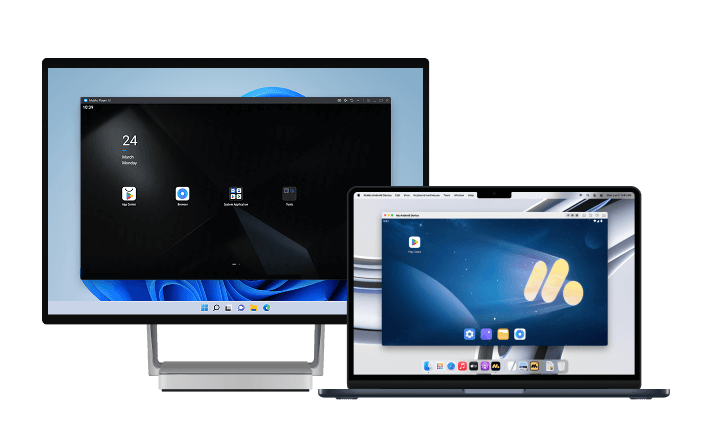
For a more vivid and immersive experience, we recommend playing MY HERO ULTRA RUMBLE Mobile PC on PC or Mac with MuMuPlayer. Enjoy sharper, high-quality graphics and appreciate every detail of the game's UI on a larger screen. With a wider view, you can fully experience the visual appeal of the game. MuMuPlayer also supports high frame rates and high-resolution graphics on both Windows PCs and Apple Silicon M-series Macs, delivering smoother and more enjoyable gameplay.
Download MuMuPlayer using the button below and experience MY HERO ULTRA RUMBLE Mobile PC in high quality on a larger screen!
Where the Mobile Release Stands Right Now
The announcement landed in early November 2026 together with a teaser trailer, and pre-registration opened on both stores on November 8, 2026. What Bandai Namco has not published is a launch date. The listing is live, the trailer is out, and the store pages are collecting pre-registrations, but the release window is still unannounced.
What that means in practice:
- Pre-registration is live: both Google Play and the App Store accept sign-ups now, and registered devices get a notification when the build goes live.
- No date is confirmed: anything circulating as an exact launch day is unverified. Treat a store push notification as the only reliable launch signal.
- The product is already rated and described: the store entry lists in-app purchases including random items and a 12+ rating for moderate violence, which tells you the monetization and content framing before you install anything.
If you want to be playing within the first hour, pre-registration is the only action that matters today. Everything else on this list is preparation, not information.
What the Mobile Version Changes
This is not a straight port with a new touch layout. Three differences matter most, and each one changes how you should approach the game.
Shorter Matches
The mobile build is designed around a reduced battle duration so a session fits into a commute or a break. That compresses everything: less looting time, faster zone pressure, and earlier forced rotations. Squads that land late and loot slowly will find themselves rotating into a closing zone instead of fighting from a prepared position.
No Cross-Play with Console and PC
The mobile version runs as its own experience and does not matchmake with console or PC players. iOS and Android players share the pool, so a phone squad can queue with a friend on the other mobile platform, but not with a friend still on the older version.
The Same 24-Player Format
Eight teams of three, one map, last team standing. The Quirk-driven combat loop carries over intact, and the seasonal content cadence continues with new characters and costumes added over time. If you already know the format, the mobile build is about adapting that knowledge to a tighter match clock rather than learning a new game.
Pre-Registration: What It Does and How to Complete It
Pre-registration on mobile stores is a notification opt-in attached to a specific app entry. It costs nothing and does not reserve a username, but it is the fastest path to knowing the moment the servers open.
Steps to lock it in:
- Google Play: search for MY HERO ULTRA RUMBLE Mobile, open the listing, and tap the pre-register button. The entry then appears in your library with a notification scheduled for launch.
- App Store: search the same name, open the product page, and use the Get / pre-order option shown on the listing.
- Both stores: registering on both is harmless if you own devices on each platform, since the mobile pool includes iOS and Android together.
Do not chase APK mirrors promising early access. The game requires online servers to match into a 24-player lobby, so a pre-release file with no live backend gives you nothing but a menu screen.
What to Expect from the 24-Player Loop
The battle royale formula here is built on Quirks rather than weapons, and that single design choice drives three consequences worth preparing for:
- Role overlap decides fights: with eight teams on one map, teams that stack the same Quirk job lose to teams that split damage, control, and support. Decide your job before the match starts, not after the first engagement.
- Ultimate timing is the win condition: the endgame comes down to which squad still has a charged Ultimate when three teams remain. Spending it on an isolated target in a mid-match skirmish is the most common way to lose a winnable game.
- Seasonal rosters shift the meta: new characters and costumes arrive each season, so the strongest pick changes over time. Learning one character deeply and reading patch notes beats chasing every new release.
None of this requires a device upgrade. It requires a stable frame rate, a readable screen, and controls that let you aim an ability at a strafing target while you are also dodging.
Preparing Your PC Before Launch Day
The practical move before a mobile launch is to have the emulator installed and configured, so launch day is a five-minute install rather than a first-time setup under load.
Three things worth doing in advance:
- Install MuMuPlayer and sign into Google Play: a signed-in store means the game appears in search the moment it goes live in your region.
- Set a key mapping template: create a layout with movement on the left hand cluster, Quirk keys on the right, and dash and jump adjacent. Reuse that template across battle royale titles so your muscle memory transfers.
- Reserve storage and set a frame rate target: a 24-player endgame is the heaviest scene in the game; keeping your instance on a fast drive and a stable frame cap avoids the stutter that shows up exactly when three squads collide.
If you would rather not wait on a phone screen at all, you can already run the Android build on desktop through MY HERO ULTRA RUMBLE Mobile PC, which also sidesteps battery drain during long sessions.
How to Play MY HERO ULTRA RUMBLE Mobile on PC with MuMuPlayer
For an enhanced gaming experience, we recommend playing MY HERO ULTRA RUMBLE Mobile PC with MuMuPlayer. If you're looking for a more stable and convenient way to play, running the game on your PC or Mac with MuMuPlayer is a great option.
Compared with playing on a mobile device, MuMuPlayer gives you a larger screen and a more stable environment, making it easier to immerse yourself in the game. On PC, you can enjoy higher and more consistent frame rates, smoother controls, and a more comfortable experience during extended sessions or repetitive gameplay. Keyboard and mouse controls also make it easier to maintain a clear view of the battlefield and perform precise actions. These advantages are especially useful when managing multiple accounts or working through repetitive content.
MuMuPlayer fully supports both Windows and macOS, delivering stable, optimized performance across supported devices.
Final Thoughts
The state of MY HERO ULTRA RUMBLE Mobile is simple: pre-registration is open, a teaser trailer is out, the 24-player format and the shorter match clock are confirmed, and the launch date is still unannounced. Register on your store of choice, set up a control layout you can actually aim with, and the release itself becomes a non-event: you install, you queue, and you already know the loop.
And if the plan is to play it seriously rather than casually, running the mobile build through MuMuPlayer on a PC or Apple Silicon Mac keeps the frame rate steady through the crowded endgame, where a dropped frame costs more than a bad rotation.
End of Article