
Petit Planet Building Guide: Terraforming & Blueprints
Petit Planet's building layer is the part that separates it from other life sims: the planet itself is editable. Terrain can be sculpted, waterways can be routed, cliffs can be terraced and the sky can be customized, all on a sphere rather than a flat plot. Two supporting systems sit underneath that freedom: a blueprint template feature for reusing layouts, and a staged unlock schedule that releases advanced tools through the Luca Arbor rather than all at once.
Petit Planet PC stands out for its polished visual style, well-designed UI, and attention to detail, delivering an immersive gaming experience. However, enjoying all these visual details on a small mobile screen can leave you wanting more.
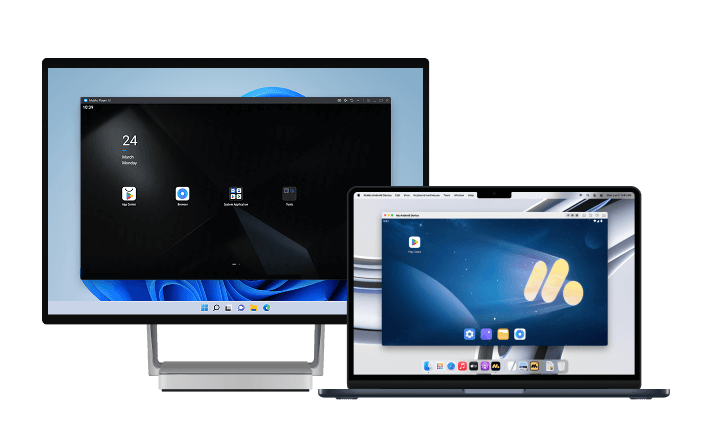
For a more vivid and immersive experience, we recommend playing Petit Planet on PC or Mac with MuMuPlayer. Enjoy sharper, high-quality graphics and appreciate every detail of the game's UI on a larger screen. With a wider view, you can fully experience the visual appeal of the game. MuMuPlayer also supports high frame rates and high-resolution graphics on both Windows PCs and Apple Silicon M-series Macs, delivering smoother and more enjoyable gameplay.
Download MuMuPlayer using the button below and experience Petit Planet PC in high quality on a larger screen!
Blueprints: Saving Layouts Instead of Rebuilding Them
The template system is the most underused feature in the build layer, and it behaves like a saved preset rather than a crafting recipe.
- Room and house templates: a finished interior can be saved and reapplied elsewhere, carrying furniture groupings, color palettes and arrangement rather than only a list of items.
- Cross-area reuse: the same template can be dropped into another part of the planet, which is how large planets avoid looking like a series of unrelated rooms.
- Rebuild protection: saving a template before a major terraforming overhaul preserves a layout that would otherwise be destroyed by new terrain.
The practical rule is to save early. Terraforming changes the ground a structure stands on, and a saved template is the only reliable way back to a design that worked.
Terraforming: What the Tools Actually Do
The terraforming toolkit is broader than height adjustment, and the categories map to distinct problems.
- Spherical sculpting: terrain is edited on the planet's curved surface, so slope and horizon depend on position rather than on a flat grid.
- Waterway physics: water can be routed, which allows rivers, ponds and waterfalls rather than purely decorative water decals.
- Cliff terracing: slopes can be stepped into terraces, which is how multi-level farms and stepped gardens are built.
- Biome texture painting: ground surface can be painted by biome, letting a single planet hold distinct regions without a hard border.
- Sky and atmosphere: the sky layer is customizable, so the lighting and backdrop of the planet are part of the design rather than a fixed setting.
Players who have tried the beta consistently describe the process as painting rather than construction. That is a useful expectation to set: the tools are continuous, not block-based, and results depend on brush-level control.
Staged Unlocks: Why You Cannot Build Everything on Day One
Terraforming is gated, and the gating is the reason early planets look flat.
- Basic tools from the start: simple terrain edits are available early enough to support the first farm plots.
- Advanced tools later: cliffs and waterfalls unlock around Luca Arbor Level 23 in final-beta data, which places the full planet-shaping toolkit near the end of the first week of committed play.
- Arbor as the gate: because tool tiers ride on Arbor milestones, a player who wants to build elaborate terrain has to farm first, not decorate first.
This ordering is worth planning around. Building an ambitious design before the relevant tools unlock means rebuilding it later, and the blueprint system exists partly to make that rebuild cheap.
Vertical Building and Farming
The build layer supports height as a real dimension rather than a cosmetic one.
- Platform stacking: platforms can be layered, producing multi-tier structures instead of a single-floor footprint.
- Vertical farming: crops can be grown upward, which turns a small surface area into usable production space.
- Overhead paths: raised routes allow travel over structures, which matters on a small planet where ground space competes between farming, housing and decoration.
For players running out of flat ground, vertical farming is the efficient answer: it adds output without consuming the terrain that decorating wants.
Where Furniture Comes From
The furniture pool is larger than the shop inventory suggests, and the sources are separate.
- Gameplay and quests: a substantial share of furniture, built-in water patterns, paths and decorative decals unlock through ordinary progression rather than pulls.
- Shops: basic furniture and clothing at Glenn's Goods for Dough, with rotating stock at the Curio Emporium for Miraprint.
- Museum and Giftarium: progressing the main story to unlock the Museum opens the Giftarium, a hub for special decorative items and keepsakes tied to neighbors.
- Neighbor bonds: higher bond levels unlock house expansion blueprints and exclusive decorative furniture, which links decorating to the relationship track.
The Museum unlock is worth prioritizing early, because the Giftarium is not a cosmetic side shop: it is where keepsake-tier decorations enter the pool.
Quality-of-Life Controls Worth Learning
Several build behaviors are not explained by a tutorial but change how fast decorating goes.
- Continuous pathing: paths can be drawn in one gesture instead of placed tile by tile.
- Crop relocation: existing crops can be moved rather than destroyed and replanted, which protects production during a layout change.
- Multi-item selection: grouping objects and moving them together is the difference between editing a room and rebuilding it.
These are the tools that make terraforming-heavy designs practical. Learning them before a large project saves more time than any single unlock.
Data Status
Tool categories, the Arbor 23 threshold for cliffs and waterfalls, and the Museum-to-Giftarium unlock chain come from final-beta documentation and community guides. Launch values may differ, and thresholds of this kind are commonly tuned. The stages exist; the numbers are provisional until December 4.
How to Play Petit Planet on PC or Mac with MuMuPlayer
1. Download and install MuMuPlayer for PC or Mac.
2. Launch MuMuPlayer and search for Petit Planet PC in MuMu Store.
3. Click Petit Planet PC in the search results to download and install it. If you can't find Petit Planet PC in MuMu Store, you can also download the game's APK file and install it locally in MuMuPlayer.
4. Click the Petit Planet PC icon on the home screen to launch the game.
With just a few minutes of setup, you can start enjoying Petit Planet on your PC or Mac. Take your gaming experience to the next level with MuMuPlayer's intuitive controls, high-quality graphics, stable performance, and more. Terrain sculpting, item rotation and layout comparison are all pointer operations, and a mouse turns them from approximations into precise placements.
Final Thoughts
Building in Petit Planet is a staged process rather than a sandbox from minute one: basic tools early, cliffs and waterfalls behind Arbor progress, vertical structures for space, and blueprints to make redesigns cheap. Furniture arrives from quests, shops, the Giftarium and neighbor bonds rather than one place.
Because the entire layer is driven by pointer placement and visual comparison, the display is part of the toolset. Running the mobile client through MuMuPlayer on a Windows PC or an Apple Silicon Mac gives terrain editing the precision a mouse provides, and shows enough of the planet at once to judge a layout before committing to it.
End of Article