Petit Planet Release Date & Pre-Registration
Petit Planet, HoYoverse's cosmic life simulation, is scheduled to launch globally on December 4, 2026 for iOS and Android, with pre-download opening December 1. The game is free to play, and its pre-registration campaign has already passed the highest published milestone tier at more than 10 million registrations. A first closed test, named the Coziness Test, ran ahead of launch with invitations issued in batches.
When playing Petit Planet PC for extended periods, you may experience interruptions or discomfort on mobile devices due to small screens, device overheating, and battery drain.
For a smoother and more stable gaming experience, we recommend playing Petit Planet PC on PC or Mac with MuMuPlayer. Enjoy sharper visuals on a larger screen, more consistent frame rates, and an environment optimized for long gaming sessions. Plus, you can play for hours without worrying about battery life.
Click the button below to download MuMuPlayer and take your Petit Planet PC gaming experience to the next level!
Release Schedule
Three dates are confirmed, all within the same week.
- December 1, 2026: pre-download opens, allowing the client to be installed before servers go live.
- December 4, 2026: global launch on iOS and Android.
- Post-launch: a Nintendo Switch 2 version is planned for 2027, with no date announced.
The game is a free download with in-app purchases, and progress is designed to carry across supported devices through a HoYoverse account. No regional launch split has been announced, so the December 4 date is treated as simultaneous.
Gameplay: Building and Shaping a Planet
The construction layer is the game's defining system, and it is broader than furniture placement.
- Terraforming: terrain on the player's planet can be reshaped, which makes the planet a canvas rather than a fixed plot with decorative slots.
- Furniture and layout: placing, arranging, and rotating objects is the second half of the system, and layout decisions affect how the space reads rather than only how it scores.
- Interior and exterior: building is not confined to a house. The planet's surface is part of the composition.
- No objective pressure: there are no timers or failure states, so construction pace is entirely player-defined.
This is the layer most affected by input method. Terraforming and object placement are pointer-driven tasks, which is why interface and screen size carry more weight here than in a combat game.
Gameplay: Neighbors and Relationships
The second pillar is a cast of residents described as fuzzy neighbors, and the relationship system is embedded in routine activity.
- Residents with routines: non-player characters live on the planet and follow their own schedules, which makes interaction a matter of being present rather than opening a dialogue menu.
- Relationship progression: bonds develop over time and unlock further interactions, framing social play as a slow accumulation rather than a checklist.
- Integration with building: interactions are woven into daily activity, so decorating and socializing reinforce each other instead of running as separate systems.
For players familiar with the life-sim genre, the design follows the established pattern of resident friendship driving unlocks, with the distinction that the setting is a private planet rather than a shared town.
Gameplay: Starsea Exploration and Cross-Planet Play
The third pillar extends the world beyond a single planet.
- Starsea: the space surrounding the homeworld is explorable, providing locations to visit beyond the player's own planet.
- Visiting other planets: player planets can connect, which is the mechanism behind the game's social layer at scale.
- A shared galaxy: the long-term structure is described as a galaxy built collectively out of individual homeworlds, giving the open-ended loop a social horizon.
- Cross-platform continuity: progress is intended to follow the account across devices, so a session can continue wherever the player has access.
This is the element that distinguishes Petit Planet from a purely solo life sim: the decorating loop is private, but the world it sits inside is shared. The practical consequence is that the game's social content scales with the number of players who keep building, because a connected galaxy is composed of other people's finished planets rather than generated scenery. That makes launch-window activity a reasonable proxy for how populated the world will feel later.
Pre-Registration Rewards by Tier
The campaign has two components: one reward tied to individual registration and a set of global milestones driven by total sign-ups.
- Personal reward: the Bestie Star-Light accessory, granted to every registered account, including players who registered during earlier test phases.
- 4,000,000 registrations: Red Star Firework ×2.
- 6,000,000 registrations: Sweet Special, along with related cosmetic and consumable items.
- Higher tiers: the Sproutling Outfit and additional exclusive cosmetics and furniture.
- Current total: more than 10 million global registrations, meaning the milestone tiers above are already unlocked for all registrants.
Rewards are distributed through in-game mail after launch. Because the tiers are already cleared, the marginal value of registering now is the personal accessory rather than the milestone items.
Coziness Test: The First Closed Beta
The Coziness Test served as the game's first closed beta and remains the only public preview of the systems before launch.
- Sign-up method: logging into the official site with a HoYoverse account, then completing a survey. Registration is independent of pre-registration.
- Invitations are batched: access is distributed in waves rather than issued immediately on sign-up.
- Progress does not persist: test data is reset before launch, which aligns the test with system preview rather than early progression.
- Focus of the test: with weeks rather than months between the test and launch, feedback centers on stability, onboarding, and cross-device continuity.
Two questions the test was best positioned to answer: how heavy the client runs on mid-range devices, and whether progress transfers cleanly between platforms. Both affect launch-day experience more than any single feature reveal.
How to Play Petit Planet on PC with MuMuPlayer
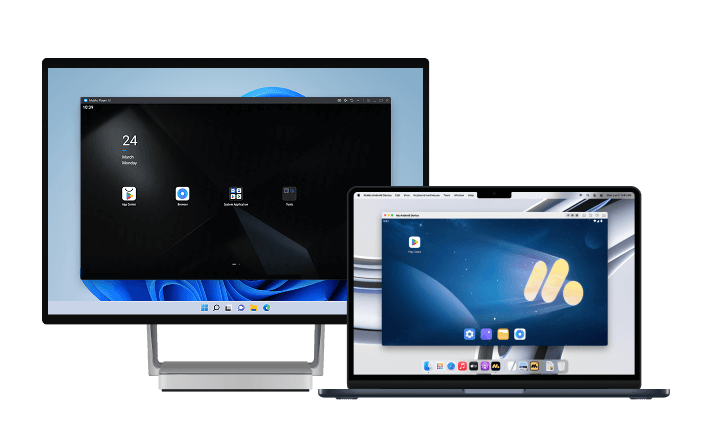
For an enhanced gaming experience, we recommend playing Petit Planet PC with MuMuPlayer. If you're looking for a more stable and convenient way to play, running the game on your PC or Mac with MuMuPlayer is a great option.
Compared with playing on a mobile device, MuMuPlayer gives you a larger screen and a more stable environment, making it easier to immerse yourself in the game. On PC, you can enjoy higher and more consistent frame rates, smoother controls, and a more comfortable experience during extended sessions or repetitive gameplay. Keyboard and mouse controls also make it easier to maintain a clear view of the world and perform precise actions.
In a construction-focused life sim, that difference is mechanical rather than cosmetic: terrain editing, furniture rotation, and layout comparison are pointer operations, and they are faster and more precise with a mouse. MuMuPlayer fully supports both Windows and macOS, delivering stable, optimized performance across supported devices.
Final Thoughts
Petit Planet launches December 4, 2026 on iOS and Android with pre-download from December 1, free to play, and a pre-registration campaign already past 10 million sign-ups. The confirmed design rests on three pillars: terraforming and home construction, resident relationships built into daily routine, and a shared starsea that connects player planets.
Of those three, construction is the one that depends most on interface. Running the Android client through MuMuPlayer on a Windows PC or an Apple Silicon Mac provides the display space and pointer precision that terrain editing needs, along with stable performance for the long sessions a life sim is built around.
End of Article