PUBG MOBILE FLASH Release Date, Pre-Registration and Launch Rewards
PUBG MOBILE FLASH is a lighter build of the core battle royale, not a new game. It keeps the drop, loot, and last-one-standing loop but replaces the single large install with a smaller starting package plus optional content. Pre-registration is open now, and the launch window is close enough that the details matter.
PUBG MOBILE FLASH features a progression system where characters and overall strength develop through consistent gameplay. To keep up with daily activities and collect all available rewards, you'll often need to log in and play regularly.
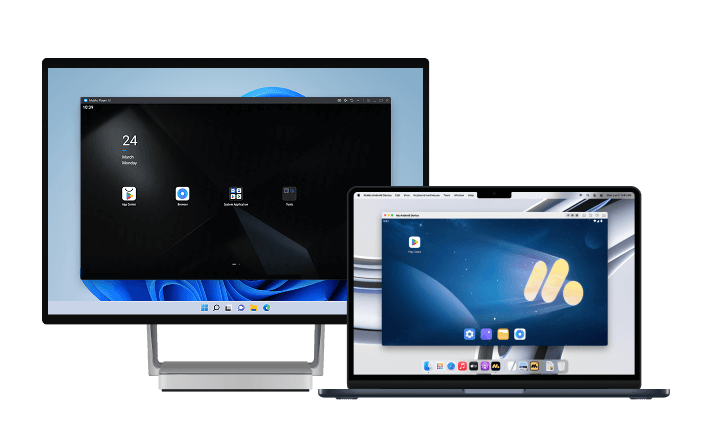
However, keeping up with everything on a mobile device alone can be demanding. That's where MuMuPlayer comes in. By playing on PC or Mac, you can make your gaming routine much more efficient. Its multi-instance feature lets you run and manage multiple accounts simultaneously, while the Operation Recorder automates repetitive actions with just a one-time setup. This makes long progression sessions and resource farming much easier, helping you get more done with less effort.
MuMuPlayer also provides stable performance for extended gaming sessions. You can keep your progress going alongside mobile gameplay without missing important content, all while enjoying a more relaxed and comfortable gaming experience.
Install MuMuPlayer today and enjoy a more convenient way to play PUBG MOBILE FLASH on PC.
Release date: what is confirmed
The official campaign confirms a November 2026 launch. The US App Store listing shows November 12, 2026 as the expected date, but that is a store listing rather than a confirmed worldwide release time.
- Month — November 2026, confirmed by the campaign.
- Listed date — November 12, 2026 on the US App Store.
- Exact global time — not announced at the time of writing.
Treat the store date as a strong indicator rather than a guarantee. Launch dates in this region-sharded format often roll out progressively, and the official campaign page is the source that updates first.
How to pre-register
Pre-registration is a five-step process, and both platforms are covered by the same campaign page.
- 1 — open the official PUBG MOBILE FLASH pre-registration campaign page.
- 2 — choose the store that matches your device.
- 3 — verify the app name and publisher before tapping anything.
- 4 — tap Pre-register on Google Play or Pre-order on the App Store.
- 5 — confirm that the registration actually went through.
On Android, if the listing is unavailable in your region, check your store region rather than sideloading an APK from a third-party site. On iOS, pre-ordering is free and does not charge anything at registration.
Launch rewards and what to expect
Pre-registration rewards are expected at launch, with limited rewards tied to the campaign. Availability can vary by region, and automatic downloads are not guaranteed on every store.
- Timing — rewards are delivered around launch, not at the moment you register.
- Region variance — the same campaign can pay out differently depending on store region.
- Beta access — registering does not guarantee closed-beta entry; that is handled separately.
The practical advice is simple: register, then confirm your store account is the one you actually play PUBG MOBILE on. Rewards and account continuity both depend on that.
Download size and Erangel
FLASH ships Erangel pre-installed, so you can enter a match immediately after the initial install with no secondary download. Additional maps and modes are optional downloads you trigger yourself.
- Android — the August announcement claimed an initial package under 1 GB.
- iOS — the same announcement claimed under 2 GB.
- Note — those are initial-download figures, not the final installed size. Optional content uses more space later.
That distinction is the one people get wrong. A smaller download does not mean the game stays small if you install every map and mode. It means you choose when to pay that cost.
Accounts, friends and cross-play
FLASH is designed to share the existing PUBG MOBILE account ecosystem, friends list, and cross-play with the standard app. It is not a separate silo.
- Account — continuity with the standard app is part of the announced design.
- Friends — the same social layer, which is the main reason to switch rather than start fresh.
- Cross-play — announced between FLASH and standard PUBG MOBILE.
Currency balances, Royale Pass benefits, and transfers from separate regional apps should be confirmed with official support before you commit. Those are the areas where announcements tend to be less specific than the marketing suggests.
FLASH is not the old PUBG MOBILE LITE
This trips up a lot of returning players. PUBG MOBILE LIGHT was the earlier name of this app; the name changed in September 2026, and existing pre-registrations were reported to carry over. The older PUBG MOBILE LITE is a different product.
- LIGHT → FLASH — same project, renamed in September 2026.
- Old LITE — a separate legacy app, not the same client.
- Pre-registrations — carried over through the rename.
If you already registered for LIGHT, you do not need to register again for FLASH. If you are searching the store, search FLASH — the LITE listing is not the same download.
Should you uninstall the standard version?
No. Nothing in the announcement requires uninstalling, and keeping the current app until FLASH is live ensures your account login still works. Confirm the login before removing anything.
Before launch checklist
- Confirm your store region — if the listing does not appear, the region is usually the reason rather than the device.
- Check available storage — the initial package is small, but optional maps and modes add up quickly.
- Log in to your existing account — verify the login works now, not after launch, so continuity is confirmed.
- Keep the standard app installed — nothing in the announcement requires removing it.
None of these steps takes more than a few minutes, and each one prevents a launch-day problem that would otherwise cost hours.
Quick reference
- Window — November 2026, with a US App Store listing of November 12.
- Download — under 1 GB initial on Android, under 2 GB on iOS.
- Pre-installed map — Erangel, with everything else optional.
- Not the same as — the legacy PUBG MOBILE LITE app.
Play PUBG MOBILE FLASH on PC or Mac with MuMuPlayer
Here are some of the key benefits you'll experience when playing PUBG MOBILE FLASH PC on Windows or macOS with MuMuPlayer.
1. Stable Performance
Enjoy consistent frame rates and optimized performance for smooth, reliable gameplay, even during extended sessions and demanding battles.
2. Customizable Controls
MuMuPlayer converts touchscreen inputs into keyboard and mouse controls, making precise aiming, quick camera movements, and other detailed actions easier to perform. You can also freely customize your keyboard and mouse mappings to create a control setup that suits your PUBG MOBILE FLASH PC playstyle.
3. Multi-Instance Support
Run multiple instances simultaneously to manage different accounts or work through repetitive content more efficiently.
4. High-Fidelity Graphics and Smooth Gameplay
Mobile devices can experience performance drops due to overheating, while MuMuPlayer takes advantage of your PC's hardware to deliver a stable, high-FPS gaming experience. Enjoy smooth gameplay at up to 120 FPS, or even 240 FPS depending on your setup. For games that demand quick reactions, higher frame rates can make a noticeable difference in responsiveness and help you stay focused during battles.
MuMuPlayer is fully compatible with both Windows and macOS, delivering optimized performance across supported devices.
Final thoughts
PUBG MOBILE FLASH launches in November 2026 with a US App Store listing of November 12, a smaller initial download (under 1 GB on Android, under 2 GB on iOS), Erangel pre-installed, and optional maps thereafter. Pre-register through the official campaign, keep the standard app installed until launch, and remember that FLASH is the renamed LIGHT project — not the legacy LITE. Playing on PC with keyboard and mouse turns the lighter client into a smoother desktop experience, and MuMuPlayer keeps the install off your phone entirely.
End of Article