Rumble Merge Codes: Current Gift Codes and Redeem Steps
Rumble Merge: Hero Arena is a real-time PvP merge game from StarFortune. Two players build a formation, merge identical heroes to raise their tier, and the merge bonus spreads to nearby allies, so placement matters as much as the merge itself. Between rounds each player picks roguelite upgrades, and outside battle every hero you level adds power to the whole team. Because hero copies and summon currency decide how fast a formation develops, gift codes have a real effect on early progress.
Rumble Merge: Hero Arena PC uses a progression system where hero levels and copies accumulate through consistent play. To keep pace with daily activity and collect available rewards, you generally need to log in and play regularly. However, keeping up with everything on a mobile device alone can be demanding. That's where MuMuPlayer comes in. By playing on PC or Mac, you can make your gaming routine much more efficient. Its multi-instance feature lets you run and manage multiple accounts simultaneously, while the Operation Recorder automates repetitive actions with just a one-time setup.
Download MuMuPlayer using the button below and enjoy Rumble Merge: Hero Arena with greater comfort and control.
Current Rumble Merge codes
Gift codes for Rumble Merge: Hero Arena are released through the game's official social media channels, typically alongside an update, a milestone, or a seasonal event. The codes below are the ones currently published through those channels. Each one delivers a package of in-game items, and the contents depend on the campaign that issued it, so two codes from different periods do not necessarily hand out the same rewards.
- JOINARENA
- NEWGATE
- PUMPKIN24
Redeem a code as soon as you find it. Codes are tied to a campaign window and stop working once that window closes, which is why a list copied a few weeks ago is often useless by the time it reaches you. The set can change at any time as new campaigns open and older ones finish, so read this page as the current state rather than a permanent archive, and check back for the latest additions before your next session.
How to redeem a code
The redemption entry sits in the settings area of the main screen, and the flow takes under a minute.
- Step 1: finish the tutorial and create your profile, since codes cannot be claimed before an account exists.
- Step 2: tap the menu icon in the top right corner of the main screen.
- Step 3: open Settings or More, then select Gift Code or Package Code.
- Step 4: paste the code exactly, with no leading or trailing spaces.
- Step 5: confirm and check the mailbox. Rewards arrive as a message and carry an expiry, so claim them immediately.
If the field rejects the input, the usual causes are an expired code, a code already used on that account, or a server maintenance window. A maintenance rejection clears by itself, so keep the code and retry after the server returns.
FAQ
Are these codes one-time per account?
Yes. Redemption is bound to the account rather than the device, so a code cannot be claimed twice on the same profile. If you run several accounts, enter the code separately on each one before the window closes.
Why do codes from other sites fail?
Two reasons dominate. The first is age: merge arena codes are campaign-bound, and lists copied between websites are rarely cleaned up. The second is game confusion. Rumble Merge is published in some regions under a different title, and codes shared for a similarly named merge game do not apply here.
Does the PC version accept the same codes?
Yes. Playing the mobile build through an emulator keeps the same account, so the gift code field and mailbox behave exactly as they do on a phone.
How often do new codes appear?
Roughly around updates, milestones and holidays, which in practice works out to one or two drops a month. Following the official page is faster than searching, because the post announcing a code appears before any aggregator picks it up.
Play Rumble Merge: Hero Arena on PC with MuMuPlayer
For an enhanced gaming experience, we recommend playing Rumble Merge: Hero Arena PC with MuMuPlayer. If you're looking for a more stable and convenient way to play, running the game on your PC or Mac with MuMuPlayer is a great option.
Compared with playing on a mobile device, MuMuPlayer gives you a larger screen and a more stable environment, making it easier to immerse yourself in the game. On PC, you can enjoy higher and more consistent frame rates, smoother controls, and a more comfortable experience during extended sessions or repetitive gameplay. Keyboard and mouse controls also make it easier to maintain a clear view of the battlefield and perform precise actions. These advantages are especially useful when managing multiple accounts or working through repetitive content.
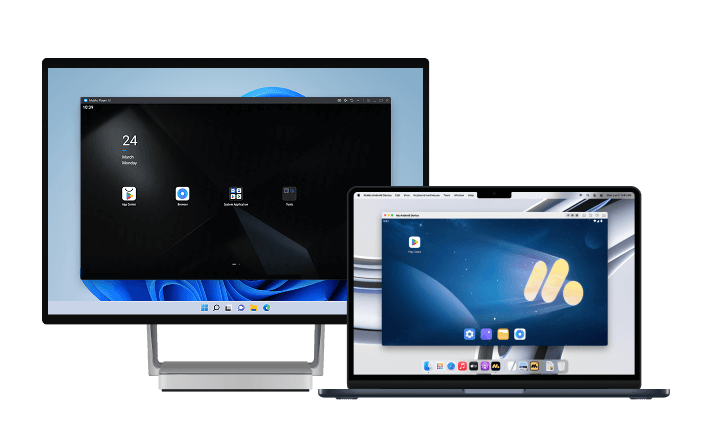
MuMuPlayer fully supports both Windows and macOS, delivering stable, optimized performance across supported devices.
Final thoughts
Rumble Merge codes are a monthly habit rather than a lookup: three names have been published officially, the redeem path is five taps deep in Settings, and the value is concentrated in the early weeks when hero copies decide your formation. Claim codes on the day they appear and check the mailbox before the timer runs out. This page is updated as new codes are verified, so come back before each update and event slot, which is when fresh drops land. If you run multiple accounts, redeeming across all of them in one sitting is faster on a PC, where MuMuPlayer keeps several windows open at once.
End of Article