Three Kingdoms GO! Coupon Codes and Pre-Registration Rewards Overview
Three Kingdoms GO! is an idle simulation RPG created by Highbrow. Merge matching weapons to raise their tier, collect heroes from Wei, Shu, Wu, and the Warlords, and build your lineup while your army keeps growing even when you are offline. With coupons and pre-registration rewards available around launch, it helps to know where to claim each one. This guide covers the pre-registration schedule, revealed codes, where to enter them, and what to check if they do not apply.
Three Kingdoms GO! PC is a game where split-second decisions and quick reactions can often have a major impact on your results. However, mobile play relies heavily on touch controls, making precise inputs difficult. Fast responses during combat and repeated farming can also naturally build up fatigue and lead to mistakes.
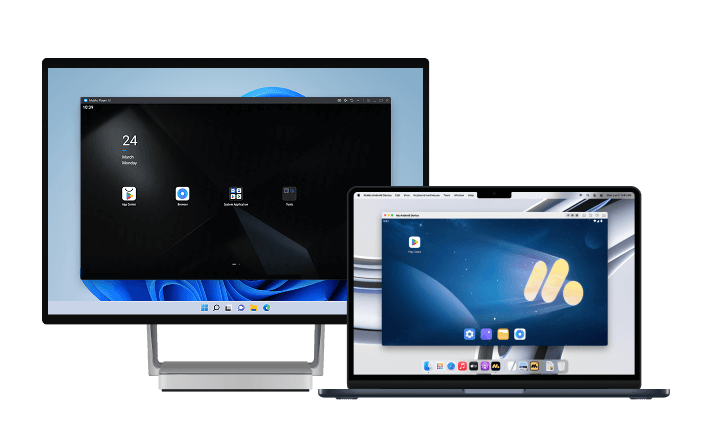
If you want to play in a more comfortable environment, we recommend using MuMuPlayer on PC or Mac. MuMuPlayer is an Android emulator optimized for playing mobile games naturally on PC, offering intuitive keyboard-and-mouse controls along with stable performance. With MuMuPlayer, you can control Three Kingdoms GO! PC with the precision and responsiveness of a PC game.
Download MuMuPlayer using the button below and enjoy Three Kingdoms GO! PC more efficiently and comfortably.
Available Redemption Codes
Ahead of launch, one shared code has been revealed through the official promotional channels. Distributed as part of the pre-registration campaign, the code grants 10 Oath Orders.
- 9KD777: This is a shared redemption code that grants 10 Oath Orders. While codes often are not case-sensitive, it is safest to enter the letters in uppercase.
- When to use it: You can use it after launch, once the in-game coupon entry menu becomes available.
- Note: Pre-registration promotions may also display codes for other Three Kingdoms games with similar names. Do not judge by the code name alone; check whether it was distributed through an official Three Kingdoms GO! channel.
Redemption codes are available for a limited time. If a code does not work, its validity period has likely ended, so check the official channels for newly released codes.
Pre-Registration Schedule and Reward Details
Pre-registration runs from November 12 to November 25, 2026. You can participate through Google Play pre-registration, App Store pre-order, or Naver Game Lounge. Whichever route you choose, the rewards will be delivered to the same account after launch.
- Event Period: November 12–25, 2026. Once the period ends, you can no longer join the pre-registration list, but coupons will be distributed separately after launch.
- Claiming Rewards: After launch, log in to the game and claim your pre-registration rewards from the mailbox. Make sure the store account you used to participate matches your game account.
- Platform: The game is designed for mobile, and you can continue using the same account on PC through MuMuPlayer.
How to Enter Coupon Codes
You can find the code entry option in the in-game Settings menu. Since the screen layout may change, it is best to look for it by menu name.
- Open Settings: Tap the gear icon on the main screen.
- Account or Other Tab: In Settings, open the tab that contains your account information.
- Enter the Code: Select the coupon entry or redemption code option, then enter the code.
- Check Your Rewards: After entering the code, the rewards will be sent to your mailbox. Mail has a claim period, so pick them up right away.
If your code entry keeps failing, check three things: whether the code has already been used, whether the capitalization is correct, and whether the server is under maintenance. Even valid codes may be rejected during maintenance, so try again once it ends.
What to Check If a Coupon Code Doesn't Work
- Validity Period: Each campaign has its own expiration date. Codes tied to pre-registration periods may expire immediately after launch.
- One-Time Use: Each code can only be used once per account. Entering it again will fail.
- Server Restrictions: Some codes are distributed separately by server. Check the server you first logged into before entering the code.
- Platform Restrictions: Separate codes may be distributed for different stores, so refer to announcements from the store where you installed the game.
The fastest way to get new codes
Redemption codes are released gradually through the official channels. Updates may appear late on static pages, so it is more accurate to check the two sources below.
- Naver Game Lounge: This is where the developer first posts launch celebrations, updates, and maintenance compensation. Bookmark the Lounge so you can see announcements right away.
- Official Social Media: Launch-event codes are distributed through Instagram and other platforms. Since codes are often included in images, check the original post.
When you use a code matters more than simply saving it. Coupon rewards are usually early-game growth resources, so if you redeem them too late, you may no longer need them. When a new code is released, it’s best to log in and redeem it that same day.
The Growth Loop After Launch
The resources you claim from the code will help you push through the early stages of weapon synthesis more quickly. Progression in this game revolves around two core pillars: synthesis and idle rewards.
- Weapon Synthesis: Combine matching weapons to raise their tier, then repeat crafting, synthesis, and equipping until you reach Legendary equipment.
- Auto Battle and Speed-Up: Push through stages without manual controls. Offline rewards ensure that the time you spend away still contributes to your growth.
- Hero Collection: Collect heroes from Wei, Shu, Wu, and the Warlords to build combos and synergies. You can unlock team compositions where former enemies fight on the same side.
- Territory Development: Build up your base by upgrading the Sect, Training Ground, Expeditions, and War Academy. Relics and Inner Arts offer additional ways to strengthen your heroes.
- Competitive Content: Take on giant bosses atop burning castle walls, dungeons, raids, ruin exploration, weapon and stage rankings, and guild play.
How to Play Three Kingdoms GO! on PC or Mac with MuMuPlayer
1. Download and install MuMuPlayer for PC or Mac.
2. Launch MuMuPlayer, then search for Three Kingdoms GO! PC in the MuMu Store.
3. Click Three Kingdoms GO! PC in the search results to download and install it. If you cannot find Three Kingdoms GO! PC in the MuMu Store, you can also download the game's APK file and install it locally in MuMuPlayer.
4. Click the Three Kingdoms GO! PC icon on the home screen to launch the game.
After completing this simple setup, which takes only a few minutes, you can enjoy Three Kingdoms GO! more comfortably on your PC or Mac. Take advantage of MuMuPlayer's excellent controls, high-quality graphics, stable performance, and other features for an enhanced gaming experience. Start exploring the exciting world of Three Kingdoms GO! with MuMuPlayer today.
Final Thoughts
One shared code for Three Kingdoms GO! has been confirmed: 9KD777. It rewards 10 Oath Orders. Pre-registration runs from November 12 to 25, and you can claim the rewards from your mailbox after launch. Since codes are time-limited, it is best to redeem them as soon as you receive them. Check Naver Game Lounge first, then the official social media channels, so you do not miss new codes. This game involves frequent menu switching for tasks such as weapon merging and territory upgrades, so a larger screen makes comparisons faster. Running multiple accounts at once in MuMuPlayer lets you redeem codes and manage idle progress all at once.
End of Article