
Tomb Busters Codes (November 2026) – Free Rewards
Tomb Busters is a cooperative horror extraction game developed by Giant Games. Players explore mysterious ruins, collect valuable treasures, avoid supernatural threats, and escape before losing their loot. You can venture into the ruins alone or team up with friends for cooperative expeditions.
Redeem codes can provide useful exploration and survival items, including medical supplies, equipment, and other rewards. However, these codes are often tied to specific events and may expire.
This guide covers the latest Tomb Busters redeem code status for November 2026, previously released codes, and how to claim rewards.
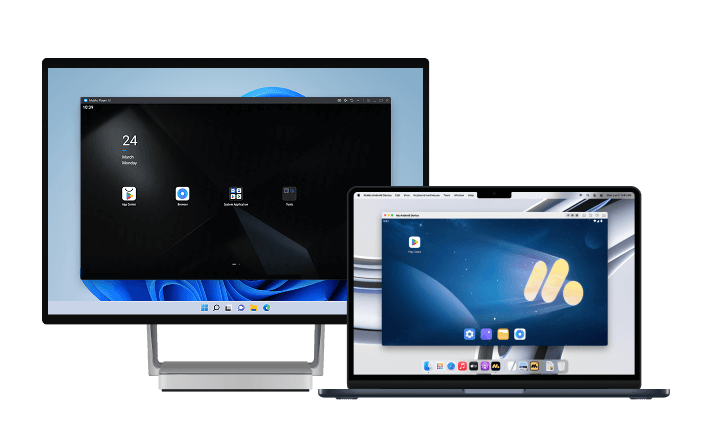
Play better with MuMuPlayer: You can play Tomb Busters on PC and Mac using MuMuPlayer. A larger screen can help you follow your surroundings, manage exploration equipment, and navigate the game with customizable keyboard and mouse controls.
Tomb Busters Redeem Codes (November 2026)
Active Tomb Busters Codes
As of November 2, 2026, no active Tomb Busters redeem codes are currently confirmed.
Expired and Previous Tomb Busters Codes
| Redeem Code | Previous Rewards | Status |
|---|---|---|
TB2026 |
Talisman of Revival, First Aid Kit, Jet Pack, Backpack, NV Goggles, Professional Flashlights, Shovel | Expired June 26, 2026 |
TB321 |
Exclusive rewards; exact contents not confirmed | Reported expired |
KIMODAMESHI |
First Aid items, Treasure Hunt Charms, Defibrillators, Boomboxes, Warp Buttons, Energy Drinks | Previous event code; current availability unconfirmed |
MuMuPlayer will continue to follow Tomb Busters announcements and update this guide when new public codes become available.
How to Redeem Codes in Tomb Busters
Tomb Busters includes an in-game redemption feature. Follow these steps to claim an eligible code:
-
Launch Tomb Busters and log in to your game account.
-
Tap the Settings gear icon in the upper-right corner of the main screen.
-
Open Account and look for the Redeem option, which may appear near the Switch button.
-
Enter your redeem code exactly as shown.
-
Tap Confirm or Redeem, depending on your game version.
-
Check the redemption result and follow any in-game instructions to collect your rewards.
Codes may be case-sensitive. Check the spelling and avoid extra spaces before submitting.
If the code cannot be redeemed, it may have expired or already been used on your account.
Where to Find New Codes
Developers typically drop codes during milestone celebrations, server maintenance, and seasonal events. For Tomb Busters specifically, watch these channels:
- Official Discord: discord.gg/tombbuster
- Facebook page: facebook.com/TombBustersEN
- In-game notices: Check the mailbox and event tabs after major updates
- Pre-registration campaigns: The game is still in pre-registration as of late May 2026, so additional launch codes may appear
Codes for extraction games often have shorter windows than other genres. The developer wants to drive engagement during specific events, so a code posted on Monday might expire by Friday. Check sources weekly if you are actively playing.
Why a Code Might Not Work
Even valid codes sometimes fail. Here is what usually causes problems:
- Expiration: TB2026 has a hard cutoff of June 26, 2026. After that, it will not function.
- Region locks: Some codes only work in specific server regions. If you are playing on a global client, this is less likely but still possible.
- Already claimed: Most codes are one-time use per account. Trying to enter the same code twice gives an error.
- Typos: Codes are case-sensitive. TB2026 and tb2026 are treated as different strings.
- Server delay: During launch week, redemption servers sometimes lag. Wait a few minutes and retry.
If you encounter persistent issues, screenshot the error and contact support through the official Discord. The community managers there typically respond faster than email during launch periods.
How to Play Tomb Busters on PC or Mac using MuMuPlayer?
-
Download MuMuPlayer for PC or Mac and install it.
-
Complete Google Sign-in and search Tomb Busters in the APP Center
-
Click to download Tomb Busters from the search results. [NOTE: If you didn't find this game on the Play Store, you can also download the game's apk file to install locally on MuMuPlayer.]
-
Click the Tomb Busters icon on the home screen to start playing.
After you've done these steps which only take a few minutes to complete, you'll be enjoying Tomb Busters PC,and with the best controls, graphics, performance, and other brilliant functions provided by MuMuPlayer. Now start your play experience in the exciting world of Tomb Busters on PC with MuMuPlayer.
Conclusion
Tomb Busters redeem codes can provide extra equipment and supplies for your expeditions into mysterious ruins.
As of November 2, 2026, no active public codes are currently confirmed. Previously released codes such as TB2026 have expired, while the availability of other historical promotional codes remains uncertain.
Keep an eye on official Tomb Busters announcements for future events and rewards. MuMuPlayer will continue to follow game updates and refresh this guide when new redeem codes become available.
End of Article