
Ultraman Legend of Heroes 2 Codes (November 2026)
Ultraman: Legend of Heroes 2 gives out redeem codes through its official Facebook page rather than an in-game news feed, which is why most players miss them. The list is short but the codes are worth claiming early, because the rewards land while your account is still building its first team.
Ultraman: Legend of Heroes 2 stands out for its polished visual style, well-designed UI, and attention to detail, delivering an immersive gaming experience. However, enjoying all these visual details on a small mobile screen can leave you wanting more.
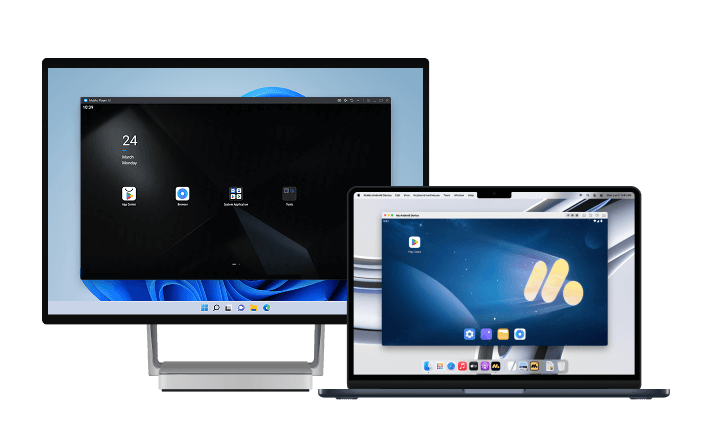
For a more vivid and immersive experience, we recommend playing Ultraman: Legend of Heroes 2 PC on PC or Mac with MuMuPlayer. Enjoy sharper, high-quality graphics and appreciate every detail of the game's UI on a larger screen. With a wider view, you can fully experience the visual appeal of the game. MuMuPlayer also supports high frame rates and high-resolution graphics on both Windows PCs and Apple Silicon M-series Macs, delivering smoother and more enjoyable gameplay.
Download MuMuPlayer using the button below and experience Ultraman: Legend of Heroes 2 on PC in high quality on a larger screen!
Currently working codes
The active list as of late October 2026 contains two codes. Both are lowercase and numeric, so they are easy to mistype — copy rather than retype.
- vip55555 — listed as a new code in the October 30, 2026 update.
- vip77777 — released alongside the first code in the same batch.
Code trackers update on different days, so the exact set can differ by a few entries depending on which site you check. If a third code appears in a tracker but fails in-game, treat it as expired rather than broken.
How to redeem
The redeem menu is buried two levels deep, which is the main reason people assume the codes do not work.
- Step 1 — launch the game and tap Menu in the bottom-left corner.
- Step 2 — open Settings.
- Step 3 — select Redeem to open the gift code field.
- Step 4 — paste the code and tap Redeem.
Rewards are delivered through the in-game mailbox in most builds, so check the mail tab after redeeming. If you skip that step, the code looks like it failed even though it was accepted.
Why a code fails
- Already redeemed — codes are tied to the account. The same account cannot claim one twice, and switching characters does not reset it.
- Expired — launch and event codes usually run for a limited window. A code listed two months ago is often dead.
- Typo — leading or trailing spaces from copy-paste, plus digit-to-letter confusion such as 0 versus O.
- Region or server mismatch — codes distributed for a specific launch region may not apply elsewhere.
Enter one code at a time. Batch-pasting makes it impossible to tell which entry failed, and you end up rechecking all of them.
Where new codes appear
There is no official Discord server for the game at the moment. Announcements, events, and code drops go through the official Facebook page, and community trackers repost them within a day or two. Following the Facebook page is the fastest route; checking a tracker is the convenient one.
Codes tend to appear around version updates and milestone events rather than on a fixed schedule. If the game has just pushed a content update, check the page before assuming the list is current.
Getting more out of the rewards
Code rewards are usually a mix of currency and upgrade materials. Early on, materials matter more than currency, because a power spike comes from raising your main hero's skill levels rather than adding another underleveled character to the roster.
- Spend on the core trio — the two damage dealers and one support you actually field.
- Hold currency for banner timing — dumping it the moment you get it rarely improves your team.
- Claim the mailbox immediately — some rewards expire if left uncollected.
If you run multiple accounts
Redeem codes are account-bound, which makes them the one thing that scales cleanly across alts. If you maintain more than one account — one for PvE progression and one for testing heroes in fair PvP, for example — the same code list applies to each of them separately.
- Redeem on every account the same day — codes expire, and a code that works on one account is still valid on another until its window closes.
- Keep a plain-text list — copy-paste between accounts is faster than retyping, and it avoids the digit-to-letter mistakes that make a valid code look dead.
- Claim the mailbox on each account — redemption only queues the reward; uncollected mail is the most common reason people think a code failed.
Running several instances side by side turns this into a two-minute job instead of an evening of logging in and out. It also makes it obvious which account actually benefits from the reward, so you spend it where it matters.
Quick reference
- Working codes — vip55555 and vip77777 as of the October 30, 2026 update.
- Redeem path — Menu, Settings, Redeem, then enter the code.
- Where rewards land — the in-game mailbox, not the inventory.
- Where new codes appear — the official Facebook page; there is no official Discord.
One more note on timing: code drops cluster around content updates, and the window is usually short. If you see a code announced alongside a patch, redeem it during that patch week rather than saving it for a session when you have more time. The reward value does not increase with waiting, and the expiry date does not move.
Finally, treat the list as a moving target. A code that was valid last month is not evidence that the current list is wrong — it is evidence that the list rotates. Check the newest entry first, then work backward.
Play Ultraman: Legend of Heroes 2 on PC or Mac with MuMuPlayer
Here are some of the key benefits you'll experience when playing Ultraman: Legend of Heroes 2 PC on Windows or macOS with MuMuPlayer.
1. Stable Performance
Enjoy consistent frame rates and optimized performance for smooth, reliable gameplay, even during extended sessions and demanding battles.
2. Customizable Controls
MuMuPlayer converts touchscreen inputs into keyboard and mouse controls, making precise aiming, quick camera movements, and other detailed actions easier to perform. You can also freely customize your keyboard and mouse mappings to create a control setup that suits your Ultraman: Legend of Heroes 2 PC playstyle.
3. Multi-Instance Support
Run multiple instances simultaneously to manage different accounts or work through repetitive content more efficiently.
4. High-Fidelity Graphics and Smooth Gameplay
Mobile devices can experience performance drops due to overheating, while MuMuPlayer takes advantage of your PC's hardware to deliver a stable, high-FPS gaming experience. Enjoy smooth gameplay at up to 120 FPS, or even 240 FPS depending on your setup. For games that demand quick reactions, higher frame rates can make a noticeable difference in responsiveness and help you stay focused during battles.
MuMuPlayer is fully compatible with both Windows and macOS, delivering optimized performance across supported devices.
Final thoughts
The Ultraman: Legend of Heroes 2 code list is short — two working entries as of late October 2026 — but the redemption path is the part people actually get stuck on: Menu, Settings, Redeem, then check the mailbox. Codes are account-bound and time-limited, so claim them the day you see them. Running multiple accounts is the only reason to repeat the process, and MuMuPlayer's multi-instance feature lets you keep each account's redeem screen open side by side instead of logging in and out on a phone.
End of Article