
War Thunder Mobile Best Nation and Starter Vehicles
War Thunder Mobile is a free-to-play PvP combat game where ground vehicles, warships and aircraft share one battlefield. Over 100 machines from the USSR, Germany, France, Japan and the United States are modelled to their real specifications, so a Soviet heavy tank and a German medium do not handle the same way. The first decision a new player makes is which nation to grind, and it shapes the next hundred battles more than any single vehicle unlock.
When playing War Thunder Mobile for extended periods, you may experience interruptions or discomfort on mobile devices due to small screens, device overheating, and battery drain.
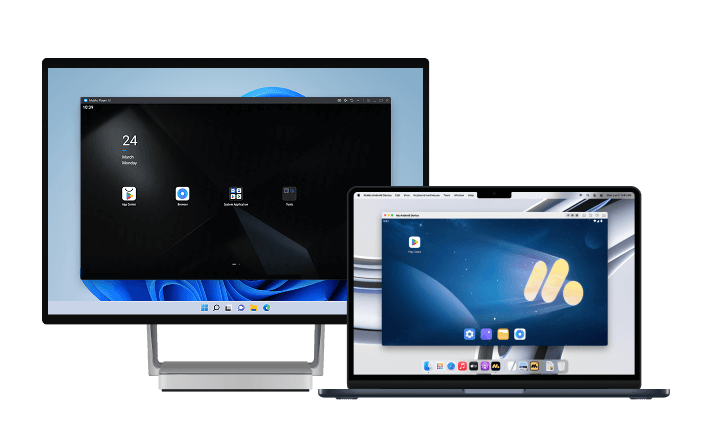
For a smoother and more stable gaming experience, we recommend playing War Thunder Mobile on PC or Mac with MuMuPlayer. Enjoy sharper visuals on a larger screen, more consistent frame rates, and an environment optimized for long gaming sessions. Plus, you can play for hours without worrying about battery life.
Click the button below to download MuMuPlayer and take your War Thunder Mobile PC gaming experience to the next level!
Ground forces: which tree to start
Tank trees differ in how forgiving they are. For a first account, forgiveness beats ceiling.
- USSR: sloped armour, large-calibre guns and straightforward handling. The T-34-85 is a genuine all-rounder, and the KV-1 bounces shots that would kill lighter vehicles. This is the most recommended starting tree.
- USA: the M4 Sherman line teaches positioning, because gun depression lets you fight hull-down behind cover with only the turret exposed.
- Germany: accurate guns and high penetration, but weak side and rear armour. The Panzer IV series is a solid workhorse, and the tree punishes careless driving harder than the others.
If you only play one tree, pick the USSR. If you want to learn positioning properly, the US line teaches it faster.
Aviation: where to spend research
- USA: durable airframes, strong energy retention and heavy machine-gun convergence. The P-47 line is the most forgiving introduction to air combat, since it can take hits and still disengage.
- USSR: excellent turn and climb performance at low to medium altitude. The Yak-3 and Yak-9 reward aggressive dogfighting, and the IL-2 covers the ground-attack role.
- Germany: outstanding climb rate built for boom-and-zoom. The Bf 109 line is strong but fragile, so mistakes cost the whole aircraft.
Air combat in a mixed battle is usually about timing rather than duelling. Arriving late with altitude is worth more than arriving early with no energy.
Matchmaking: expect to be up-tiered
War Thunder Mobile matches by vehicle tier, and low tiers are frequently pulled into battles against higher-tier machines. This is normal, and adjusting to it is part of the early game.
- Play support, not spearhead: follow stronger teammates and finish targets they damage.
- Do not brawl at a disadvantage: a lower-tier tank that trades shots head-on loses. Use cover and reload windows instead.
- Capture zones: objectives pay more than kills at low tier, and a captured zone wins games that a kill count does not.
Crew and control setup
Mobile defaults are not optimised for aiming, and a few changes make the first hundred battles much less frustrating.
- Lower aim sensitivity: fine control at range matters more than fast rotation.
- Enable sniper mode: long-range engagements become readable instead of guesswork.
- Reorganise the HUD: keep fire, aim and repair within thumb reach and out of the sightline.
- Bind repair early: a tracked tank that cannot repair is a dead tank.
Play War Thunder Mobile on PC or Mac with MuMuPlayer
Here are some of the key benefits you'll experience when playing War Thunder Mobile PC on Windows or macOS with MuMuPlayer.
1. Stable Performance
Enjoy consistent frame rates and optimized performance for smooth, reliable gameplay, even during extended sessions and demanding battles.
2. Customizable Controls
MuMuPlayer converts touchscreen inputs into keyboard and mouse controls, making precise aiming, quick camera movements, and other detailed actions easier to perform. You can also freely customize your keyboard and mouse mappings to create a control setup that suits your War Thunder Mobile PC playstyle.
3. Multi-Instance Support
Run multiple instances simultaneously to manage different accounts or work through repetitive content more efficiently.
4. High-Fidelity Graphics and Smooth Gameplay
Mobile devices can experience performance drops due to overheating, while MuMuPlayer takes advantage of your PC's hardware to deliver a stable, high-FPS gaming experience. Enjoy smooth gameplay at up to 120 FPS, or even 240 FPS depending on your setup. For games that demand quick reactions, higher frame rates can make a noticeable difference in responsiveness and help you stay focused during battles.
MuMuPlayer is fully compatible with both Windows and macOS, delivering optimized performance across supported devices.
Final thoughts
Start with the USSR ground tree unless positioning is what you want to learn, in which case the Sherman line teaches it faster. On the aviation side, the P-47 is the least punishing introduction, and boom-and-zoom aircraft demand more discipline than the tree suggests. Expect up-tiers, play support rather than spearhead, and fix your aim sensitivity before blaming the vehicles. Spotting enemies at range and reading which direction a tank is angled are the skills that decide fights, and a larger screen plus mouse aiming makes both considerably easier, which is what MuMuPlayer on PC or Mac provides.
End of Article