
War Thunder Mobile Economy Guide: Silver Lions and Research
War Thunder Mobile is a free-to-play PvP game with over 100 historical vehicles across ground, air and naval forces, all fighting in the same matches. Two currencies drive progress: Silver Lions pay for vehicles, repairs and ammunition, while research points unlock the next machine in a tree. Most new players stall not because they play badly, but because they spend Silver Lions faster than they earn them and research three trees at once.
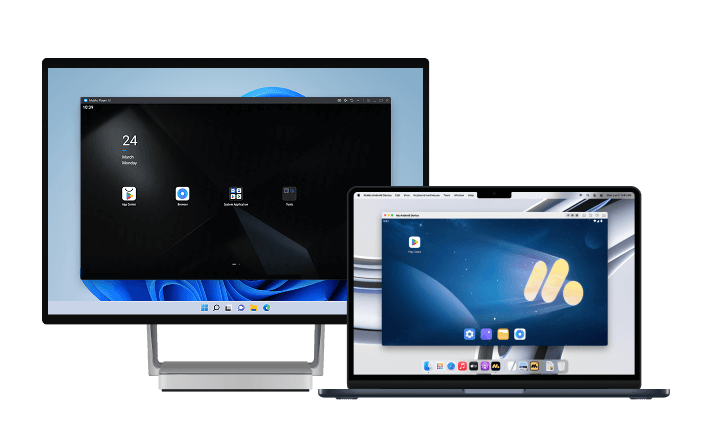
War Thunder Mobile features a progression system where vehicles, crews and equipment develop through consistent play. To keep up with daily activity and unlock everything available, you'll often need to log in and play regularly. However, keeping up with everything on a mobile device alone can be demanding. That's where MuMuPlayer comes in. By playing on PC or Mac, you can make your gaming routine much more efficient. Its multi-instance feature lets you run and manage multiple accounts simultaneously, while the Operation Recorder automates repetitive actions with just a one-time setup.
Download MuMuPlayer using the button below and enjoy War Thunder Mobile on PC with greater comfort and control.
Two currencies, two jobs
The distinction is simple and constantly confused. Silver Lions are consumable; research points are cumulative.
- Silver Lions (SL): earned per match, spent on repairs, ammunition, module purchases and new vehicles. Running out stops progression even if research is finished.
- Research points (RP): earned per match, spent automatically on the vehicle you are researching. RP is never spent twice, so it cannot be wasted the way SL can.
- Golden Eagles (GE): premium currency. The only purchases that change your rate of progress are premium time and a premium vehicle in a tree you actually play.
Earning SL without bleeding it
Most SL losses come from repair bills and ammunition, not from buying vehicles.
- Survive longer than you kill: match rewards weight activity and objectives. A cautious match with a captured zone pays reliably, while a fast death pays nothing and still bills repairs.
- Do not run expensive lineups: a full lineup of high-repair vehicles means one bad match wipes several good ones. Keep one or two cheaper vehicles in rotation.
- Play the objective: captures and assists pay out without the repair risk of leading a push.
- Use free repairs: where the game offers them, let a damaged vehicle sit rather than paying to fix a machine you are not using this session.
Ammunition loadouts affect the bill
Shells are not free, and carrying a full rack has two costs: money per match and, in some vehicles, the risk of ammunition detonation when hit.
- Carry what the map needs: armour-piercing rounds for heavy targets, high-explosive for light vehicles and open positions. A mixed loadout of 15 to 20 shells usually covers a match.
- Fewer shells, less exposure: a partially filled rack reduces the chance that a penetration reaches stored ammunition.
- Do not hoard premium ammo: firing the right shell once beats firing three of the wrong type.
Research one tree at a time
Research is a straight line, and splitting it triples the time to reach anything competitive.
- Pick one nation and one vehicle class: get to a mid-tier machine before opening a second tree.
- Use backups sparingly: spawning the same vehicle twice pays research once, which is fine for SL but slow for RP.
- Research the vehicle you will actually play: unlocking a machine you dislike does not advance the line efficiently.
- Watch the battle-rating step: moving up a tier without crew skills and modules makes every match harder, which slows income.
Where Golden Eagles are worth it
- Premium time: raises both SL and RP across everything you play, so it is the most efficient purchase for a regular player.
- Premium vehicle in your main tree: one good premium that matches your battle rating earns for the tree you are already grinding.
- Not cosmetics: decorations do not change earnings, and buying them first delays the purchases that do.
How to Play War Thunder Mobile on PC or Mac with MuMuPlayer
1. Download and install MuMuPlayer for PC or Mac.
2. Launch MuMuPlayer and search for War Thunder Mobile PC in MuMu Store.
3. Click War Thunder Mobile PC in the search results to download and install it. If you can't find War Thunder Mobile PC in MuMu Store, you can also download the game's APK file and install it locally in MuMuPlayer.
4. Click the War Thunder Mobile PC icon on the home screen to launch the game.
With just a few minutes of setup, you can start enjoying War Thunder Mobile on your PC or Mac. Take your gaming experience to the next level with MuMuPlayer's intuitive controls, high-quality graphics, stable performance, and more. Start exploring the exciting world of War Thunder Mobile with MuMuPlayer today!
Final thoughts
The War Thunder Mobile economy rewards patience: keep repair costs below match income, carry a lean ammunition loadout, and research one tree until it reaches a competitive tier before opening another. Golden Eagles go to premium time or a vehicle in the tree you already play, never to decorations. Loadout screens and research trees are the two places where SL quietly disappears, and reading them carefully across several vehicles is easier on a full-size display, which is where MuMuPlayer on PC or Mac helps most.
End of Article