
War Thunder Mobile Tank Positioning: Hull-Down and Angling
War Thunder Mobile is a PvP combat game where tanks, aircraft and warships share one battlefield, with over 100 vehicles modelled on their historical specifications. That modelling is the reason positioning matters so much: armour has real thickness and real angles, so where you stand changes whether a shot penetrates at all. Most deaths in the early tiers are not accuracy failures, they are position failures.
War Thunder Mobile PC is a game where split-second decisions and quick reactions can make all the difference. However, playing on a mobile device means relying heavily on touchscreen controls, which can make precise movements difficult. During intense battles or repetitive farming sessions, this can also lead to fatigue and increase the chances of making mistakes.
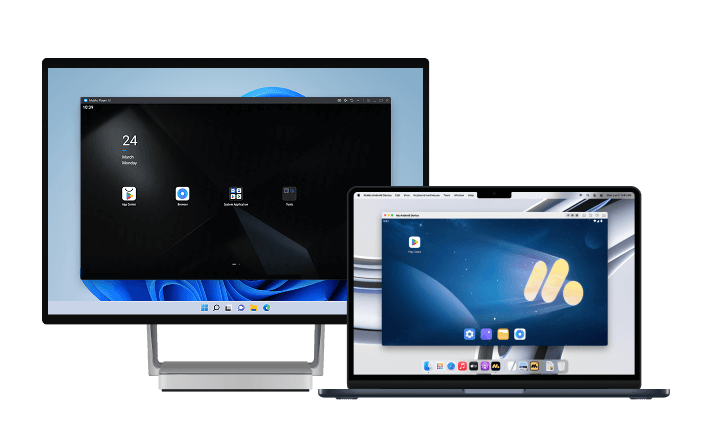
If you're looking for a more comfortable way to play, MuMuPlayer is a great option for PC and Mac. As an Android emulator optimized for running mobile games on desktop, MuMuPlayer offers intuitive keyboard and mouse controls alongside stable performance. With MuMuPlayer, you can control War Thunder Mobile PC with the same precision and responsiveness you'd expect from a PC game.
Download MuMuPlayer using the button below and enjoy War Thunder Mobile PC with greater comfort and control.
Angling: the cheapest survivability upgrade
Turning your hull changes effective armour thickness without spending anything. A tank at a 30 to 45 degree angle presents two plates at oblique angles rather than one flat plate facing the shooter.
- Angle toward the threat: the hull should point at the enemy's general direction, not straight at the nearest rock.
- Do not over-angle: past roughly 45 degrees the side armour becomes exposed and easy to penetrate.
- Angle while reloading: the reload window is when you are most vulnerable, so it is the best time to turn.
- Reverse angle for peeking: backing out of cover at an angle keeps the front plate presented instead of the side.
Hull-down: the strongest position in the game
Hull-down means hiding the hull behind terrain and exposing only the turret. Gun depression decides whether a tank can do it, which is why US vehicles feel comfortable in this role.
- Find a ridge with cover on both sides: a spot where reversing returns you to full cover without exposing the flank.
- Expose only the turret: the turret is usually the strongest armour on the vehicle, and the hull is where most penetrations happen.
- Leave before you are flanked: hull-down positions are static by nature, so watch for a second enemy pushing your side.
- Not every tank can do it: low depression vehicles cannot aim over a ridge without exposing the hull. Those tanks want broken terrain and city cover instead.
Peek and shoot: the repeatable exchange
The safest way to trade damage is to control the exposure window. The sequence never changes.
- Pre-aim before moving: point the gun where the enemy will be, then edge out. Moving out and then aiming wastes the first second.
- Fire and reverse immediately: do not wait to see the result. The shot is already resolved.
- Reload behind cover: reload time is the enemy's free shot, and the entire point of peeking is to deny it.
- Change the peek angle: repeating the same slot lets the enemy pre-aim it. Shift one position between shots.
Target selection is part of positioning
Shooting the wrong target wastes a firing window and reveals your position for nothing.
- Skip heavily angled targets: a well-angled tank will bounce your shot. Wait for a side-on moment.
- Prioritise anything moving: a tank crossing open ground is exposing its side. That is the highest-percentage shot available.
- Do not duel at maximum range: at long range both sides bounce, and the exchange becomes a coin flip.
- Watch the flank: the enemy in front of you is rarely the one that kills you.
When you are up-tiered
Low tiers get pulled into higher-tier battles regularly. Positioning is the only lever you have.
- Play second line: follow stronger teammates and shoot what they damage rather than opening engagements.
- Trade cover for information: use spotting to tell the team where the heavy tanks are, rather than duelling them.
- Capture and hold: objectives win matches that kill counts do not.
Play War Thunder Mobile on PC with MuMuPlayer
For an enhanced gaming experience, we recommend playing War Thunder Mobile PC with MuMuPlayer. If you're looking for a more stable and convenient way to play, running the game on your PC or Mac with MuMuPlayer is a great option.
Compared with playing on a mobile device, MuMuPlayer gives you a larger screen and a more stable environment, making it easier to immerse yourself in the game. On PC, you can enjoy higher and more consistent frame rates, smoother controls, and a more comfortable experience during extended sessions or repetitive gameplay. Keyboard and mouse controls also make it easier to maintain a clear view of the battlefield and perform precise actions. These advantages are especially useful when managing multiple accounts or working through repetitive content.
MuMuPlayer fully supports both Windows and macOS, delivering stable optimized performance across supported devices.
Final thoughts
Three habits fix most early deaths in War Thunder Mobile: angle the hull toward the threat, hide it entirely behind terrain when the tank allows, and never stay exposed after firing. Peeking is a sequence, not a reflex, and target selection is part of the same decision. When you are up-tiered, stop trying to win duels and start capturing zones. Reading armour angles and spotting a hull-down turret at distance are visual skills, and both are much easier with a larger, sharper image, which is what MuMuPlayer on PC or Mac gives you alongside mouse-precise aiming.
End of Article