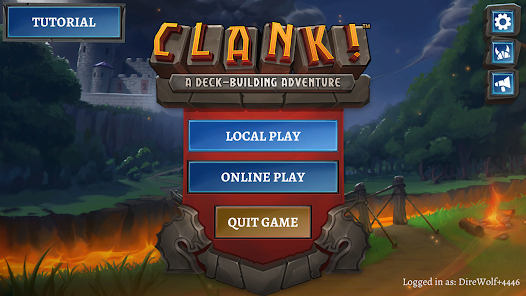
Play Clank! on PC and Mac
Download Clank! on PC or Mac with MuMuPlayer, get a PC like gameplay along with smart control and high graphics performance.
MuMuPlayer, the top Android emulator for PC and Apple silicon Mac, delivers an optimal gaming experience with minimal RAM usage and high FPS. It also allows you to create multiple instances of the emulator and run several games simultaneously, thanks to its Multi-instance feature. Its advanced emulator features ensure smooth gameplay, even on low-end PCs.
Download and play Clank! on PC or Mac with MuMuPlayer and start enjoying your gaming experience now.
About the Game
A New Adventure Begins!
Clank!, the iconic deck-building board game adventure, challenges daring thieves to sneak into a dragon’s lair, steal one of her precious artifacts, and escape – before you’re roasted to a crisp!

How Deep will you Delve?
The deeper you go, the more valuable treasures you’ll find…but the harder it will be to escape! So be quick and be quiet: One false step and – CLANK! Each careless sound risks drawing the dragon’s attention.
You’re competing against your fellow thieves to claim the most valuable prize…but you can only enjoy your loot if you make it out of the depths alive!

Choose Your Path
You’ll need a good pair of boots, a sharp sword, and all your roguish skills to survive in the dungeon. Along the way, you’ll acquire new items, abilities, and allies that will help you achieve victory!
Blending deck-building and exploration, Clank! offers a unique dungeon-delving adventure each time you play.

Many Ways to Play
Learn the ropes in a guided Tutorial, then hone your abilities by collecting Achievements and completing Challenges. Play cross-platform against friends, or compete in exciting new Heists that put you up against players from around the world!

However you choose to enter the dungeon: Good luck!...you’re going to need it!
Emulator Features

With a smart button scheme and image recognition function, provide a more concise UI, and support custom button mapping to meet different needs.

Run multiple games independently at the same time, easily manage multiple accounts, play games while hanging.

Break through FPS limit, and enjoy a seamless gaming experience without lag and delay!

Get a 3-second startup with 52% less memory usage and 65% more stability.
How to Download and Play Clank! on PC and Mac
Installation Guide
Download MuMuPlayer
Download and install MuMuPlayer on your PC or Mac
Sign-in Google Store
Complete Google sign-in to access the Play Store
Search and Install
Search Clank! in the Play Store
Enjoy Gaming
Enjoy 120 FPS high-def gameplay with big screen
System Requirements
Windows PC
Vulkan / DirectX supported. 4 cores + 4GB RAM recommended. Up to 240 FPS. VT required.
macOS
Recommended: Apple Silicon Mac with 8GB RAM or above. Up to 240 FPS.