Play Collect or Die - Ultra on PC and Mac
Download Collect or Die - Ultra on PC or Mac with MuMuPlayer, get a PC like gameplay along with smart control and high graphics performance.
MuMuPlayer, the top Android emulator for PC and Apple silicon Mac, delivers an optimal gaming experience with minimal RAM usage and high FPS. It also allows you to create multiple instances of the emulator and run several games simultaneously, thanks to its Multi-instance feature. Its advanced emulator features ensure smooth gameplay, even on low-end PCs.
Download and play Collect or Die - Ultra on PC or Mac with MuMuPlayer and start enjoying your gaming experience now.
About the Game
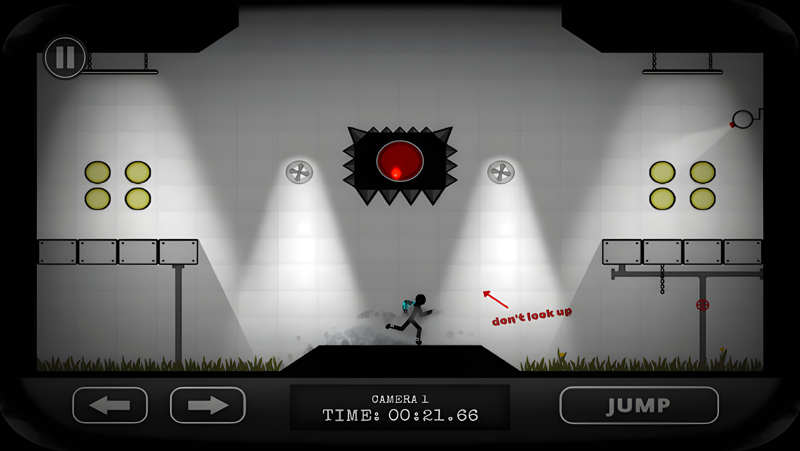
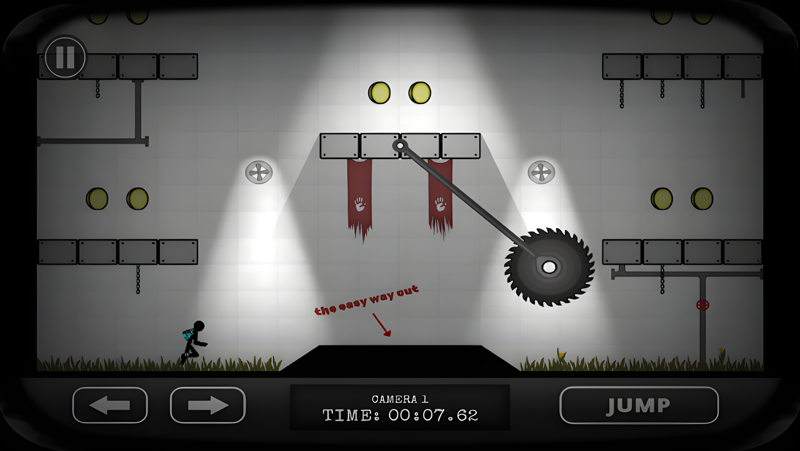
A hardcore retro platformer with dynamic ragdoll physics and over the top stickman gore. Collect coins to escape the facility... or die trying in brutal and hilarious ways.

Run, jump & dodge your way to victory in the ultimate stickman platformer.

GAMEPLAY:
Collect or Die is a fast paced retro platformer set in a run down science facility. The goal is simple, help stickman collect every coin in each test chamber or watch him die trying! Of course it's not as easy as it sounds, with tons of obstacles ranging from saws and thwomps to lasers and sentries, things can get tricky fast!

KEY FEATURES:
- Dynamic ragdoll physics & dismemberment
- 90 levels across 9 stages
- Leaderboards & Achievements
- Variety of traps & hazards
- Awesome stickman
- Fast paced run & jump action
- Lots & lots of coins
- Keyboard control (when playing on tablet or laptop)

RAGDOLL PHYSICS:
Dynamic ragdoll physics and dismemberment mean that every death is unique with some unexpected and hilarious results. Death is no longer a bore, watch your stickman die in brutal and violent ways.

STORY:
Welcome test subject and thank you for volunteering to the 'Collect or Die' science program.

As a volunteer we would like to invite you to our technology & learning centre where you can enjoy tea and cake before taking on some light physical and mental testing. Please note that although fun and learning are the primary goals of the test program, serious injury may occur. To ensure the safety of test subjects all progress will be monitored via our state of the art CCTV and VHS recording equipment.

Good luck volunteer!

CHALLENGING GAMEPLAY:
Collect or die is a hardcore retro platformer designed to make you rage... its not impossible but only the best will manage to collect them all. Run, jump & die!

Do you have the skill to survive?
Emulator Features

With a smart button scheme and image recognition function, provide a more concise UI, and support custom button mapping to meet different needs.

Run multiple games independently at the same time, easily manage multiple accounts, play games while hanging.

Break through FPS limit, and enjoy a seamless gaming experience without lag and delay!

Get a 3-second startup with 52% less memory usage and 65% more stability.
How to Download and Play Collect or Die - Ultra on PC and Mac
Installation Guide
Download MuMuPlayer
Download and install MuMuPlayer on your PC or Mac
Sign-in Google Store
Complete Google sign-in to access the Play Store
Search and Install
Search Collect or Die - Ultra in the Play Store
Enjoy Gaming
Enjoy 120 FPS high-def gameplay with big screen
System Requirements
Windows PC
Vulkan / DirectX supported. 4 cores + 4GB RAM recommended. Up to 240 FPS. VT required.
macOS
Recommended: Apple Silicon Mac with 8GB RAM or above. Up to 240 FPS.