
Play Dark Arena: Wonder Heroes on PC and Mac
Download Dark Arena: Wonder Heroes on PC or Mac with MuMuPlayer, get a PC like gameplay along with smart control and high graphics performance.
MuMuPlayer, the top Android emulator for PC and Apple silicon Mac, delivers an optimal gaming experience with minimal RAM usage and high FPS. It also allows you to create multiple instances of the emulator and run several games simultaneously, thanks to its Multi-instance feature. Its advanced emulator features ensure smooth gameplay, even on low-end PCs.
Download and play Dark Arena: Wonder Heroes on PC or Mac with MuMuPlayer and start enjoying your gaming experience now.
About the Game
Most Crazy Anti-Heroes RPG
Anti-Heroes, Mega Play!

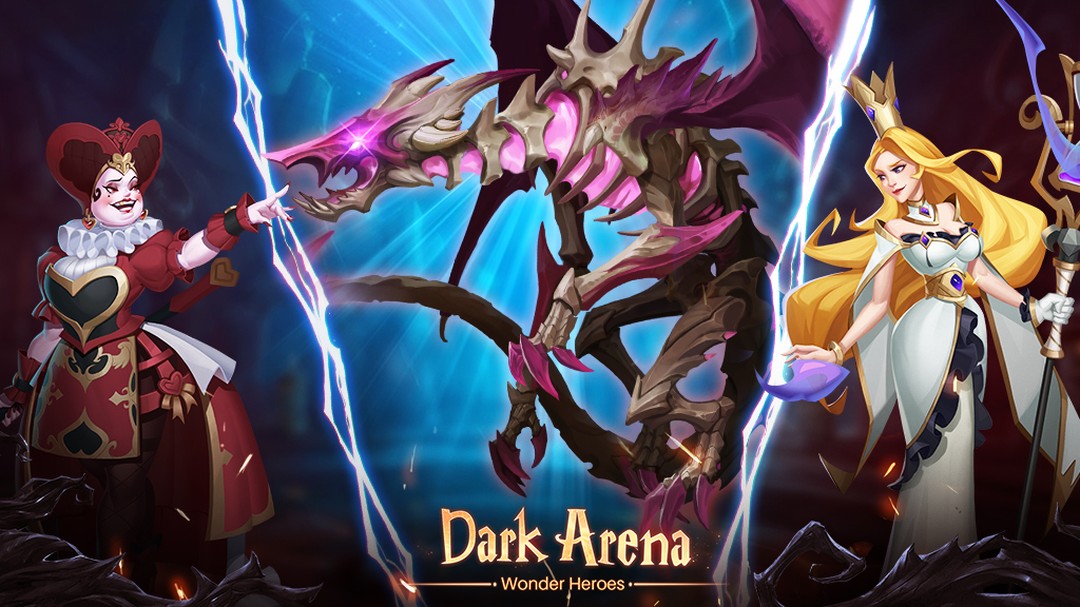
Do you really know the Land of Wonder? Dark Arena is telling the truth.
To heal this world corrupted by darkness, you need to summon the antiheroes living in this land, power them for team combat, and lead them to defeat the real evil. In Dark Arena, hundreds of antiheroes are waiting for your calling to get final victory!

Besides new player rewards, 200 Summons are FREE right now. Besides, logging in to Dark Arena: Wonder Heroes for 7 days will earn you a huge surprise to win glory in the dark arena!

Features:
>CREATE INDIVIDUAL VIRTUAL ALTER-EGO
Stand out from the crowd and customize your character's unique look before entering the game world.

>IMMERSIVE EPIC ARENA
In Dark Arena, you can fight in various multiplayer arena modes with unique combat systems. It is a fully-rendered 3D game with unique heroes designs and amazing attack animations which you can’t stop playing. Combine heroes and use new tactics to have a mega-play experience in the epic battle across multiskills.

>HUNDREDS OF STYLISH ANTI-HEROES
Over 100+ heroes of different classes and rarity are waiting for your command. Each has its unique abilities and enhancement system. Besides, the use of PBR technology provides visualization taking into account the laws of physics.

>THOUSANDS OF WINNING SKILLS
Dominate the battle by adjusting your skill strategy. Try different skill combinations and feel the visual impact of these dazzling skill effects!

>VARIOUS KILLER BOSSES
Defeat powerful bosses and millions of warriors worldwide to obtain legendary artifacts and plunge into the world of dark fantasy together!

>UNVEIL DARKNESS VIA MINI-GAMES
Each hero has a unique backstory. Go through the mini-games to unlock memory gates and discover the mysterious connections between you and the heroes.


The Official Website: https://dawh.minerva-games.com/en
Support: awh.customerservice@gmail.com
Facebook: https://www.facebook.com/DarkArenaWonderHeroes/
Privacy Policy: https://minerva-games.com/sdk/#/privacy/en_US
Terms of Service: https://minerva-games.com/sdk/#/agreement/en_US
Emulator Features

With a smart button scheme and image recognition function, provide a more concise UI, and support custom button mapping to meet different needs.

Run multiple games independently at the same time, easily manage multiple accounts, play games while hanging.

Break through FPS limit, and enjoy a seamless gaming experience without lag and delay!

Get a 3-second startup with 52% less memory usage and 65% more stability.
How to Download and Play Dark Arena: Wonder Heroes on PC and Mac
Installation Guide
Download MuMuPlayer
Download and install MuMuPlayer on your PC or Mac
Sign-in Google Store
Complete Google sign-in to access the Play Store
Search and Install
Search Dark Arena: Wonder Heroes in the Play Store
Enjoy Gaming
Enjoy 120 FPS high-def gameplay with big screen
System Requirements
Windows PC
Vulkan / DirectX supported. 4 cores + 4GB RAM recommended. Up to 240 FPS. VT required.
macOS
Recommended: Apple Silicon Mac with 8GB RAM or above. Up to 240 FPS.


(1).png?fop=imageView/0/w/150/h/150)