
Play Demon God on PC and Mac
Download Demon God on PC or Mac with MuMuPlayer, get a PC like gameplay along with smart control and high graphics performance.
MuMuPlayer, the top Android emulator for PC and Apple silicon Mac, delivers an optimal gaming experience with minimal RAM usage and high FPS. It also allows you to create multiple instances of the emulator and run several games simultaneously, thanks to its Multi-instance feature. Its advanced emulator features ensure smooth gameplay, even on low-end PCs.
Download and play Demon God on PC or Mac with MuMuPlayer and start enjoying your gaming experience now.
About the Game
【Nezha's New Skin · Season of the Dragon's Roar】Ignites the Battlefield! 🔥
Samadhi flames incinerate the shackles of the three realms as Nezha ascends, cloaked in blazing fury and reborn as the Dragon-Soul War God! Wielding the exclusive "Blazing Dynasty" skin, he strides forth on scorched earth—dragon-scale armor ablaze with glory, spear-tip crackling with celestial lightning. Come to grab it!
**Classic Features**

--SELECT LEGENDARY CLASSES--
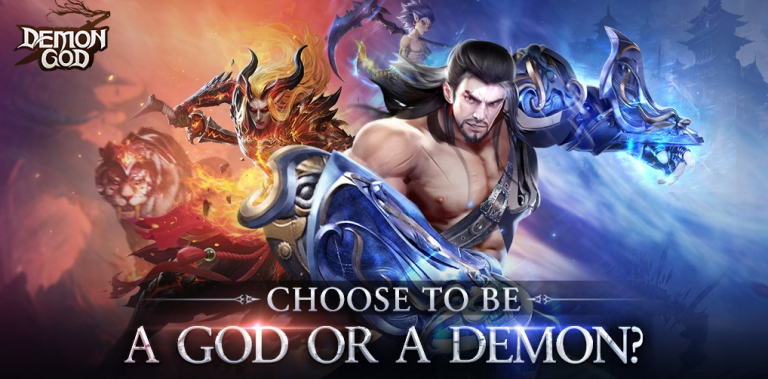
Demon or God?
You decide whether you will be born. Choose your partner during the journey!

--CLAIM RICH REWARDS FOR FREE--
Free VIP 10 for you after you created a role.

--MAKE POWERFUL FANTASTIC SKILL COMBOS--
You will get excellent visual performance and super exciting battle scenes here.

--MORPH 100+ OUTFITS & MOUNTS--
Morph various Outfits & Mounts and find your unique self!

--FIND A ROMANTIC LOVE--
Romantic encounter and sweet love await you in this fantastic world~~

FB: https://www.facebook.com/gaming/DemonGodGlobal
CS: likedreamstar.cs@ijunhai.com
Emulator Features

With a smart button scheme and image recognition function, provide a more concise UI, and support custom button mapping to meet different needs.

Run multiple games independently at the same time, easily manage multiple accounts, play games while hanging.

Break through FPS limit, and enjoy a seamless gaming experience without lag and delay!

Get a 3-second startup with 52% less memory usage and 65% more stability.
How to Download and Play Demon God on PC and Mac
Installation Guide
Download MuMuPlayer
Download and install MuMuPlayer on your PC or Mac
Sign-in Google Store
Complete Google sign-in to access the Play Store
Search and Install
Search Demon God in the Play Store
Enjoy Gaming
Enjoy 120 FPS high-def gameplay with big screen
System Requirements
Windows PC
Vulkan / DirectX supported. 4 cores + 4GB RAM recommended. Up to 240 FPS. VT required.
macOS
Recommended: Apple Silicon Mac with 8GB RAM or above. Up to 240 FPS.


(1).png?fop=imageView/0/w/150/h/150)