Play Disney Realm Breakers on PC and Mac
Download Disney Realm Breakers on PC or Mac with MuMuPlayer, get a PC like gameplay along with smart control and high graphics performance.
MuMuPlayer, the top Android emulator for PC and Apple silicon Mac, delivers an optimal gaming experience with minimal RAM usage and high FPS. It also allows you to create multiple instances of the emulator and run several games simultaneously, thanks to its Multi-instance feature. Its advanced emulator features ensure smooth gameplay, even on low-end PCs.
Download and play Disney Realm Breakers on PC or Mac with MuMuPlayer and start enjoying your gaming experience now.
About the Game
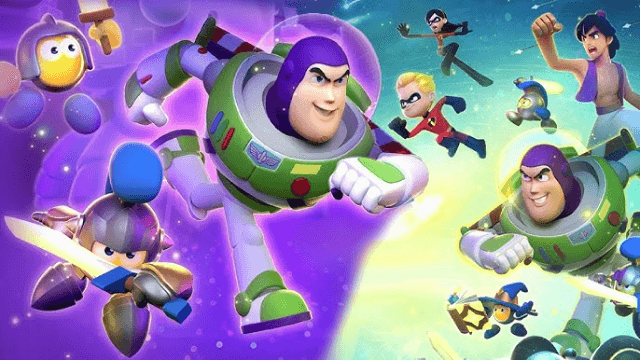
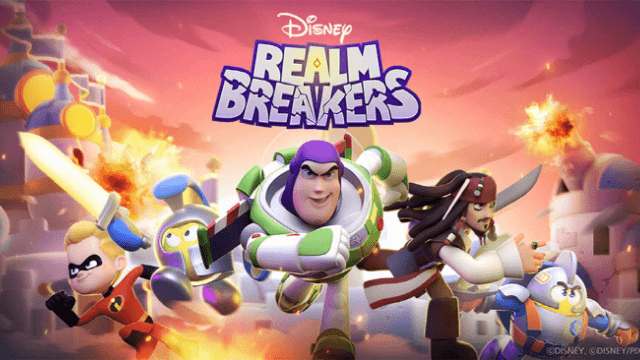
Disney Realm Breakers immerses players in the multiworld of Noi, challenging players to build their strongest town and forces, leveling them up to compete against other players while farming resources to fortify their town and defend Noi against the corrupt Scourge. Team up with Disney and Pixar Knights from the worlds of Disney’s Aladdin, Pirates of the Caribbean, Disney and Pixar's Toy Story, The Incredibles, and many others to protect Noi from falling into the hands of the Scourge.

The world of Noi was once a beautiful planet where a seed powered by pure imagination unlocked a series of doorways leading to many Disney and Pixar worlds. But not all was right in the world of Noi. An ancient, evil power awakened within Noi, causing corruption to run rampant across the world. This 'Scourge Legion’ began to take over the planet with an insatiable appetite for destruction. Consuming the once pure energy of imagination, the Scourge’s hunger for dominance threatens to go beyond Noi and corrupt its many other connected worlds. In order to defend Noi and battle the evil that has taken root, the call goes out to the defenders of the Realms. Gather your Disney, Pixar, and Lumin Knights; assemble their stalwart troops within your town; then build and fortify to strengthen your forces and rid Noi of the evil Scourge.

◈ Rumble Battles ◈

Assemble and lead your very own order of Knights to fight off the Scourge Legion in Rumble Battle and Field Battles – features that pay homage to classic tower defense, survival, and multiplayer battle genres – all in one dynamic strategy game.

Power up your ranks using the merge feature and a variety of impactful level-up options.

Devise your own, unique strategy by building a roster of Disney, Pixar, and Lumin Knights to test your mettle and mastery of tactics in Single Mode, Duel Mode, and the Arena.

◈ Town Building & Growth ◈

Build and strengthen your Town to protect your forces and the Tree of Imagination.

Design your own Town layout with uniquely themed buildings.

Cultivate and collect the resources necessary to recruit and train your Knights and forge your own powerful, winning strategy. Rush headlong into battles defending your kingdom from the total war that the destructive Scourge Legion will bring.

◈ Field Battles ◈

With your Alliance, take the fight directly to the Scourge Legion in legendary Field Battles! Work together with your Alliance members to strengthen your ranks and come up with a winning strategy that will save the corrupted Trees of Imagination and the captured iconic Disney monuments, called Wonders, freeing the Lumins of Noi from the grasp of the evil Scourge!
Emulator Features

With a smart button scheme and image recognition function, provide a more concise UI, and support custom button mapping to meet different needs.

Run multiple games independently at the same time, easily manage multiple accounts, play games while hanging.

Break through FPS limit, and enjoy a seamless gaming experience without lag and delay!

Get a 3-second startup with 52% less memory usage and 65% more stability.
How to Download and Play Disney Realm Breakers on PC and Mac
Installation Guide
Download MuMuPlayer
Download and install MuMuPlayer on your PC or Mac
Sign-in Google Store
Complete Google sign-in to access the Play Store
Search and Install
Search Disney Realm Breakers in the Play Store
Enjoy Gaming
Enjoy 120 FPS high-def gameplay with big screen
System Requirements
Windows PC
Vulkan / DirectX supported. 4 cores + 4GB RAM recommended. Up to 240 FPS. VT required.
macOS
Recommended: Apple Silicon Mac with 8GB RAM or above. Up to 240 FPS.