
Play DQM: The Dark Prince on PC and Mac
Download DQM: The Dark Prince on PC or Mac with MuMuPlayer, get a PC like gameplay along with smart control and high graphics performance.
MuMuPlayer, the top Android emulator for PC and Apple silicon Mac, delivers an optimal gaming experience with minimal RAM usage and high FPS. It also allows you to create multiple instances of the emulator and run several games simultaneously, thanks to its Multi-instance feature. Its advanced emulator features ensure smooth gameplay, even on low-end PCs.
Download and play DQM: The Dark Prince on PC or Mac with MuMuPlayer and start enjoying your gaming experience now.
About the Game
Overview

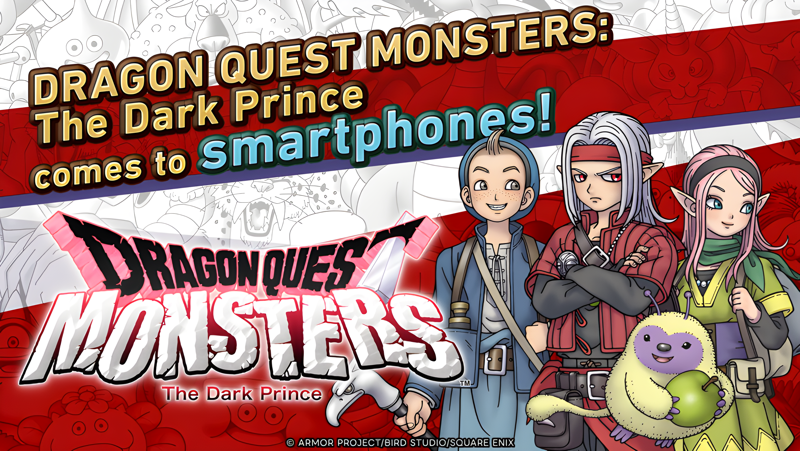
DRAGON QUEST MONSTERS: The Dark Prince comes to smartphones!

Compose your very own team of monsters from across the Dragon Quest series and engage in thrilling battles against your foes. Recruit monsters from the wild world around you and combine them to synthesize new creatures as you see fit. With over 500 monsters to choose from and a revamped synthesis system to explore, you can mix and match to you heart's content to create your favorite cute critters and dastardly supervillains, as well as brand-new additions to the monstrous roll call.

Your quest to become the greatest monster wrangler of all time starts here!

Story

This is the tale of Psaro, a young man cursed, and the adventure upon which he and his trusted friends embark.

When the curse put upon him by his father, the Master of Monsterkind, renders him incapable of harming any creature of monster blood, Psaro vows to become a monster wrangler in order to break the spell. On his journey, he will befriend many monsters, train them to be stronger, synthesize powerful new allies and take on ever more dangerous foes.

Join Psaro and his friends on their campaign for monster-wrangling glory!

(The network mode Online Battles from the console version, where players battle one another in real time, is not included.)

Game Features

- Explore Nadiria, the Magical Monster Realm
On his quest for greatness, Psaro will traverse the multifarious Circles of Nadiria. Whether it be made entirely of cake and sweets or fraught with rivers of bubbling lava, each Circle plays host to a wealth of bewitching adventures. As time passes in Nadiria, so too do the seasons change, with different weather conditions tempting new monsters out of hiding and revealing paths to undiscovered areas. The Circles of Nadiria are sure to provide a fresh experience every time you visit.

- Over 500 Unique Monsters
With such varied environments to explore, you can expect them to be inhabited by a plethora of monsters. While many can be recruited in battle, occasionally a defeated monster will ask to join your team of its own accord. Befriend as many monsters as you can, then combine them to synthesize new creatures and build a unique party to your exact liking.

- Enjoy All the DLC from the Console Version
The smartphone version includes the DLC packs from the console version: the Mole Hole, Coach Joe's Dungeon Gym and Treasure Trunks. Make the most of their unique features to enhance your adventure.

- Test Your Might Against Other Players
Register your team for the network mode Quickfire Contests to participate in automated battles against the party data of 30 other players. Once a day you can earn stat-boosting items as a prize, and the monsters from any team you defeat will be added to your roster (up to rank B monsters only).

Recommended Device Specifications
Android 9.0 or later, with 4GB or more system memory

Graphics settings can be adjusted to improve performance. Certain devices may not be compatible with the game. Running the game on devices that do not meet the recommended specifications can result in crashes due to insufficient memory, or other unexpected errors. We are unable to provide support for devices that do not meet the recommended specifications.
Emulator Features

With a smart button scheme and image recognition function, provide a more concise UI, and support custom button mapping to meet different needs.

Run multiple games independently at the same time, easily manage multiple accounts, play games while hanging.

Break through FPS limit, and enjoy a seamless gaming experience without lag and delay!

Get a 3-second startup with 52% less memory usage and 65% more stability.
How to Download and Play DQM: The Dark Prince on PC and Mac
Installation Guide
Download MuMuPlayer
Download and install MuMuPlayer on your PC or Mac
Sign-in Google Store
Complete Google sign-in to access the Play Store
Search and Install
Search DQM: The Dark Prince in the Play Store
Enjoy Gaming
Enjoy 120 FPS high-def gameplay with big screen
System Requirements
Windows PC
Vulkan / DirectX supported. 4 cores + 4GB RAM recommended. Up to 240 FPS. VT required.
macOS
Recommended: Apple Silicon Mac with 8GB RAM or above. Up to 240 FPS.
(1).png?fop=imageView/0/w/150/h/150)