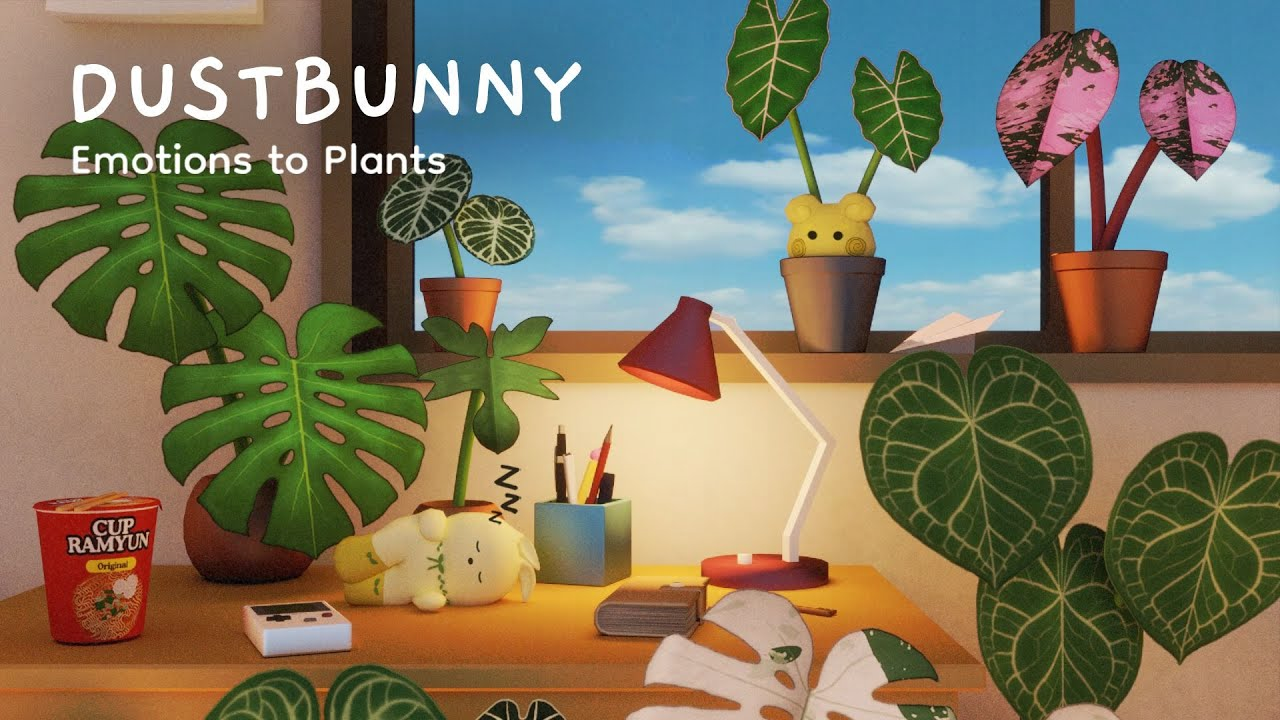
Play Dustbunny: Emotions to Plants on PC and Mac
Dustbunny: Emotions to Plants is a cozy simulation game that blends emotional wellness with creative plant-growing gameplay. Set inside a mysterious, dusty room deep within your own mind, you discover shy little creatures called Emotibuns, each one born from a repressed emotion such as sadness, anxiety, loneliness, or anger. Catch them, name them, and watch them transform into living plants that grow uniquely in 3D. With MuMuPlayer, you can experience this gentle, introspective journey on PC, where the larger screen and smooth performance make every quiet moment in the room feel even more immersive.
The game offers more than twenty care interactions for your plants, from watering and pest control to singing, writing, and touching, all tied to a card-based system that makes nurturing feel personal and intentional. Plants grow procedurally, meaning no two look exactly alike, and rare variegated specimens with unique leaf patterns can be discovered through dedicated collecting. A guided bunny companion named Empathy delivers daily affirmations and shares insights on emotional regulation, while the room itself is filled with interactive nostalgic objects, from bubble tea minigames to plushies, that offer moments of tactile relaxation. Crafting, journaling with stickers and polaroid photos, and decorating your room with a rotating daily shop add even more layers to explore.
Playing Dustbunny: Emotions to Plants on PC through MuMuPlayer brings meaningful advantages to a game built around patience, observation, and care. Catching fast-moving Emotibuns becomes more precise with mouse control, and keeping a close eye on your plants' dynamic visual cues, such as drooping leaves or sparkling healthy foliage, is easier on a full-sized monitor. MuMuPlayer also ensures stable performance so your plants and room remain beautifully rendered without interruption, letting you fully settle into the calm, reflective atmosphere the game is designed to provide.
About the Game
Somewhere inside your mind, there has always been an empty space. In Dustbunny: Emotions to Plants, that space takes the form of a forgotten room, dusty and still, waiting for you to wake up inside it. This is not just a decoration game or a casual plant sim. It is a quietly guided experience about reconnecting with the parts of yourself you have long pushed aside, wrapped in soft visuals, cozy interactions, and a narrative that unfolds the deeper you explore.
The heart of the experience revolves around Emotibuns, tiny creatures that disguise themselves as ordinary dustbunnies scattered around the room. These beings are born from emotions you have buried, including sadness, anger, anxiety, loneliness, and emptiness. They are quick and skittish, so catching one requires sharp attention and fast reflexes. Once caught, you give it a name, and in that moment it releases the emotion it carries and blooms into a plant. Every plant you grow is a record of that encounter, complete with its own ID card that tracks your journey of care.
What makes plant care in Dustbunny feel different from other games is the depth and variety of how you interact with your plants. There are more than twenty care actions available through a card-based system:
- Basic care: watering, feeding, catching pests
- Expressive care: singing to your plant, touching it, writing for it
- Observation: watching for visual cues like drooping, sparkling, or jumping out of pots
Plants grow in real 3D and develop procedurally, so every single one looks different from the last. Some are common species, while others are extraordinarily rare, featuring a genetic trait called variegation that creates striking, one-of-a-kind leaf patterns. Experienced players can even unlock the ability to crossbreed plants and create hybrids that exist nowhere else in the game.
Beyond plant care, the room itself is a living space full of things to discover and interact with. Nostalgic objects like bubble tea, plushies, and cup noodles serve as minigames and sensory distractions. Some help you unwind through gentle focus; others introduce a little playful tension. You can also journal using stickers and polaroid photos, adding a personal creative layer to the experience.
Your guide through all of this is Empathy, a winged bunny companion who visits your room regularly. Empathy offers daily affirmations and shares thoughts on emotional regulation and self-compassion, making the connection between game mechanics and real inner reflection feel intentional rather than superficial.
Decorating your room is another ongoing pursuit. The in-game shop refreshes daily with new furniture and decor options spanning styles from cottagecore and Ghibli-inspired aesthetics to mid-century modern design. Building your ideal space and sharing it with the community adds a social dimension to what is otherwise a deeply personal game.
As you progress, a layered narrative slowly surfaces. The story behind the room, the five core emotions, and the presence of your inner child gradually come into focus, giving long-term players something meaningful to work toward beyond collecting plants.
For anyone who enjoys games like Animal Crossing, Stardew Valley, or Unpacking, and who appreciates experiences that move at a gentle pace while offering real emotional resonance, Dustbunny: Emotions to Plants is worth spending time with.
Emulator Features

With a smart button scheme and image recognition function, provide a more concise UI, and support custom button mapping to meet different needs.

Run multiple games independently at the same time, easily manage multiple accounts, play games while hanging.

Break through FPS limit, and enjoy a seamless gaming experience without lag and delay!

Get a 3-second startup with 52% less memory usage and 65% more stability.
How to Download and Play Dustbunny: Emotions to Plants on PC and Mac
Installation Guide
Download MuMuPlayer
Download and install MuMuPlayer on your PC or Mac
Sign-in Google Store
Complete Google sign-in to access the Play Store
Search and Install
Search Dustbunny: Emotions to Plants in the Play Store
Enjoy Gaming
Enjoy 120 FPS high-def gameplay with big screen
System Requirements
Windows PC
Vulkan / DirectX supported. 4 cores + 4GB RAM recommended. Up to 240 FPS. VT required.
macOS
Recommended: Apple Silicon Mac with 8GB RAM or above. Up to 240 FPS.