
Play MapleStory M - Open World MMORPG on PC and Mac
Download MapleStory M - Open World MMORPG on PC or Mac with MuMuPlayer, get a PC like gameplay along with smart control and high graphics performance.
MuMuPlayer, the top Android emulator for PC and Apple silicon Mac, delivers an optimal gaming experience with minimal RAM usage and high FPS. It also allows you to create multiple instances of the emulator and run several games simultaneously, thanks to its Multi-instance feature. Its advanced emulator features ensure smooth gameplay, even on low-end PCs.
Download and play MapleStory M - Open World MMORPG on PC or Mac with MuMuPlayer and start enjoying your gaming experience now.
About the Game
MapleStory M, the highly anticipated follow-up to MapleStory, is here and the hype is real! MapleStory M brings the nostalgic world of MapleStory to your mobile device. Enjoy a MMORPG experience whenever and wherever you want, right in the palm of your hand.

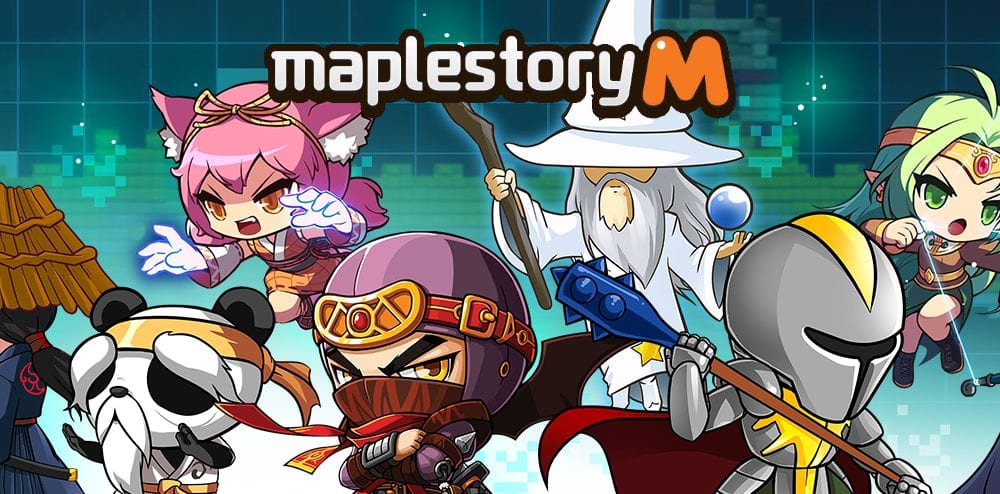
Play a multiplayer mobile game as the classic MapleStory Explorers that you know and love: Dark Knight, Bow Master, Night Lord, Bishop, and Corsair! Or start role playing as our new Explorers: Shadower, Hero, and Arch Mage!

Compete with friends to level up and become the first to achieve the 4th job, just like the good old days! Go on multiplayer raids - recruit the best players for your guild and defeat epic bosses together!

[New Update]
Visit Magical Land, the 3rd Anniversary Theme Park!
Magical Land is full of fun events, like the Water Splash and Slime Slam Shot.
Gain buffs at the Concert Hall and Parade Car!
Get your carousel at Craft-a-Carousel.
A cornucopia of fun rewards awaits you at Magic Land! See you there!

To celebrate our 3rd Anniversary, a special guest has arrived in Maple M World: Angelic Buster!
She defeats enemies with the power of her dazzling transformation skills!
Enjoy Angelic Buster's unique Dress-Up Mode and various growth events.

An open world, anime MMO adventure awaits on your phone in MapleStory M!

MAPLESTORY M FEATURES:

Anime MMORPG
▶ The fantasy game experience of MapleStory is now on your mobile device!
▶ Open world MMORPG with live game events.
▶ Anime styled characters and action.
▶ Knight, mage, or whoever you want to be - celebrate your individuality with an endless variety of cosmetic decorations!

Fantasy Role Playing Game
▶ Open world cities like Henesys, Perion, Kerning City, Elinia, and more!
▶ Battle monsters and explore the fantasy world of MapleStory.
▶ Battle as your favorite class of fantasy character.

Multiplayer RPG Fighting Game
▶ Battle mode: compete with players from around the world in Level Ranking, Mu Lung Dojo, and more!
▶ Multiplayer guilds: team up with friends to raid challenging epic bosses!
▶ Battle against MapleStory’s iconic raid boss, Zakum! Join a raid party with up to 10 players and face Zakum for exclusive rewards!
▶ Social game: Battle with friends in Monster Carnival, a new 2v2 battle mode!

Download MapleStory M and return to the fantasy world of MapleStory today

■ Support & Community
Are you having problems? Contact our 1:1 Support in-game or send us an inquiry at
help_MapleStoryM@nexon.com

[For the best gaming experience, MapleStory M requires OS 4.4, CPU dual-core and RAM 1.5GB or higher. Some devices under the specification may have difficulties running the game.]

Follow us on our official communities to get the latest news and updates!
Facebook: http://www.facebook.com/PlayMapleM

Terms of Service: http://m.nexon.com/terms/304
Privacy Policy: http://m.nexon.com/terms/305

■ App Permissions Information
In order to provide the following services, we are requesting certain permissions.

[Mandatory Access Rights]
Save picture/media/file: game installation file, save update file and attach screenshots for customer service

[Optional Permission]
Phone: Allow your phone number to be collected for promotional text messages
※ This authorization only applies to certain countries, so numbers may not be collected from all players.

[How to withdraw access rights]
▶ Android 6.0 or higher: Settings > Applications > Select App > Permissions
▶ Under Android 6.0: Update OS version to retract permissions; Uninstall app
※ If the app does not ask you to grant your permission, manage your permissions by following by the above steps.
Emulator Features

With a smart button scheme and image recognition function, provide a more concise UI, and support custom button mapping to meet different needs.

Run multiple games independently at the same time, easily manage multiple accounts, play games while hanging.

Break through FPS limit, and enjoy a seamless gaming experience without lag and delay!

Get a 3-second startup with 52% less memory usage and 65% more stability.
How to Download and Play MapleStory M - Open World MMORPG on PC and Mac
Installation Guide
① Download and install MuMuPlayer on your PC or Mac. It will identify automatically your current system and download the latest version.
② Start MuMuPlayer and complete Google sign-in to access the Play Store, or do it later.
③ Search MapleStory M - Open World MMORPG in the Play Store.
④ Complete Google sign-in (if you skipped step 2) to install MapleStory M - Open World MMORPG.
⑤ Once installation completes, click the MapleStory M - Open World MMORPG icon on the home page to start the game.
⑥ Enjoy playing MapleStory M - Open World MMORPG on your PC or Mac with MuMuPlayer.
Installation Guide
Recommended computer configuration
For Windows:4-core CPU, 4GB RAM, i5 OS, GTX950+ graphics card
For macOS: 4-core CPU, 4GB RAM
Recommended Android Device performance settings
Graphics renderer mode
Vulkan and DirectX both supported
Performance Settings
Recommended performance settings: 2 cores, 2GB. >>How to adjust performance settings
Recommended Android Device Display Settings
Resolution Settings
Go to Device Settings > Display > Resolution Settings to adjust your device's resolution as needed.
FPS Settings
MuMuPlayer supports up to 240 FPS. >>How to enable high FPS mode
Recommended to enable VT
Enabling VT will significantly improve emulator performance, reduce screen freezing, and make games run more smoothly. >>How to enable VT
Get more news, guides and redeem codes about MapleStory M - Open World MMORPG

MapleStory M January 2023 Update with its First Original Character
MapleStory M – Beginner Guide And Tips On Progressing In The Game

Maplestory M Weapons Guide: Best Weapons & How to Get Them
How to Play MapleStory M on PC with MuMu Player

MapleStory M's 4th Anniversary Enters into the Second Summer Update
