Play SMASH LEGENDS : Action Fight on PC Play SMASH LEGENDS : Action Fight on PC and Mac
Download SMASH LEGENDS : Action Fight on PC with MuMuPlayer, get a PC like gameplay along with smart control and high graphics performance.
MuMuPlayer, the top Android emulator for PC and Apple silicon Mac, delivers an optimal gaming experience with minimal RAM usage and high FPS. It also allows you to create multiple instances of the emulator and run several games simultaneously, thanks to its Multi-instance feature. Its advanced emulator features ensure smooth gameplay, even on low-end PCs.
Download and play SMASH LEGENDS : Action Fight on PC with MuMuPlayer and start enjoying your gaming experience now.
Download SMASH LEGENDS : Action Fight on PC or Mac with MuMuPlayer, get a PC like gameplay along with smart control and high graphics performance.
MuMuPlayer, the top Android emulator for PC and Apple silicon Mac, delivers an optimal gaming experience with minimal RAM usage and high FPS. It also allows you to create multiple instances of the emulator and run several games simultaneously, thanks to its Multi-instance feature. Its advanced emulator features ensure smooth gameplay, even on low-end PCs.
Download and play SMASH LEGENDS : Action Fight on PC or Mac with MuMuPlayer and start enjoying your gaming experience now.
About the Game
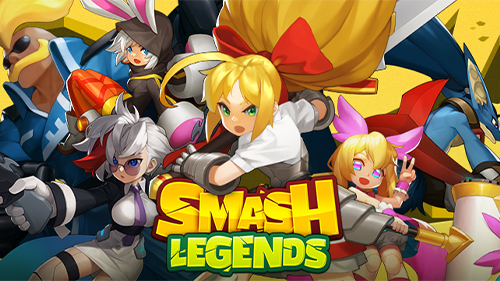
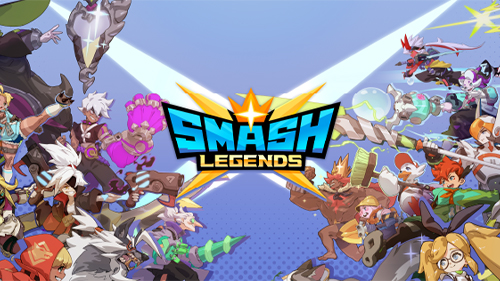
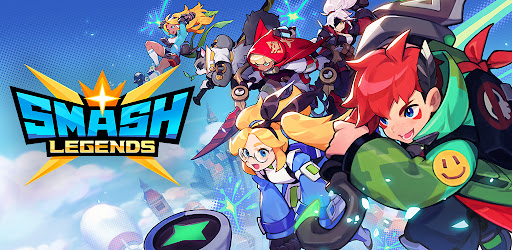
Ready to SMASH? Get set, SMASH LEGENDS! SMASH LEGENDS is free and fun PvP Action MOBA fight and supports 1v1 clash & Duo fight & 3vs3 & MOBA brawl action on mobile and online. Play SMASH LEGENDS offering solo (1v1, Battle Royal) or with friends (Duo, 3v3, Moba) while creating the most outstanding team in free, fun and co op games. Smash your opponents in SMASH LEGENDS on mobile and online, while unlocking and upgrading Legends. Simple Controls in Free and Fun PvP Action Brawl Fight on Mobile and Online Adopt simple slide-and-touch controls to have fun enough on mobile and online! Let’s smash it! Experience what SMASH LEGENDS offers on mobile and online; 1v1 & Duo fight & 3v3 & MOBA brawl action with simple controls. Unique Personalities Legends in free PvP Action Brawl Fight & fun co op games Meet Legends from fairy tales from around the world and train your Legends in SMASH LEGENDS. Collect skins for your Legends and show them off to others in 1v1 & Duo fight & 3v3 & MOBA brawl action. Make one-of-a-kind by customizing Legends with fashion items in a fun action PvP brawl game on mobile and online. Smash your opponents across the world in free PvP Action Brawl Fight & fun co op games Smash your opponents and test your skills in PvP offering, 1v1 & Duo fight & 3v3 & MOBA brawl fight on mobile and online. Smash others, hone your skills and become the world’s greatest Legends. Create your team to smash others in PvP with duo fight & 3vs3 & MOBA brawl fight. Remember! Duo fight & 3vs3 & MOBA brawl action requires teamwork to smash them. Diverse Maps and Modes in Free and Fun PvP Action Brawl Fight on Mobile and Online Dive into fun PvP action brawl offering 1v1 clash & Duo fight & 3vs3 & MOBA brawl fight & battle royale on mobile and online. - Dominion (3v3 MOBA): Capture a contested area with your team to win and smash your opponents. - Battle Royale (MOBA, free-for-all): Fight in an 8-player battle royale and become the last one standing. - Team Touchdown (3v3 MOBA): Push one of the two escort targets at the center to the opponent’s base wins. - Duo Touchdown (2v2 Duo PvP): Shares the same ruleset as Team Touchdown but with only 1 escort target. - Duo Deathmatch (2v2 Duo PvP): In this 2v2 team play mode, the first team to earn 7 points wins. - Duel (1v1 PvP): Pit yourself against another player head-on. Keeping up with SMASH LEGENDS' upcoming updates, including new Legends, Skins, Maps, Special Fun Events, and Game Modes both mobile and online. Best fit in SMASH LEGENDS: Free and Fun PvP Action Brawl Fight on mobile and online Enjoy free and fun PvP Action MOBA Brawl Fight & co op games on mobile and online. Enjoy free and fun PvP Action MOBA with 1v1 clash & Duo fight & 3vs3 & MOBA brawl action & battle royale. Like interacting with friends across the world on mobile and online MOBA brawl fight. Please read SMASH LEGENDS' Privacy Policy and Terms of Service to enjoy Free and Fun PvP Action Brawl Fight on mobile and online. SMASH LEGENDS Privacy Policy: https://smashlegends.com/privacypolicy_en/ SMASH LEGENDS Terms of Service: https://smashlegends.com/tos_en/
Emulator Features
Highest Android 15 Support Best Compatibility on Mac

With a smart button scheme and image recognition function, provide a more concise UI, and support custom button mapping to meet different needs. With a smart button scheme and image recognition, enjoy a cleaner UI and custom button mapping to fit different gaming needs on Mac.

Run multiple games independently at the same time, easily manage multiple accounts, play games while hanging. Take your Mac gaming further with multiple independent instances, easy account management, and seamless AFK gaming on Apple Silicon Mac.

Break through FPS limit, and enjoy a seamless gaming experience without lag and delay! Break through FPS limits for a seamless, lag-free gaming experience on MacBook, Mac mini, iMac, and Mac Studio.

Get a 3-second startup with 52% less memory usage and 65% more stability. Enjoy 3-second startup, 52% less memory usage, and 65% greater stability on Apple Silicon Mac.
How to Download and Play SMASH LEGENDS : Action Fight on PC and Mac
Installation Guide
Download MuMuPlayer
Download MuMuPlayer and install it on your PC or Mac
Sign-in Google Store
Complete Google sign-in to access the Play Store
Search and Install
Search SMASH LEGENDS : Action Fight in the Play Store
Enjoy Gaming
Enjoy 120 FPS high-def gameplay with big screen
System Requirements
Windows PC
Vulkan / DirectX supported. 4 cores + 4GB RAM recommended. Up to 240 FPS. VT required.
macOS
Recommended: Apple Silicon Mac with 8GB RAM or above. Up to 240 FPS.