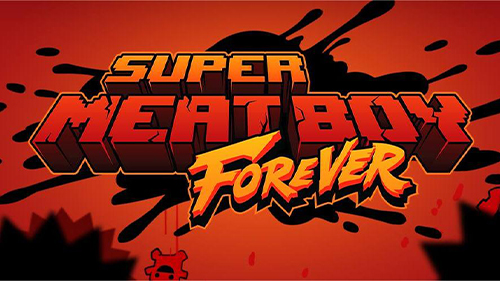
Play Super Meat Boy on PC and Mac
Download Super Meat Boy on PC or Mac with MuMuPlayer, get a PC like gameplay along with smart control and high graphics performance.
MuMuPlayer, the top Android emulator for PC and Apple silicon Mac, delivers an optimal gaming experience with minimal RAM usage and high FPS. It also allows you to create multiple instances of the emulator and run several games simultaneously, thanks to its Multi-instance feature. Its advanced emulator features ensure smooth gameplay, even on low-end PCs.
Download and play Super Meat Boy on PC or Mac with MuMuPlayer and start enjoying your gaming experience now.
About the Game
Super Meat Boy is a tough as nails platformer where you play as an animated cube of meat who's trying to save his girlfriend (who happens to be made of bandages) from an evil fetus in a jar wearing a tux.

Our meaty hero will leap from walls, over seas of buzz saws, through crumbling caves and pools of old needles. Sacrificing his own well being to save his damsel in distress. Super Meat Boy brings the old school difficulty of classic titles and stream lines them down to the essential no BS straight forward twitch reflex platforming.

Ramping up in difficulty from hard to soul crushing SMB will drag Meat Boy though haunted hospitals, salt factories and even hell itself. And if 300+ single player levels weren't enough SMB also throws in epic boss fights, tons of unlockable secrets, warp zones and hidden characters.
Emulator Features

With a smart button scheme and image recognition function, provide a more concise UI, and support custom button mapping to meet different needs.

Run multiple games independently at the same time, easily manage multiple accounts, play games while hanging.

Break through FPS limit, and enjoy a seamless gaming experience without lag and delay!

Get a 3-second startup with 52% less memory usage and 65% more stability.
How to Download and Play Super Meat Boy on PC and Mac
Installation Guide
Download MuMuPlayer
Download and install MuMuPlayer on your PC or Mac
Sign-in Google Store
Complete Google sign-in to access the Play Store
Search and Install
Search Super Meat Boy in the Play Store
Enjoy Gaming
Enjoy 120 FPS high-def gameplay with big screen
System Requirements
Windows PC
Vulkan / DirectX supported. 4 cores + 4GB RAM recommended. Up to 240 FPS. VT required.
macOS
Recommended: Apple Silicon Mac with 8GB RAM or above. Up to 240 FPS.