Play Sky Fortress:Odyssey on PC and Mac
Download Sky Fortress:Odyssey on PC or Mac with MuMuPlayer, get a PC like gameplay along with smart control and high graphics performance.
MuMuPlayer, the top Android emulator for PC and Apple silicon Mac, delivers an optimal gaming experience with minimal RAM usage and high FPS. It also allows you to create multiple instances of the emulator and run several games simultaneously, thanks to its Multi-instance feature. Its advanced emulator features ensure smooth gameplay, even on low-end PCs.
Download and play Sky Fortress:Odyssey on PC or Mac with MuMuPlayer and start enjoying your gaming experience now.
About the Game
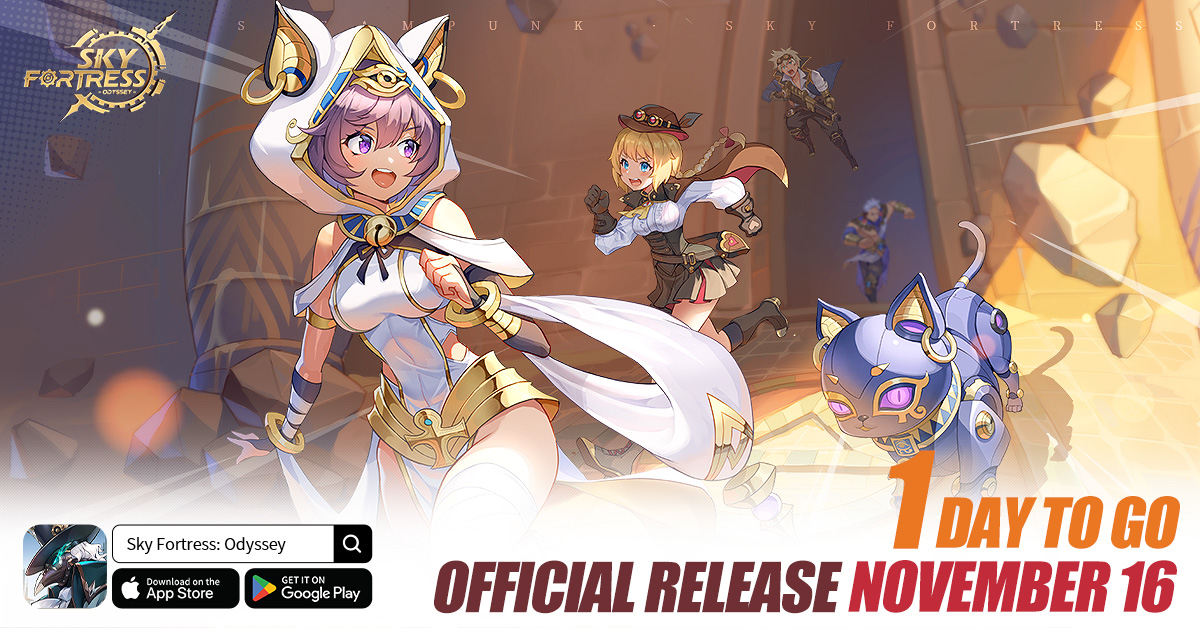
〓Pre-order and Win Exciting Prizes, including Two Airline Tickets!〓
· Complete your pre-order and follow our Facebook fan page to earn a chance to win many luxurious prizes!
· Simply log in to claim 100 free draws and exclusive attires, enrich your inventory, and set sail fully equipped!

〓Steampunk Fantasy Adventure, An Epic Tale of Civilizations〓
· Embark on a steampunk-style grand adventure where technology and fantasy merge, unveiling the secrets of the world of Setsemir!
· A sprawling narrative with over a million words to showcase the splendor of various civilizations. A multitude of unique bosses await!

〓Exquisite Anime-style Illustrations, Assemble the Strongest Adventure Squad〓
· Meticulously designed, beautiful Anime-style card artwork featuring a diverse cast of characters, with the option to recruit your preferred S-grade hero on your Beginner Recruit!
· Exclusive weapons for heroes, hidden talent awakenings, and Gadget set combinations allow for limitless multi-dimensional development!

〓Parkour + Bullet Hell Shooting, Innovative Competition〓
· Stunning character skills, dazzling bullet hell, exhilarating parkour gameplay, and intuitive controls!
· From the Skytop Arena to multiplayer dungeons, your adventure journey will never be lonely! Enjoy creative social interactions as you take on challenges with friends!

〓Enjoyable Airship Management, Easy Resource Generation〓
· Food preparation, entertaining puzzles... each cabin has its own mini-games for increased resource production, doubling the joy of your adventure!
· Customize your manor with unique furniture, crafting a delightful and heartwarming life for your adventurers!
Emulator Features

With a smart button scheme and image recognition function, provide a more concise UI, and support custom button mapping to meet different needs.

Run multiple games independently at the same time, easily manage multiple accounts, play games while hanging.

Break through FPS limit, and enjoy a seamless gaming experience without lag and delay!

Get a 3-second startup with 52% less memory usage and 65% more stability.
How to Download and Play Sky Fortress:Odyssey on PC and Mac
Installation Guide
① Download and install MuMuPlayer on your PC or Mac. It will identify automatically your current system and download the latest version.
② Start MuMuPlayer and complete Google sign-in to access the Play Store, or do it later.
③ Search Sky Fortress:Odyssey in the Play Store.
④ Complete Google sign-in (if you skipped step 2) to install Sky Fortress:Odyssey.
⑤ Once installation completes, click the Sky Fortress:Odyssey icon on the home page to start the game.
⑥ Enjoy playing Sky Fortress:Odyssey on your PC or Mac with MuMuPlayer.
Installation Guide
Recommended computer configuration
For Windows:4-core CPU, 4GB RAM, i5 OS, GTX950+ graphics card
For macOS: 4-core CPU, 4GB RAM
Recommended Android Device performance settings
Graphics renderer mode
Vulkan and DirectX both supported
Performance Settings
Recommended performance settings: 2 cores, 2GB. >>How to adjust performance settings
Recommended Android Device Display Settings
Resolution Settings
Go to Device Settings > Display > Resolution Settings to adjust your device's resolution as needed.
FPS Settings
MuMuPlayer supports up to 240 FPS. >>How to enable high FPS mode
Recommended to enable VT
Enabling VT will significantly improve emulator performance, reduce screen freezing, and make games run more smoothly. >>How to enable VT