
Play DC Worlds Collide on PC and Mac
Download DC Worlds Collide on PC or Mac with MuMuPlayer, get a PC like gameplay along with smart control and high graphics performance.
MuMuPlayer, the top Android emulator for PC and Apple silicon Mac, delivers an optimal gaming experience with minimal RAM usage and high FPS. It also allows you to create multiple instances of the emulator and run several games simultaneously, thanks to its Multi-instance feature. Its advanced emulator features ensure smooth gameplay, even on low-end PCs.
Download and play DC Worlds Collide on PC or Mac with MuMuPlayer and start enjoying your gaming experience now.
About the Game
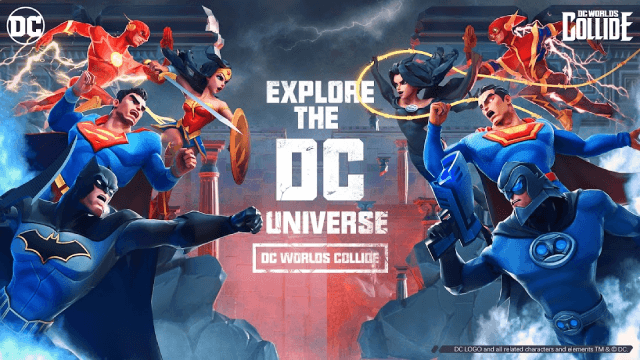
Welcome to DC Worlds Collide! Crime Syndicate members have invaded Earth! Stand up and battle alongside some of DC’s most powerful characters! Batman, Superman, Wonder Woman, and other classic Super Heroes & Super-Villains from DC are at your command! Collect & upgrade your Super Heroes & Super-Villains and win with strategy in idle battles! Punish & defeat the Crime Syndicate with visually stunning hero ultimates and restore peace & order on Earth! We're counting on your heroics: you're stronger than you think you are! Fight alongside your super-team in this 3D mobile card game!

GAME FEATURES
DC Worlds Collide is an idle mobile card game with jaw-dropping visuals, officially licensed by DC. The gameplay includes collecting and training characters from DC Comics, battling your way through the game, and rogue-like RPG-style instance diving!
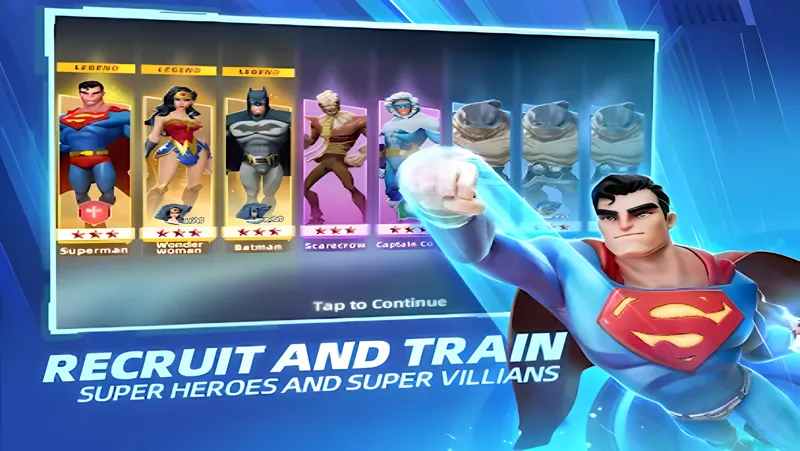
Recruit and Train DC Super Heroes & Super-Villains
Join iconic Super Heroes from the DC universe, including Batman, Superman, and Wonder Woman as well as Super-Villains like The Joker, Harley Quinn, and The Cheetah to protect the planet! There are more than 50 characters at your disposal! Enjoy this RPG card game anytime, anywhere!

Strategically upgrade your Super Heroes and Super-Villains, and eventually develop an unbeatable lineup - your enemies won't stand a chance in battle!

Battle to Level Up Your Team
You'll need to cleverly integrate your battle strategy into every move - you'll need a combination of epic hero combos, thoughtful positioning, and unique special attacks to defeat the Crime Syndicate! Team up with Justice League, Suicide Squad, and many more! As worlds collide, be ready to fight!

Diverse Instances with Varied Strategies
Apart from progressing by clearing the main stages, you can also unlock varied game modes including Elseworld, Convergence Crisis, the Arena, and character instances that will open up new stories. There's no need to worry about boring, repetitive gameplay in Worlds Collide!

Amazing 3D Battle Effects
Be ready for an immersive battle experience in the DC universe! You won’t want to miss the full 3D models, stunning combat animation effects, and next-gen hand-painted art style.

Intriguing Storylines Set in the DC Universe
Discover exciting stories, interesting conversations, and action-packed interactions between DC's unforgettable Super Heroes and Super-Villains!

Contact Us
Want to learn more about the game?
Facebook: https://www.facebook.com/DCWorldsCollideGame/
Mail address: dcworldscollidegame@gmail.com
Emulator Features

With a smart button scheme and image recognition function, provide a more concise UI, and support custom button mapping to meet different needs.

Run multiple games independently at the same time, easily manage multiple accounts, play games while hanging.

Break through FPS limit, and enjoy a seamless gaming experience without lag and delay!

Get a 3-second startup with 52% less memory usage and 65% more stability.
How to Download and Play DC Worlds Collide on PC and Mac
Installation Guide
Download MuMuPlayer
Download and install MuMuPlayer on your PC or Mac
Sign-in Google Store
Complete Google sign-in to access the Play Store
Search and Install
Search DC Worlds Collide in the Play Store
Enjoy Gaming
Enjoy 120 FPS high-def gameplay with big screen
System Requirements
Windows PC
Vulkan / DirectX supported. 4 cores + 4GB RAM recommended. Up to 240 FPS. VT required.
macOS
Recommended: Apple Silicon Mac with 8GB RAM or above. Up to 240 FPS.


(1).png?fop=imageView/0/w/150/h/150)