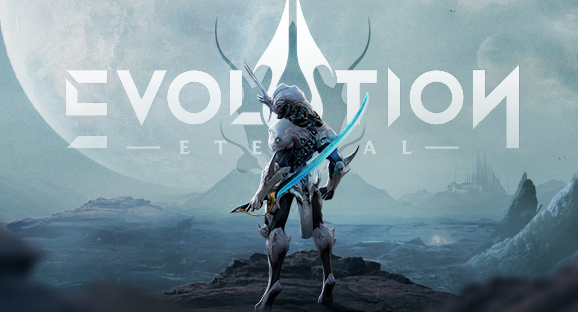
Play Eternal Evolution on PC Play Eternal Evolution on PC and Mac
Eternal Evolution is a sci-fi idle RPG that throws you into a sprawling intergalactic arena where humanity's survival depends on the squad you build and the strategies you master. Across three distinct factions, you will recruit over 100 unique heroes ranging from cybernetic angels and mechanical soldiers to creature-inspired warriors and mythological gods, assembling a team capable of holding back the monsters threatening the Eternal Universal Arena. Playing on PC through MuMuPlayer gives you access to this rich universe on a larger screen with smoother controls, letting you absorb every detail of its animated world without the limitations of a mobile device.
The game blends strategic squad-based combat with a fully fleshed-out idle progression system, meaning your resources and advancement continue even when you step away. Whether you prefer active, calculated battles or a more relaxed approach, Eternal Evolution accommodates both playstyles within the same detailed sci-fi universe. Stunning animations, carefully crafted sound design, and sharp graphics work together to create an immersive atmosphere, while a steady stream of new heroes, game modes, and events ensures the experience keeps evolving long after you first log in.
Using MuMuPlayer to run Eternal Evolution on PC unlocks a set of practical advantages that directly improve how you engage with the game. The larger display makes managing a roster of over 100 heroes significantly easier, letting you compare builds, review squad compositions, and plan upgrades without squinting at a small screen. Idle games benefit especially from running on a PC emulator, since MuMuPlayer can stay active in the background while you handle other tasks, ensuring your in-game resources never stop accumulating. Keyboard and mouse input also give you cleaner control during active battles, making every strategic decision faster and more precise.
Download Eternal Evolution on PC or Mac with MuMuPlayer, get a PC like gameplay along with smart control and high graphics performance.
MuMuPlayer, the top Android emulator for PC and Apple silicon Mac, delivers an optimal gaming experience with minimal RAM usage and high FPS. It also allows you to create multiple instances of the emulator and run several games simultaneously, thanks to its Multi-instance feature. Its advanced emulator features ensure smooth gameplay, even on low-end PCs.
Download and play Eternal Evolution on PC or Mac with MuMuPlayer and start enjoying your gaming experience now.
About the Game
Step into the Eternal Universal Arena, a vast sci-fi universe under siege by relentless monsters, and take on the role of commander tasked with building the ultimate squad to turn the tide. Eternal Evolution is a mobile idle RPG that combines deep hero collection, faction-based strategy, and a richly imagined futuristic world into a single experience that works whether you have five minutes or five hours to spare.
At the heart of the game is an expansive roster of more than 100 recruitable heroes spread across three distinct factions. Each hero brings a different identity to the battlefield:
- Cyborg Terran angels blending organic and mechanical traits
- Robotic soldiers built for frontline dominance
- Creature-inspired fighters drawing on animalistic power
- Mythological gods channeling ancient forces in a sci-fi setting
Every hero comes with its own abilities, role, and visual design, giving you enormous room to experiment with team compositions and discover synergies that suit your preferred approach to combat.
Strategic depth is central to Eternal Evolution. Battles are not simply a matter of raw power. You need to think about faction balance, skill interactions, positioning, and timing to get the most out of your squad. Whether you are pushing through the main campaign, competing in arena modes, or taking on special challenges, the decisions you make before and during combat have real consequences. The game rewards players who study their roster and plan carefully, but it never locks out those who prefer a more straightforward progression path.
The idle system is one of the most player-friendly features in Eternal Evolution. Resources, experience, and upgrade materials accumulate automatically over time, so your progress does not grind to a halt the moment you close the app. This makes it easy to stay competitive even during periods when your schedule does not allow for extended play sessions. Log back in, collect your rewards, make your upgrades, and jump back into the action whenever you are ready.
Visually, Eternal Evolution sets a high bar for the idle RPG genre. The sci-fi universe is presented through detailed animations, a layered sound design, and graphics that bring the futuristic setting to life with genuine care. Each hero's design reflects its backstory and faction, adding personality to the collection experience beyond simple stat comparisons.
Content updates arrive on a regular basis, introducing new heroes, additional gameplay modes, fresh events, and expanded features that keep the game from feeling static. The development team continues to grow the universe, meaning players who have been around since launch will always find something new to explore alongside returning veterans and newcomers.
For players who want to experience Eternal Evolution on a larger screen with added convenience, running it through MuMuPlayer on PC is a natural choice. The expanded display makes hero management cleaner, combat easier to read, and the sci-fi world more visually impressive. The idle system pairs especially well with a PC setup, allowing the game to run in the background and keep accumulating progress while you go about your day. Your legend of evolution is waiting.
Emulator Features
Highest Android 15 Support Best Compatibility on Mac

With a smart button scheme and image recognition function, provide a more concise UI, and support custom button mapping to meet different needs. With a smart button scheme and image recognition, enjoy a cleaner UI and custom button mapping to fit different gaming needs on Mac.

Run multiple games independently at the same time, easily manage multiple accounts, play games while hanging. Take your Mac gaming further with multiple independent instances, easy account management, and seamless AFK gaming on Apple Silicon Mac.

Break through FPS limit, and enjoy a seamless gaming experience without lag and delay! Break through FPS limits for a seamless, lag-free gaming experience on MacBook, Mac mini, iMac, and Mac Studio.

Get a 3-second startup with 52% less memory usage and 65% more stability. Enjoy 3-second startup, 52% less memory usage, and 65% greater stability on Apple Silicon Mac.
How to Download and Play Eternal Evolution on PC and Mac
Installation Guide
Download MuMuPlayer
Download MuMuPlayer and install it on your PC or Mac
Sign-in Google Store
Complete Google sign-in to access the Play Store
Search and Install
Search Eternal Evolution in the Play Store
Enjoy Gaming
Enjoy 120 FPS high-def gameplay with big screen
System Requirements
Windows PC
Vulkan / DirectX supported. 4 cores + 4GB RAM recommended. Up to 240 FPS. VT required.
macOS
Recommended: Apple Silicon Mac with 8GB RAM or above. Up to 240 FPS.