Play Idle Angels: Sweet Pulls Event on PC Play Idle Angels: Sweet Pulls Event on PC and Mac
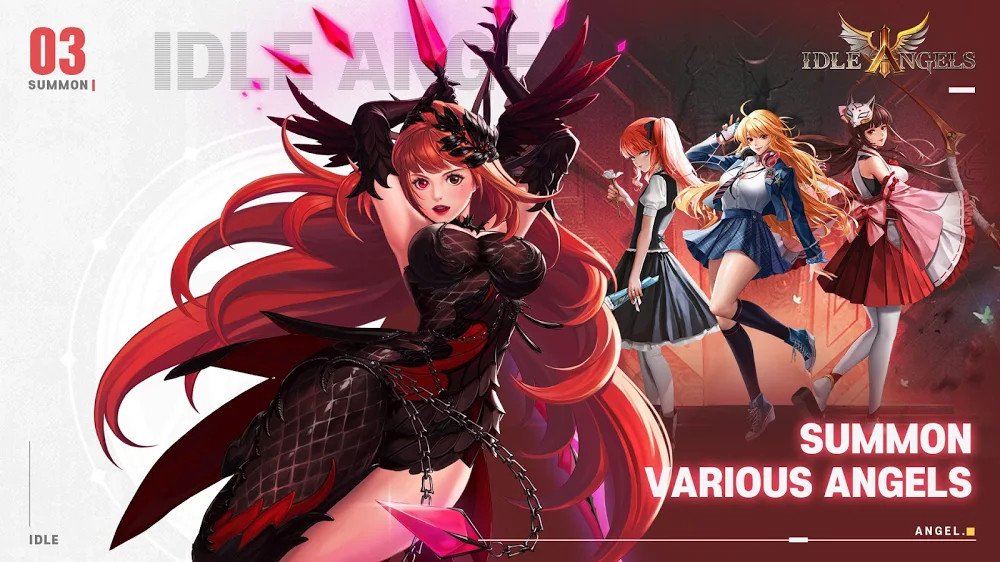
Idle Angels is a role-playing game that puts you in charge of assembling a powerful squad of goddesses, each with unique abilities, stunning visuals, and absolute loyalty to your cause. The game blends light strategy with idle progression, letting you grow your roster, unlock exclusive skins, and build your ultimate team at your own pace. You can enjoy the full experience on PC by running Idle Angels through MuMuPlayer, the Android emulator designed to bring mobile games to a bigger screen without any hassle.
The game is built around generosity from the start, offering new players a steady stream of login rewards that include SSR goddesses and summon tickets to jumpstart their journey. With over 100 skin options spanning maid, wedding, and swimsuit themes, personalizing your squad is a major part of the experience. The one-click inheritance system means you can upgrade and reorganize your team without losing progress, while the streamlined power-boost and gear-equip mechanics keep things moving fast. Even when you step away, the idle system continues earning top-tier equipment on your behalf.
Playing Idle Angels on PC through MuMuPlayer gives you a clear advantage when managing your goddess roster and claiming daily rewards. The larger display makes browsing skins, reviewing team compositions, and navigating menus far more comfortable than on a small mobile screen. MuMuPlayer also ensures smooth, stable performance so the visuals and animations look their best, and you can keep the game running in the background while handling other tasks, making the most of the idle mechanics without interrupting your daily routine.
Download Idle Angels: Sweet Pulls Event on PC or Mac with MuMuPlayer, get a PC like gameplay along with smart control and high graphics performance.
MuMuPlayer, the top Android emulator for PC and Apple silicon Mac, delivers an optimal gaming experience with minimal RAM usage and high FPS. It also allows you to create multiple instances of the emulator and run several games simultaneously, thanks to its Multi-instance feature. Its advanced emulator features ensure smooth gameplay, even on low-end PCs.
Download and play Idle Angels: Sweet Pulls Event on PC or Mac with MuMuPlayer and start enjoying your gaming experience now.
About the Game
Idle Angels invites players into a world where recruiting, upgrading, and bonding with a diverse cast of powerful goddesses is at the heart of everything. Rather than throwing obstacles in your path, the game takes a welcoming approach from day one, ensuring that both newcomers and returning players have access to meaningful rewards without needing to grind endlessly or spend heavily to keep up.
Getting started is remarkably smooth. The login reward system is designed to accelerate early progress in a meaningful way, handing out a substantial number of summons simply for showing up each day. New players can claim an SSR-tier goddess through daily check-ins, giving beginners a strong foundation to build from almost immediately. Skin unlocks, which are often locked behind paywalls in similar games, are made accessible early here, letting players personalize their experience without waiting weeks to see results.
The goddess roster itself is the centerpiece of Idle Angels. Each character carries her own personality, visual design, and combat role, and the collection grows as you progress. Building the right squad involves understanding how different goddesses complement each other, but the game never makes this process feel punishing. The one-click inheritance feature is particularly helpful, allowing players to transfer progress from one goddess to another without suffering any stat or resource loss. This means you can experiment freely, rethink your team strategy, and adapt without being penalized for changing your mind.
Customization is another strong pillar of the experience. With more than 100 skin options available across themes that include maid uniforms, wedding attire, and swimsuit styles, there is plenty of room to shape how your squad looks and feels. Skins go beyond cosmetics in terms of player investment, offering a way to express preference and attachment to specific characters.
Key features that define the Idle Angels experience:
- Daily login rewards provide SSR goddesses and summon tickets to support consistent progression
- One-click inheritance system lets you upgrade and restructure your team without any resource loss
- Over 100 skins across multiple themes including maid, wedding, and swimsuit categories
- One-tap daily quest completion keeps routines quick and undemanding
- Idle mechanics continue earning high-grade gear even while you are offline
- Simplified power-boost and equipment systems remove complexity without sacrificing depth
The idle structure is one of the game's most practical qualities. High-quality gear continues to accumulate in the background whether you are actively playing or not, which means logging back in after a few hours always feels rewarding. This makes Idle Angels a strong fit for players who enjoy steady progress without needing to be glued to their screen.
For anyone who wants to experience Idle Angels with added comfort and convenience, running it through MuMuPlayer on PC offers a noticeably improved setup. The wider display gives you a better view of character designs and skin details, and managing a large roster becomes much easier when you have more screen space to work with. The stable performance of MuMuPlayer also means smoother animations and consistent gameplay, while the ability to keep the game running passively in the background fits perfectly with the idle progression system that the game is built around.
Emulator Features
Highest Android 15 Support Best Compatibility on Mac

With a smart button scheme and image recognition function, provide a more concise UI, and support custom button mapping to meet different needs. With a smart button scheme and image recognition, enjoy a cleaner UI and custom button mapping to fit different gaming needs on Mac.

Run multiple games independently at the same time, easily manage multiple accounts, play games while hanging. Take your Mac gaming further with multiple independent instances, easy account management, and seamless AFK gaming on Apple Silicon Mac.

Break through FPS limit, and enjoy a seamless gaming experience without lag and delay! Break through FPS limits for a seamless, lag-free gaming experience on MacBook, Mac mini, iMac, and Mac Studio.

Get a 3-second startup with 52% less memory usage and 65% more stability. Enjoy 3-second startup, 52% less memory usage, and 65% greater stability on Apple Silicon Mac.
How to Download and Play Idle Angels: Sweet Pulls Event on PC and Mac
Installation Guide
Download MuMuPlayer
Download MuMuPlayer and install it on your PC or Mac
Sign-in Google Store
Complete Google sign-in to access the Play Store
Search and Install
Search Idle Angels: Sweet Pulls Event in the Play Store
Enjoy Gaming
Enjoy 120 FPS high-def gameplay with big screen
System Requirements
Windows PC
Vulkan / DirectX supported. 4 cores + 4GB RAM recommended. Up to 240 FPS. VT required.
macOS
Recommended: Apple Silicon Mac with 8GB RAM or above. Up to 240 FPS.