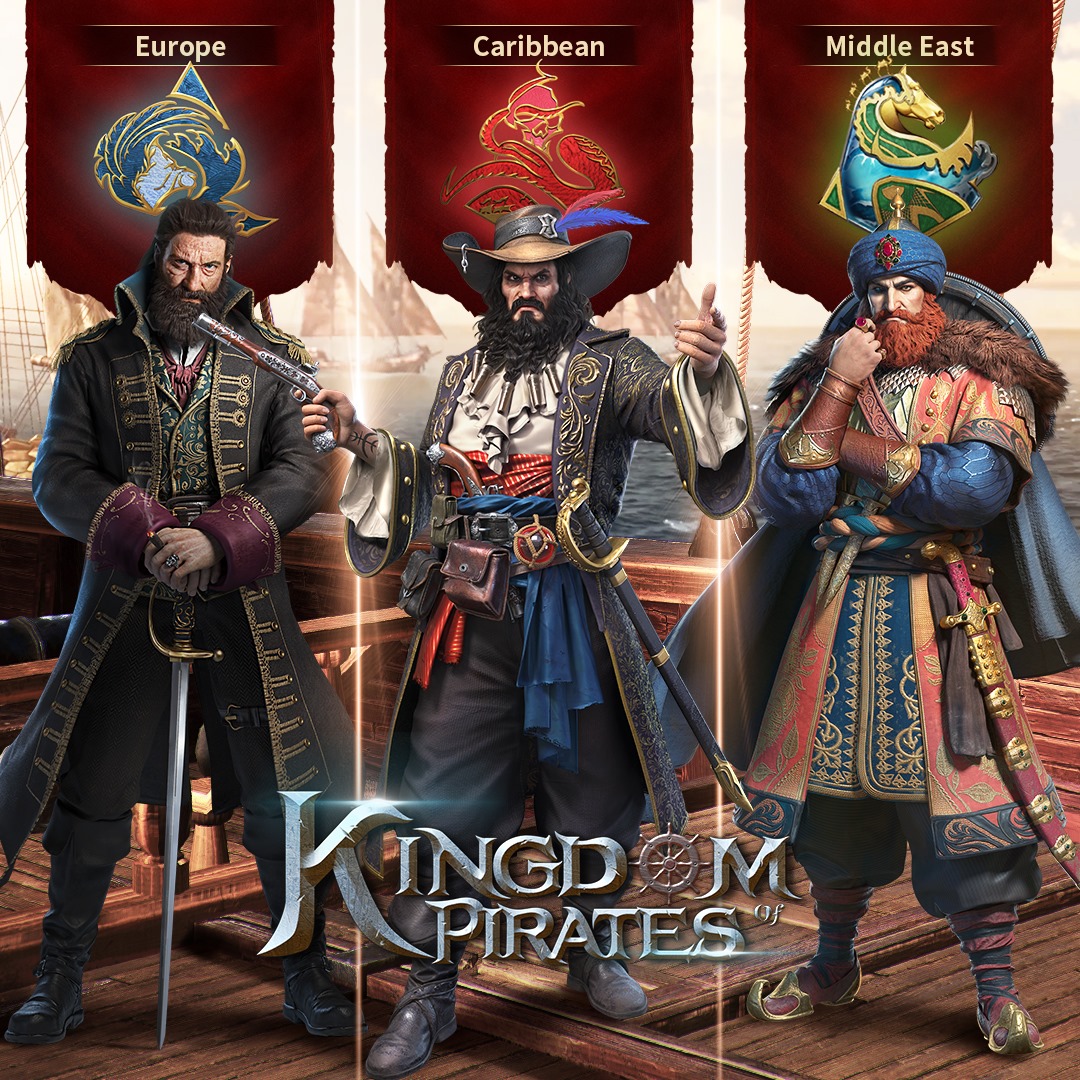
Play Kingdom of Pirates on PC and Mac
Download Kingdom of Pirates on PC or Mac with MuMuPlayer, get a PC like gameplay along with smart control and high graphics performance.
MuMuPlayer, the top Android emulator for PC and Apple silicon Mac, delivers an optimal gaming experience with minimal RAM usage and high FPS. It also allows you to create multiple instances of the emulator and run several games simultaneously, thanks to its Multi-instance feature. Its advanced emulator features ensure smooth gameplay, even on low-end PCs.
Download and play Kingdom of Pirates on PC or Mac with MuMuPlayer and start enjoying your gaming experience now.
About the Game
Get Ready for the next level Pirate-themed Simulation-RPG! Train your pirate fleet of world heros, and start your miraculous Journey of Conquer!
Commencing on an immersive sea-going adventure, delving into the mystic ocean; build strong outposts, and discovering unknown islands. Handle all sorts of unexpected events, and complete new levels of challenges that are waiting for you to unload!
A Pirate’s life is not just about Pillage and Plundering, but also hang out and date beautiful woman! Go ahead and meet Maidens, interact with them, and find out the truth of happiness!
Don’t forget your descendants! The inheritance feature allows you to trial your descendants and make your empire even stronger! Pick a worthy successor to keep writing your own legend!
Fun PVP modes, exciting joint raids to fight against the World Boss, continuous crew recruitment to strengthen your outposts, as well as reliable Alliance growing, all of which will help you upgrade your Pirate Force! You will accumulate treasure hoards, construct battleships, explore relics, plunder merchant ships, subdue all legendary pirates in history and find your way to becoming a Pirate King!
**** Features ****
Exquisite revivifications of the 15th century seafaring adventures bring you back to the real Golden Age of Piracy!
A Strategy EDU-Simulation game where you train your Pirate fleet and flagships to defend your Empire! Keep your supremacy enduring and stay prosperous!
You will trigger a series of random events in Stages and Map. Then, you will expand various sea-routes and increase your plunder rates by unlocking more outposts. What are you waiting for? Come and complete all kinds of challenges that the Mystic Sea is waiting for you to unveil!
You are not alone! Your Maidens and descendants are waiting for you to take care of and they will reinforce your overall strength! Moreover, you will encounter all kinds of beauties from different Pirate Forces that are bonding to one of your Pirate Hero to make them stronger!
Choose your region before the adventure begins, and remember to recruit fellow Pirates and level them up to raise your influence.
**** Two regions for your selection ****
The Caribbean on the Bahamas route: If you could defy all the odds like Edward Teach dose, this sea area with collapsed and disordered legal systems will be your paradise.
The Mediterranean on the pan-Mediterranean Route: This sea area has been suffering continuous dispute for too long. Can you carry on Barbarossa's will and revive the lost glory?
Emulator Features

With a smart button scheme and image recognition function, provide a more concise UI, and support custom button mapping to meet different needs.

Run multiple games independently at the same time, easily manage multiple accounts, play games while hanging.

Break through FPS limit, and enjoy a seamless gaming experience without lag and delay!

Get a 3-second startup with 52% less memory usage and 65% more stability.
How to Download and Play Kingdom of Pirates on PC and Mac
Installation Guide
① Download and install MuMuPlayer on your PC or Mac. It will identify automatically your current system and download the latest version.
② Start MuMuPlayer and complete Google sign-in to access the Play Store, or do it later.
③ Search Kingdom of Pirates in the Play Store.
④ Complete Google sign-in (if you skipped step 2) to install Kingdom of Pirates.
⑤ Once installation completes, click the Kingdom of Pirates icon on the home page to start the game.
⑥ Enjoy playing Kingdom of Pirates on your PC or Mac with MuMuPlayer.
Installation Guide
Recommended computer configuration
For Windows:4-core CPU, 4GB RAM, i5 OS, GTX950+ graphics card
For macOS: 4-core CPU, 4GB RAM
Recommended Android Device performance settings
Graphics renderer mode
Vulkan and DirectX both supported
Performance Settings
Recommended performance settings: 2 cores, 2GB. >>How to adjust performance settings
Recommended Android Device Display Settings
Resolution Settings
Go to Device Settings > Display > Resolution Settings to adjust your device's resolution as needed.
FPS Settings
MuMuPlayer supports up to 240 FPS. >>How to enable high FPS mode
Recommended to enable VT
Enabling VT will significantly improve emulator performance, reduce screen freezing, and make games run more smoothly. >>How to enable VT