Play Lineage W on PC Play Lineage W on PC and Mac
Lineage W is a massive multiplayer online role-playing game developed by NCSOFT, drawing on over two decades of the legendary Lineage franchise to deliver a sweeping global experience. Set 150 years after the events of the original story, it places players in the dark fantasy realm of Aden, where they choose their path as a lord, knight, fairy, or mage and engage in large-scale battles, political rivalries, and deep character progression. With MuMuPlayer, you can bring this epic MMORPG to your PC and immerse yourself in its world on a bigger, sharper screen.
At its core, Lineage W rebuilds the beloved classic gameplay of the series using a modern engine while preserving the strategic depth that longtime fans value. The quarter-view perspective, blood pledge system, large-scale siege warfare, and honor mechanics all return in refined form. The game also connects players from different regions and countries onto shared servers, supported by an AI-powered real-time translation chat system that enables cross-language communication across a truly global community.
Playing Lineage W on PC through MuMuPlayer offers meaningful practical advantages for a game of this scale. Large-scale sieges and real-time battles benefit greatly from the precision of keyboard and mouse controls, while the expanded screen space makes navigating Aden's detailed environments far more comfortable. MuMuPlayer also provides stable performance for extended play sessions, which matters in a game where ongoing server events and guild coordination can demand consistent availability. For players who want the full Lineage W experience without compromise, MuMuPlayer is a reliable way to get there.
Download Lineage W on PC or Mac with MuMuPlayer, get a PC like gameplay along with smart control and high graphics performance.
MuMuPlayer, the top Android emulator for PC and Apple silicon Mac, delivers an optimal gaming experience with minimal RAM usage and high FPS. It also allows you to create multiple instances of the emulator and run several games simultaneously, thanks to its Multi-instance feature. Its advanced emulator features ensure smooth gameplay, even on low-end PCs.
Download and play Lineage W on PC or Mac with MuMuPlayer and start enjoying your gaming experience now.
About the Game
Few online role-playing games carry the weight of history that Lineage W does. Built on a franchise that has evolved across 24 years, this MMORPG from NCSOFT is not simply another entry in the series. It represents a full reconstruction of what made Lineage iconic, rebuilt from the ground up with a contemporary engine and expanded to operate on a genuinely global scale. Players from across different regions share the same servers, competing and cooperating in ways that break down the usual geographic boundaries of online gaming.
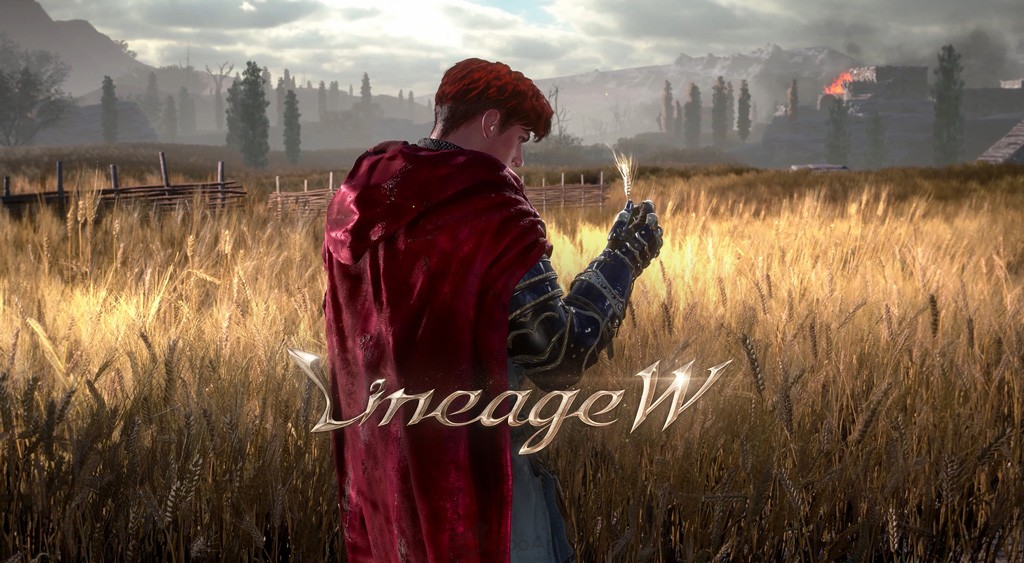
The setting takes familiar ground and shifts it forward in time. Aden, the dark fantasy world at the heart of the original Lineage, is reimagined here as it exists 150 years after the events players may already know. The passage of time has reshaped the world's politics, landscapes, and conflicts, giving both longtime followers of the series and newcomers a rich environment to discover. The visual presentation reflects this ambition, with environments crafted in considerable detail to bring the darker corners of Aden to life in a way earlier titles in the franchise could not achieve.
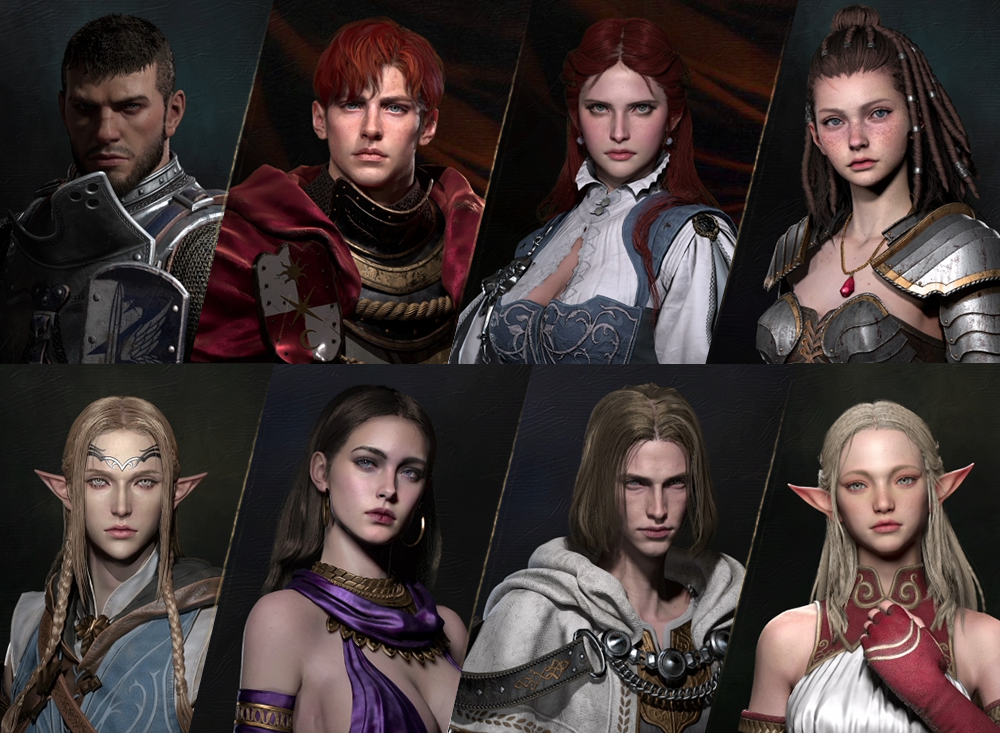
Character choice plays a central role in how each player experiences the game. Four distinct classes define the paths available:
- Lord: A commanding figure suited for those who want to lead and control the battlefield.
- Knight: A frontline warrior built around endurance and direct combat.
- Fairy: An agile and mystical option offering a different rhythm of play.
- Mage: A powerful spellcaster with the ability to shape engagements from a distance.
Each class carries its own storyline and gameplay focus, meaning the experience shifts meaningfully depending on which path you choose.
The gameplay design deliberately honors the essence of classic Lineage while refusing to feel dated. The quarter-view perspective that defined the original series returns here, adapted to modern display standards and enriched with smoother animations and a more expressive world. Beyond the visual layer, the systems that gave Lineage its distinct identity are all present. Blood pledge mechanics encourage players to form organized groups with shared loyalties and goals. The honor system rewards conduct in battle and creates stakes beyond simple win or loss outcomes. Sacrifice as a strategic option reflects the series' tradition of meaningful player decisions with lasting consequences.
Siege warfare represents one of the most prominent features. Large groups of players coordinate to attack or defend fortifications, and the outcomes of these confrontations carry real significance within the game's ongoing world. These are not isolated events but part of a continuous contest for territory and influence that shapes the server's political landscape over time.
Communication across this global player base is handled through an AI-driven translation system. When players from different language backgrounds interact in chat, the system translates in real time, making coordination and conversation possible without requiring everyone to share a common language. This feature directly supports the game's ambition to be a unified global experience rather than a collection of separate regional versions.
For players using MuMuPlayer to run Lineage W on PC, the combination of a larger display, responsive controls, and consistent system performance adds a layer of comfort that suits the game's demands. Whether tracking battlefield movements during a siege or managing guild communications across long sessions, having the game on a proper PC setup through MuMuPlayer makes the experience more manageable and more enjoyable overall.
Emulator Features
Highest Android 15 Support Best Compatibility on Mac

With a smart button scheme and image recognition function, provide a more concise UI, and support custom button mapping to meet different needs. With a smart button scheme and image recognition, enjoy a cleaner UI and custom button mapping to fit different gaming needs on Mac.

Run multiple games independently at the same time, easily manage multiple accounts, play games while hanging. Take your Mac gaming further with multiple independent instances, easy account management, and seamless AFK gaming on Apple Silicon Mac.

Break through FPS limit, and enjoy a seamless gaming experience without lag and delay! Break through FPS limits for a seamless, lag-free gaming experience on MacBook, Mac mini, iMac, and Mac Studio.

Get a 3-second startup with 52% less memory usage and 65% more stability. Enjoy 3-second startup, 52% less memory usage, and 65% greater stability on Apple Silicon Mac.
How to Download and Play Lineage W on PC and Mac
Installation Guide
Download MuMuPlayer
Download MuMuPlayer and install it on your PC or Mac
Sign-in Google Store
Complete Google sign-in to access the Play Store
Search and Install
Search Lineage W in the Play Store
Enjoy Gaming
Enjoy 120 FPS high-def gameplay with big screen
System Requirements
Windows PC
Vulkan / DirectX supported. 4 cores + 4GB RAM recommended. Up to 240 FPS. VT required.
macOS
Recommended: Apple Silicon Mac with 8GB RAM or above. Up to 240 FPS.