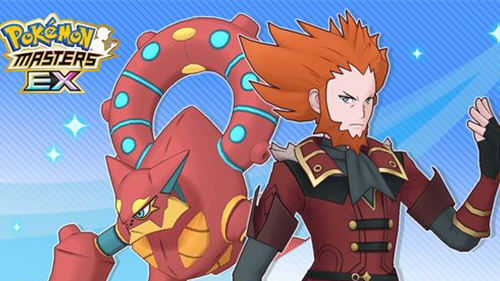
Play Pokémon Masters EX on PC Play Pokémon Masters EX on PC and Mac
Pokémon Masters EX is a role-playing game developed by DeNA Co., Ltd. that brings together Trainers and their Pokémon from across every region in the franchise's history. Set on the island of Pasio, the game builds a story around forming sync pairs, deepening bonds, and battling through a world where familiar faces from Paldea, Hisui, and countless other regions all share the same stage. For fans who want to experience this evolving Pokémon adventure on a bigger screen, MuMuPlayer makes it easy to run the full game on PC with smooth performance and a comfortable setup.
The game offers a rich mix of features that go well beyond standard turn-based combat. Three-on-three sync pair battles form the core of gameplay, letting players assemble teams of Trainers paired with their signature Pokémon for strategic real-time encounters. The roster spans Champions, Elite Four members, Gym Leaders, and more, with many Trainers appearing in outfits exclusive to the game alongside original storylines tied to those looks. Players can also visit the Trainer Lodge to interact with their favorite characters, unlock special photos, and explore bonus stories. Egg hatching adds another layer of progression, letting players grow their roster by raising newly discovered Pokémon from scratch. A photo studio feature rounds things out, allowing customized snapshots featuring up to three Trainers with selectable backgrounds, frames, and effects.
Playing Pokémon Masters EX through MuMuPlayer on PC gives players a noticeable advantage in managing everything the game offers. The larger display makes it far easier to track battle effects, read story dialogue, and appreciate character artwork in full detail. Keyboard and mouse controls replace touchscreen tapping, making battle inputs and menu navigation more precise. MuMuPlayer also allows the game to run continuously in the background, which is ideal for progressing through event stories, completing daily tasks, or waiting on Egg hatching timers without draining a mobile device's battery. For anyone looking to enjoy this Pokémon experience with greater comfort and control, MuMuPlayer on PC is a natural fit.
Download Pokémon Masters EX on PC or Mac with MuMuPlayer, get a PC like gameplay along with smart control and high graphics performance.
MuMuPlayer, the top Android emulator for PC and Apple silicon Mac, delivers an optimal gaming experience with minimal RAM usage and high FPS. It also allows you to create multiple instances of the emulator and run several games simultaneously, thanks to its Multi-instance feature. Its advanced emulator features ensure smooth gameplay, even on low-end PCs.
Download and play Pokémon Masters EX on PC or Mac with MuMuPlayer and start enjoying your gaming experience now.
About the Game
Pokémon Masters EX takes a fresh approach to the beloved franchise by shifting the focus from gym circuits and regional champions to the relationships between Trainers themselves. Rather than journeying through a single region, players arrive on Pasio, a unique island where sync pairs from every corner of the Pokémon world have gathered. From the snowy peaks of Hisui to the sun-soaked landscapes of Paldea, the cast spans decades of Pokémon history, making it a game that rewards long-time fans while remaining accessible to newcomers.
At the heart of the experience is the sync pair system, which pairs each Trainer with their iconic Pokémon to form a single combat unit. Battles are fought in real-time three-on-three formats, where players field a team of three sync pairs and manage moves, energy, and timing against opposing teams. The strategic depth comes from understanding how different sync pairs complement each other, when to use powerful sync moves, and how to balance offense with support roles.
The roster of available Trainers is one of the game's biggest draws. Players can team up with:
- Champions and Elite Four members from across all main series games
- Gym Leaders representing multiple generations of Pokémon
- Special visitors from past eras of the franchise
- Trainers wearing exclusive outfits designed specifically for Pokémon Masters EX, each with their own original story content
Beyond battles, the Trainer Lodge serves as a social space where players can spend time with their favorite characters, building bonds that unlock exclusive photos and narrative vignettes. These interactions give depth to characters who previously appeared only briefly in the main series games, letting players see new sides of familiar personalities.
Egg hatching provides an additional avenue for expanding a roster. By obtaining and hatching Eggs, players can acquire new Pokémon to raise and eventually bring into battle. This system adds a layer of ongoing progression separate from the sync pair gacha, giving players more ways to grow their teams over time.
The photo studio feature offers a creative outlet where players can compose personalized snapshots featuring up to three Trainers at once. With selectable backgrounds, decorative frames, and various visual effects, it doubles as a way to celebrate favorite characters and memorable story moments.
For players who want to get the most out of everything Pokémon Masters EX offers, running it on PC through MuMuPlayer brings real practical benefits. The game's dense visual storytelling, detailed character art, and fast-paced battle animations all benefit from a larger screen. Managing multiple daily tasks, following event storylines, and keeping up with Trainer Lodge interactions becomes much easier with a keyboard and mouse. MuMuPlayer supports smooth, stable performance for the game, meaning players can focus entirely on enjoying the content rather than worrying about device limitations or battery consumption. Whether working through the main story or chasing limited event sync pairs, the PC experience through MuMuPlayer adds genuine comfort to every session.
Emulator Features
Highest Android 15 Support Best Compatibility on Mac

With a smart button scheme and image recognition function, provide a more concise UI, and support custom button mapping to meet different needs. With a smart button scheme and image recognition, enjoy a cleaner UI and custom button mapping to fit different gaming needs on Mac.

Run multiple games independently at the same time, easily manage multiple accounts, play games while hanging. Take your Mac gaming further with multiple independent instances, easy account management, and seamless AFK gaming on Apple Silicon Mac.

Break through FPS limit, and enjoy a seamless gaming experience without lag and delay! Break through FPS limits for a seamless, lag-free gaming experience on MacBook, Mac mini, iMac, and Mac Studio.

Get a 3-second startup with 52% less memory usage and 65% more stability. Enjoy 3-second startup, 52% less memory usage, and 65% greater stability on Apple Silicon Mac.
How to Download and Play Pokémon Masters EX on PC and Mac
Installation Guide
Download MuMuPlayer
Download MuMuPlayer and install it on your PC or Mac
Sign-in Google Store
Complete Google sign-in to access the Play Store
Search and Install
Search Pokémon Masters EX in the Play Store
Enjoy Gaming
Enjoy 120 FPS high-def gameplay with big screen
System Requirements
Windows PC
Vulkan / DirectX supported. 4 cores + 4GB RAM recommended. Up to 240 FPS. VT required.
macOS
Recommended: Apple Silicon Mac with 8GB RAM or above. Up to 240 FPS.