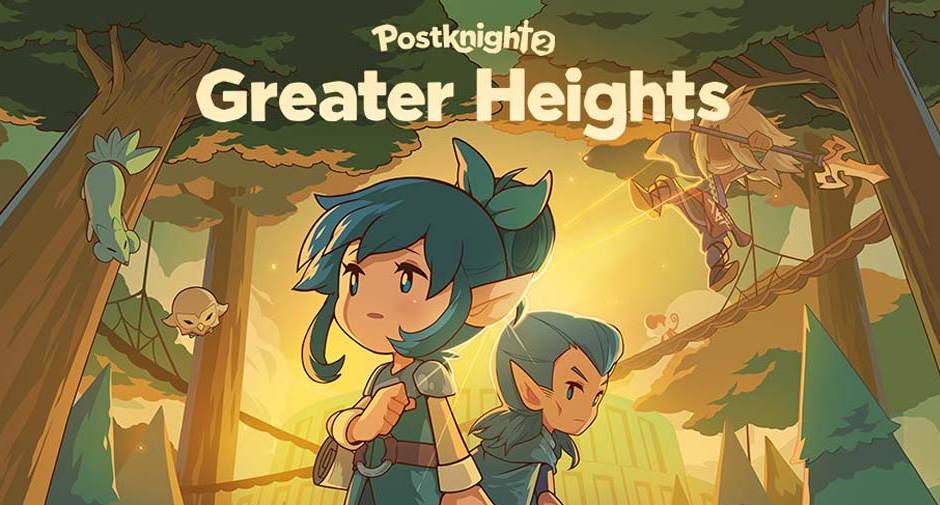
Play Postknight 2 on PC Play Postknight 2 on PC and Mac
Postknight 2 is a charming role playing adventure that puts you in the boots of a rookie courier tasked with delivering packages across the vibrant world of Prism. Rather than saving kingdoms or slaying ancient evils, your core mission is refreshingly simple: brave dangerous trails, fend off monsters, and make sure every parcel reaches its destination. The journey takes you through sparkling oceans, scorching deserts, flower-filled meadows, and towering mountain ranges, each region packed with its own cast of quirky residents and challenging enemies. Playing Postknight 2 on PC through MuMuPlayer gives this colorful delivery quest a bigger screen and smoother controls, making every route through Prism feel even more immersive.
Postknight 2 stands out by letting you shape your own combat style with over 80 weapon skill traits spread across three weapon types: Sword Shield, Daggers, and Hammer. Each weapon has its own combo rhythm, so you can switch between defensive blocking, rapid strikes, or heavy blows depending on your mood. The game also encourages collecting and upgrading regional armor sets, each with a distinct look and stat profile. Beyond combat, Postknight 2 offers a surprisingly rich social side. You can romance characters like the brooding Flint, gentle Morgan, shy Pearl, or awkward Xander, go on dates, and learn their personal preferences. With over 150 customization options and more than 10 adoptable pets that fight alongside you, the game blends action, collection, and relationship building into one cozy package.
MuMuPlayer makes Postknight 2 even more enjoyable by bringing the game's colorful world to your PC with a stable frame rate, larger display, and precise keyboard and mouse controls. Since the game involves timing-based weapon combos and dodging enemy attacks, playing on PC reduces the input lag and finger fatigue that can happen on smaller mobile screens. The bigger monitor also helps you appreciate the distinct visual style of each town and armor set, while the reliable performance of MuMuPlayer keeps long delivery runs smooth. Whether you are grinding for new gear, chatting with romance options, or exploring newly added areas, MuMuPlayer provides a comfortable and dependable way to experience everything Postknight 2 has to offer.
Download Postknight 2 on PC or Mac with MuMuPlayer, get a PC like gameplay along with smart control and high graphics performance.
MuMuPlayer, the top Android emulator for PC and Apple silicon Mac, delivers an optimal gaming experience with minimal RAM usage and high FPS. It also allows you to create multiple instances of the emulator and run several games simultaneously, thanks to its Multi-instance feature. Its advanced emulator features ensure smooth gameplay, even on low-end PCs.
Download and play Postknight 2 on PC or Mac with MuMuPlayer and start enjoying your gaming experience now.
About the Game
Postknight 2 invites you into the role of a Postknight trainee in the expansive and colorful world of Prism. Your job is straightforward on paper: pick up goods and deliver them to the many unique residents scattered across the land. In practice, every delivery route is a miniature adventure filled with hostile creatures, winding paths, and the constant push to become the most capable Postknight around. The game blends casual RPG progression with real-time combat, letting you explore a fantasy setting that ranges from vast blue oceans and scorching hot landscapes to lush meadows and sky-high mountain peaks. Every new region introduces its own visual identity, enemy types, and local stories, so the act of delivering packages never feels repetitive.
One of the strongest aspects of Postknight 2 is how much freedom it gives you over your fighting style. The game includes more than 80 weapon skill traits, and these traits can be mixed and matched to create a build that fits your preferred approach. The three main weapon categories each offer a distinct feel. Sword and Shield gives you a balanced mix of offense and defense, allowing you to block incoming damage while returning strikes. Daggers focus on speed and rapid combo chains, rewarding players who enjoy quick, aggressive play. Hammers deliver slower but heavier hits, ideal for those who like to smash through enemy defenses. Because you can experiment with different combinations, the combat stays fresh even after many hours of play.
Gear progression is another core part of the experience. As you travel to each new town, you can collect region-specific armor sets and upgrade them over time. Upgrading not only improves your stats but also changes the appearance of your equipment, giving you a visual sense of growth as your Postknight becomes stronger. This loop of collecting, upgrading, and showing off new gear adds a satisfying layer of long-term motivation. Whether you prefer to fully max out one set or collect every available piece, the game supports both approaches.
Postknight 2 also places a strong emphasis on its characters and dialogue. Throughout Prism, you will meet knowledgeable elves, mighty humans, tricky anthromorphs, and members of a technologically advanced dragon race. Conversations often present multiple dialogue options, and while most choices simply lead to different responses or extra information, they help make the world feel alive. The game reassures players that there are rarely any permanently wrong choices, so you can relax and enjoy the interactions without worrying about ruining your playthrough.
Romance is a notable feature that adds emotional depth to the journey. You can grow closer to a range of characters, each with their own personality and backstory. Flint comes across as brooding and reserved, Morgan is sweet and kind, Pearl is shy, and Xander is socially awkward. As your bond deepens, these characters open up and share more about themselves. You can go on dates, collect shared memories, and learn what each character likes or dislikes. This system gives you a reason to revisit towns and spend time with your favorite companions beyond the main delivery missions.
Customization options are plentiful. With over 150 character customization and fashion items, you can change your look to match your mood or the region you are exploring. The game offers different outfit types suited to everyday adventuring, so you are not locked into a single appearance. Alongside visual customization, you can also adopt a pet companion. More than 10 pets are available, each with its own personality. Examples include a mischievous bloop, a timid tanuki, a playful boar, and a proud feline. Pets follow you into battle, and when they are happy, they provide helpful buffs during your adventures.
Postknight 2 continues to grow with new content. Upcoming major updates promise additional areas to explore, new stories, bond characters, enemies, armories, and more. The developers have also mentioned online interactions among fellow Postknights, suggesting that the social side of the game will expand over time. This ongoing support means there is always something new to look forward to after you finish the current content.
For players who want a more comfortable and stable experience, Postknight 2 runs smoothly on PC through MuMuPlayer. The emulator provides a larger display that highlights the game's colorful art style and detailed armor designs. Keyboard and mouse controls make timing-based weapon combos easier to execute, and the stable performance helps during longer play sessions. Since the game recommends at least 4GB of RAM on mobile devices, running it through MuMuPlayer on a capable PC can also reduce performance issues and keep the adventure flowing without interruptions.
Postknight 2 is a casual RPG at heart, but it packs enough depth to keep you engaged. The combination of delivery missions, real-time combat, gear collection, romance, pet companions, and ongoing updates creates a well-rounded experience. Whether you are fighting through enemy-infested trails or simply chatting with the adorable people of Prism, there is always a reason to keep delivering. Download Postknight 2 and start your journey as Prism's most dependable courier today.
Emulator Features
Highest Android 15 Support Best Compatibility on Mac

With a smart button scheme and image recognition function, provide a more concise UI, and support custom button mapping to meet different needs. With a smart button scheme and image recognition, enjoy a cleaner UI and custom button mapping to fit different gaming needs on Mac.

Run multiple games independently at the same time, easily manage multiple accounts, play games while hanging. Take your Mac gaming further with multiple independent instances, easy account management, and seamless AFK gaming on Apple Silicon Mac.

Break through FPS limit, and enjoy a seamless gaming experience without lag and delay! Break through FPS limits for a seamless, lag-free gaming experience on MacBook, Mac mini, iMac, and Mac Studio.

Get a 3-second startup with 52% less memory usage and 65% more stability. Enjoy 3-second startup, 52% less memory usage, and 65% greater stability on Apple Silicon Mac.
How to Download and Play Postknight 2 on PC and Mac
Installation Guide
Download MuMuPlayer
Download MuMuPlayer and install it on your PC or Mac
Sign-in Google Store
Complete Google sign-in to access the Play Store
Search and Install
Search Postknight 2 in the Play Store
Enjoy Gaming
Enjoy 120 FPS high-def gameplay with big screen
System Requirements
Windows PC
Vulkan / DirectX supported. 4 cores + 4GB RAM recommended. Up to 240 FPS. VT required.
macOS
Recommended: Apple Silicon Mac with 8GB RAM or above. Up to 240 FPS.