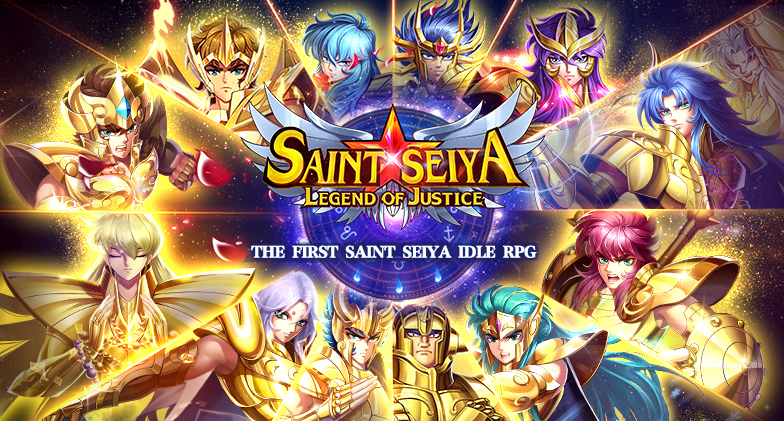
Play Saint Seiya: Legend of Justice on PC and Mac
Download Saint Seiya: Legend of Justice on PC or Mac with MuMuPlayer, get a PC like gameplay along with smart control and high graphics performance.
MuMuPlayer, the top Android emulator for PC and Apple silicon Mac, delivers an optimal gaming experience with minimal RAM usage and high FPS. It also allows you to create multiple instances of the emulator and run several games simultaneously, thanks to its Multi-instance feature. Its advanced emulator features ensure smooth gameplay, even on low-end PCs.
Download and play Saint Seiya: Legend of Justice on PC or Mac with MuMuPlayer and start enjoying your gaming experience now.
About the Game
[Open Time]
UTC-4: 4am, July 12

The 2022 brand new Saint Seiya-themed mobile game, “Saint Seiya: Legend of Justice” is about to be officially launched!

EN: https://www.facebook.com/seiyaLoJ

Follow our official Facebook to join pre-order event and grab a chance to get prizes, such as Amazon gift cards or Gold Knights figure, etc.

Warm Reminder: Please remember to choose the [#Automatic #Install] option, and once our game is released, you can quickly join us and grab the Gold Knights Reward Box!!

[Official authorization to revive the original manga]
Adapted from Saint Seiya series and under the original writer Kurumada Masami's supervision! Classic plot reproduced by high-quality pictures. In the company of Seiya, Ikki, Shiryû, Hyôga, Shun, you can enter the sanctuary, challenge the 12 gold knights, smash the Master's conspiracy, and save the goddess Athena!

[Real-time fierce battle, burning your cosmo]
Play the 2022 brand new "Saint Seiya" mobile game anywhere and anytime which shows you heart-beating battles with 3D screen. Release the classic skills, Pegasus Meteor Punch, Rozan Rising Dragon Blow, Flying Phoenix on your finger!

[Collect knights to create the strongest team]
The 88 Knights under the goddess Athena assemble! Phoenix Ikki, Dragon Shiryû, Virgo Shaka, Gemini Saga...Gather your favorite knights to form the strongest formation for guarding goddesses!

[Strategic formation turns defeat into victory]
There are six elements of Water, Fire, Air, Earth, Light and Darkness, four types of Protector, Warrior, Assassin, and Skilled Knights, attribute restraint and control skills, there is no strongest knight but only stronger formation. Bronze knights counterattack gold knights, staged battle myths of turning defeat into victory!

[Tons of content provides you much fun to enjoy]
Form your teams, challenge the Twelve Palaces; experience Knight's Trial, Memory Space, Maze of Visions; dominate the Galaxian Wars, and participate in the challenge with guild members. Variety of gameplay awaits you!

[Classic voices redolent of youth memory]
Dubbed by dozens of Japanese top voice actors, Saint Seiya: Legend of Justice will awaken your youth memory, lead you back to the sanctuary, let cosmo burn again!
Emulator Features

With a smart button scheme and image recognition function, provide a more concise UI, and support custom button mapping to meet different needs.

Run multiple games independently at the same time, easily manage multiple accounts, play games while hanging.

Break through FPS limit, and enjoy a seamless gaming experience without lag and delay!

Get a 3-second startup with 52% less memory usage and 65% more stability.
How to Download and Play Saint Seiya: Legend of Justice on PC and Mac
Installation Guide
① Download and install MuMuPlayer on your PC or Mac. It will identify automatically your current system and download the latest version.
② Start MuMuPlayer and complete Google sign-in to access the Play Store, or do it later.
③ Search Saint Seiya: Legend of Justice in the Play Store.
④ Complete Google sign-in (if you skipped step 2) to install Saint Seiya: Legend of Justice.
⑤ Once installation completes, click the Saint Seiya: Legend of Justice icon on the home page to start the game.
⑥ Enjoy playing Saint Seiya: Legend of Justice on your PC or Mac with MuMuPlayer.
Installation Guide
Recommended computer configuration
For Windows:4-core CPU, 4GB RAM, i5 OS, GTX950+ graphics card
For macOS: 4-core CPU, 4GB RAM
Recommended Android Device performance settings
Graphics renderer mode
Vulkan and DirectX both supported
Performance Settings
Recommended performance settings: 2 cores, 2GB. >>How to adjust performance settings
Recommended Android Device Display Settings
Resolution Settings
Go to Device Settings > Display > Resolution Settings to adjust your device's resolution as needed.
FPS Settings
MuMuPlayer supports up to 240 FPS. >>How to enable high FPS mode
Recommended to enable VT
Enabling VT will significantly improve emulator performance, reduce screen freezing, and make games run more smoothly. >>How to enable VT