Sky: Children of the Light (macOS)
Play Sky: Children of the Light on PC Play Sky: Children of the Light on PC and Mac
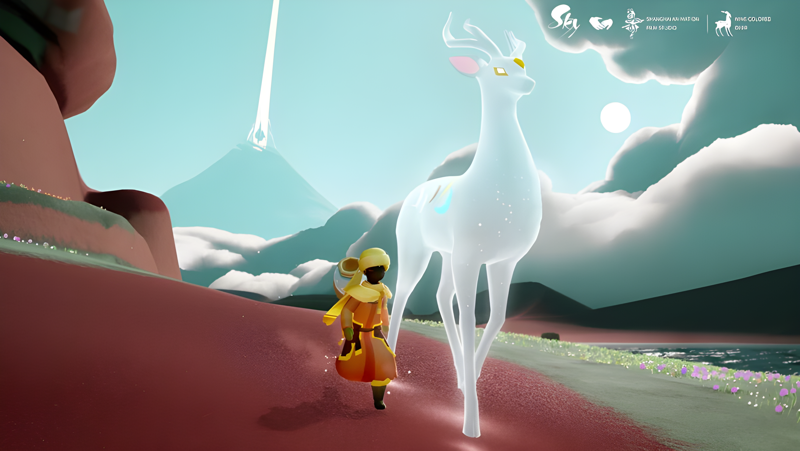
Sky: Children of the Light is a peaceful, award-winning MMO developed by thatgamecompany inc, the studio behind the celebrated Journey. Set within a beautifully animated kingdom spanning seven distinct realms, this role-playing adventure invites players to explore, connect, and uncover the mysteries of a luminous world. Now you can bring that breathtaking experience to a bigger screen by playing Sky: Children of the Light on PC through MuMuPlayer.
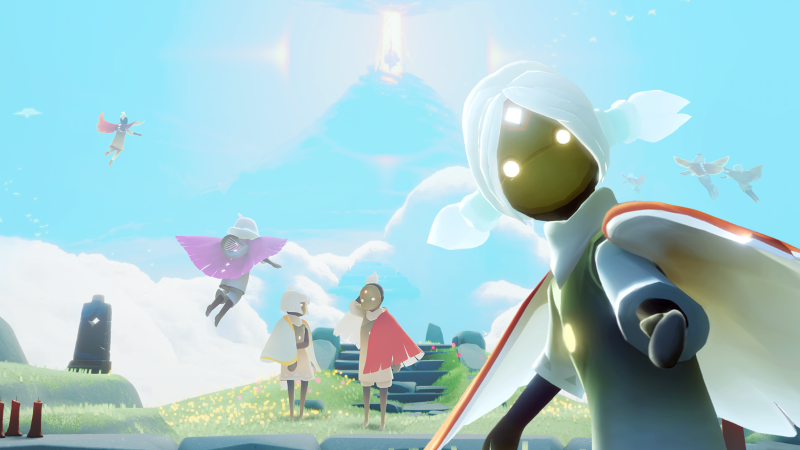
At its core, Sky is a social multiplayer experience packed with meaningful ways to spend your time. Each day brings fresh opportunities for adventure, with regular play rewarding you with candles that can be redeemed for cosmetic items. Seasonal events and new releases keep your wardrobe fresh, letting you express your personality through a wide range of looks and accessories. Beyond appearance, the game offers a rich variety of activities, from learning emotes and receiving wisdom from elder spirits, to challenging other players to races, gathering around campfires, playing instruments together, and carving down snowy mountainsides. The world is shared with millions of real players globally, making every session feel alive with possibility. Creative types will also enjoy the community-driven side of Sky, where capturing and sharing in-game photos and videos is part of the culture.
Playing Sky: Children of the Light on PC through MuMuPlayer transforms the experience in several practical ways. The larger display lets you fully appreciate the game's stunning visual artistry, from glowing spirit trails to expansive skylit landscapes. MuMuPlayer provides smooth, stable performance that keeps up with the game's real-time social interactions and exploration across its sprawling realms. With keyboard and mouse support, navigating menus and coordinating with friends becomes more comfortable, especially during longer play sessions. For a game built around daily engagement and community, having MuMuPlayer running on your desktop means you never miss a moment, whether it is a limited seasonal event, a daily candle collection run, or a spontaneous jam session with friends from around the world.
Download Sky: Children of the Light on PC or Mac with MuMuPlayer, get a PC like gameplay along with smart control and high graphics performance.
MuMuPlayer, the top Android emulator for PC and Apple silicon Mac, delivers an optimal gaming experience with minimal RAM usage and high FPS. It also allows you to create multiple instances of the emulator and run several games simultaneously, thanks to its Multi-instance feature. Its advanced emulator features ensure smooth gameplay, even on low-end PCs.
Download and play Sky: Children of the Light on PC or Mac with MuMuPlayer and start enjoying your gaming experience now.
About the Game
Few mobile games manage to capture the kind of quiet wonder that Sky: Children of the Light delivers from the very first moment you step into its glowing world. Crafted by thatgamecompany inc, the studio recognized for pushing emotional storytelling through games, Sky invites players into a sweeping kingdom divided into seven realms, each with its own atmosphere, secrets, and spirits waiting to be found. The result is something rare: a multiplayer adventure that feels genuinely serene rather than frantic.
What sets Sky apart from most games in its genre is how it approaches social interaction. Rather than combat or competition driving the experience, connection is the real engine. Players cross paths organically as they move through the world, and friendships form through shared exploration, cooperative puzzles, and simply being present in the same luminous space. The community spans millions of real players worldwide, meaning the skies above are rarely empty.
Progression in Sky is tied to consistent play and curiosity. Logging in regularly rewards players with candles, the game's cosmetic currency, which can be spent on a growing collection of looks, accessories, and expressions. New seasons and themed events refresh the available wardrobe on a rolling basis, so there is always something new to discover and wear. Expressing your individual style is woven into the game's identity, not treated as an afterthought.
Beyond exploration and customization, the game offers a surprising range of activities:
- Learn emotes and absorb wisdom passed down by elder spirits scattered across the realms
- Challenge other players to races or slide down mountain slopes together
- Gather around fires for quieter, more social moments
- Play instruments alongside friends and create impromptu musical performances
- Navigate carefully around the Krill, the game's lurking threat that keeps adventurers on their toes
Sky also has a strong creative community built around its visual beauty. Players are encouraged to photograph and record their in-game moments, sharing memories and highlights with others while exploring together. The game has earned recognition from some of the most respected names in the industry, including Apple's Mobile Game of the Year, a Guinness World Record for most users in a concert-themed virtual world, honors from SXSW, the Webby Awards, Games for Change, and the Game Developers Choice Awards, among others.
Cross-platform play means your progress and friendships carry across devices without friction. Whether you are stepping into Sky for the first time or returning for a new seasonal chapter, the experience remains welcoming, visually rich, and full of small moments worth remembering. Every realm holds something worth discovering, and every player you meet along the way adds a thread to a world that feels genuinely alive.
Emulator Features
Highest Android 15 Support Best Compatibility on Mac

With a smart button scheme and image recognition function, provide a more concise UI, and support custom button mapping to meet different needs. With a smart button scheme and image recognition, enjoy a cleaner UI and custom button mapping to fit different gaming needs on Mac.

Run multiple games independently at the same time, easily manage multiple accounts, play games while hanging. Take your Mac gaming further with multiple independent instances, easy account management, and seamless AFK gaming on Apple Silicon Mac.

Break through FPS limit, and enjoy a seamless gaming experience without lag and delay! Break through FPS limits for a seamless, lag-free gaming experience on MacBook, Mac mini, iMac, and Mac Studio.

Get a 3-second startup with 52% less memory usage and 65% more stability. Enjoy 3-second startup, 52% less memory usage, and 65% greater stability on Apple Silicon Mac.
How to Download and Play Sky: Children of the Light on PC and Mac
Installation Guide
Download MuMuPlayer
Download MuMuPlayer and install it on your PC or Mac
Sign-in Google Store
Complete Google sign-in to access the Play Store
Search and Install
Search Sky: Children of the Light in the Play Store
Enjoy Gaming
Enjoy 120 FPS high-def gameplay with big screen
System Requirements
Windows PC
Vulkan / DirectX supported. 4 cores + 4GB RAM recommended. Up to 240 FPS. VT required.
macOS
Recommended: Apple Silicon Mac with 8GB RAM or above. Up to 240 FPS.