Play The King of Fighters AFK on PC Play The King of Fighters AFK on PC and Mac
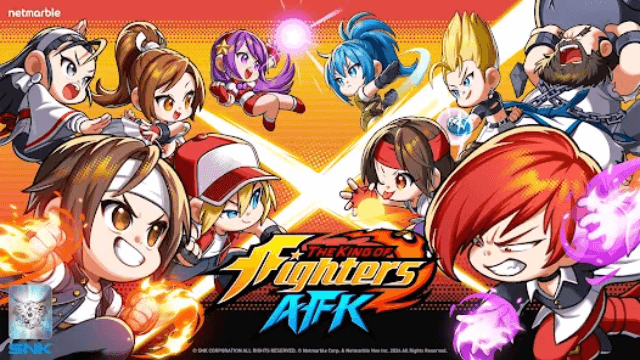
THE KING OF FIGHTERS AFK brings the beloved KOF fighting franchise back in a bold new form, reimagined as an idle RPG where iconic pixel fighters clash in fast-paced team battles. Rooted in the nostalgia of classic arcade combat, the game blends retro aesthetics with modern idle mechanics, letting players build powerful squads and rise to the top of an action-packed tournament. You can enjoy the full experience on your computer by running it through MuMuPlayer, the Android emulator designed for smooth PC gameplay.
At the heart of THE KING OF FIGHTERS AFK is an accessible yet strategic combat system built around large-scale 5 vs. 5 team battles, a significant upgrade from the traditional format. Players can power up their fighters with a single tap, eliminating repetitive grinding while still rewarding smart decision-making. Team composition matters greatly, as different character placements and combinations shift the outcome of every fight. The game also features a story-driven journey where you join forces with other fighters to protect the tournament from hostile factions, along with a steady stream of events and login rewards that help you strengthen your roster over time.
Playing THE KING OF FIGHTERS AFK on PC through MuMuPlayer gives you a real advantage in managing your team and keeping up with ongoing events. The larger screen makes it much easier to read battle formations, evaluate character placements, and react to 5 vs. 5 skirmishes with greater clarity. MuMuPlayer also keeps the game running reliably in the background, so idle progression and event timers continue without draining a mobile battery. For a game where consistent logins and strategic roster management define your growth, having MuMuPlayer handle the session on your desktop frees you to focus entirely on climbing to the top of KOF.
Download The King of Fighters AFK on PC or Mac with MuMuPlayer, get a PC like gameplay along with smart control and high graphics performance.
MuMuPlayer, the top Android emulator for PC and Apple silicon Mac, delivers an optimal gaming experience with minimal RAM usage and high FPS. It also allows you to create multiple instances of the emulator and run several games simultaneously, thanks to its Multi-instance feature. Its advanced emulator features ensure smooth gameplay, even on low-end PCs.
Download and play The King of Fighters AFK on PC or Mac with MuMuPlayer and start enjoying your gaming experience now.
About the Game
THE KING OF FIGHTERS AFK takes one of gaming's most storied fighting franchises and transforms it into something fresh, approachable, and surprisingly deep. Rather than sticking to the traditional one-on-one format, this entry reimagines KOF as an idle RPG with a distinct retro pixel art style that pays tribute to the series' arcade roots. The result is a game that feels familiar to longtime fans while opening the door to players who may be discovering the world of KOF for the first time.
The combat system is built around team-based battles on a larger scale than the series has traditionally offered. Matches pit squads of five fighters against one another, creating dynamic confrontations where positioning and team synergy play a decisive role. Players are encouraged to experiment with different character combinations and formation setups, since a well-organized team will consistently outperform one assembled without thought. This layer of strategy gives the idle format real depth, turning what might seem like passive gameplay into an ongoing puzzle of optimization.
Progression in THE KING OF FIGHTERS AFK is designed to be quick and rewarding without being overwhelming. Powering up your fighters requires just a single tap, removing the tedious grinding loops that often frustrate players in other titles. This streamlined approach means you spend more time enjoying battles and less time managing menus. Events are regularly available and offer meaningful rewards, while daily login bonuses ensure that even casual players steadily grow their roster over time.
Key features of the game include:
- Idle RPG mechanics built around the iconic KOF franchise with a retro pixel visual style
- Large-scale 5 vs. 5 team battles that expand on the classic KOF combat experience
- One-tap power-up system that removes repetitive grinding from the progression loop
- Deep team-building options with varied character placements and squad combinations
- A narrative mode where players join other fighters to defend the tournament against threatening factions
- Consistent event offerings and login rewards that support ongoing roster development
The story component adds purpose to your journey beyond simple competition. As you climb the tournament ranks, you become part of a larger conflict involving factions working to disrupt the KOF event. Teaming up with other fighters gives the experience a sense of camaraderie and stakes that goes beyond individual matches.
For players who want to stay connected to community news, official channels are available including a dedicated website, forums, YouTube channel, and Instagram page. These resources keep players informed about updates, events, and announcements from the development team.
Whether you are a veteran of the KOF series drawn in by nostalgia or a new player looking for an engaging idle RPG with genuine strategic depth, THE KING OF FIGHTERS AFK offers a well-rounded experience. The combination of accessible mechanics, meaningful team strategy, and consistent rewards makes it easy to pick up and satisfying to stick with over the long term.
Emulator Features
Highest Android 15 Support Best Compatibility on Mac

With a smart button scheme and image recognition function, provide a more concise UI, and support custom button mapping to meet different needs. With a smart button scheme and image recognition, enjoy a cleaner UI and custom button mapping to fit different gaming needs on Mac.

Run multiple games independently at the same time, easily manage multiple accounts, play games while hanging. Take your Mac gaming further with multiple independent instances, easy account management, and seamless AFK gaming on Apple Silicon Mac.

Break through FPS limit, and enjoy a seamless gaming experience without lag and delay! Break through FPS limits for a seamless, lag-free gaming experience on MacBook, Mac mini, iMac, and Mac Studio.

Get a 3-second startup with 52% less memory usage and 65% more stability. Enjoy 3-second startup, 52% less memory usage, and 65% greater stability on Apple Silicon Mac.
How to Download and Play The King of Fighters AFK on PC and Mac
Installation Guide
Download MuMuPlayer
Download MuMuPlayer and install it on your PC or Mac
Sign-in Google Store
Complete Google sign-in to access the Play Store
Search and Install
Search The King of Fighters AFK in the Play Store
Enjoy Gaming
Enjoy 120 FPS high-def gameplay with big screen
System Requirements
Windows PC
Vulkan / DirectX supported. 4 cores + 4GB RAM recommended. Up to 240 FPS. VT required.
macOS
Recommended: Apple Silicon Mac with 8GB RAM or above. Up to 240 FPS.