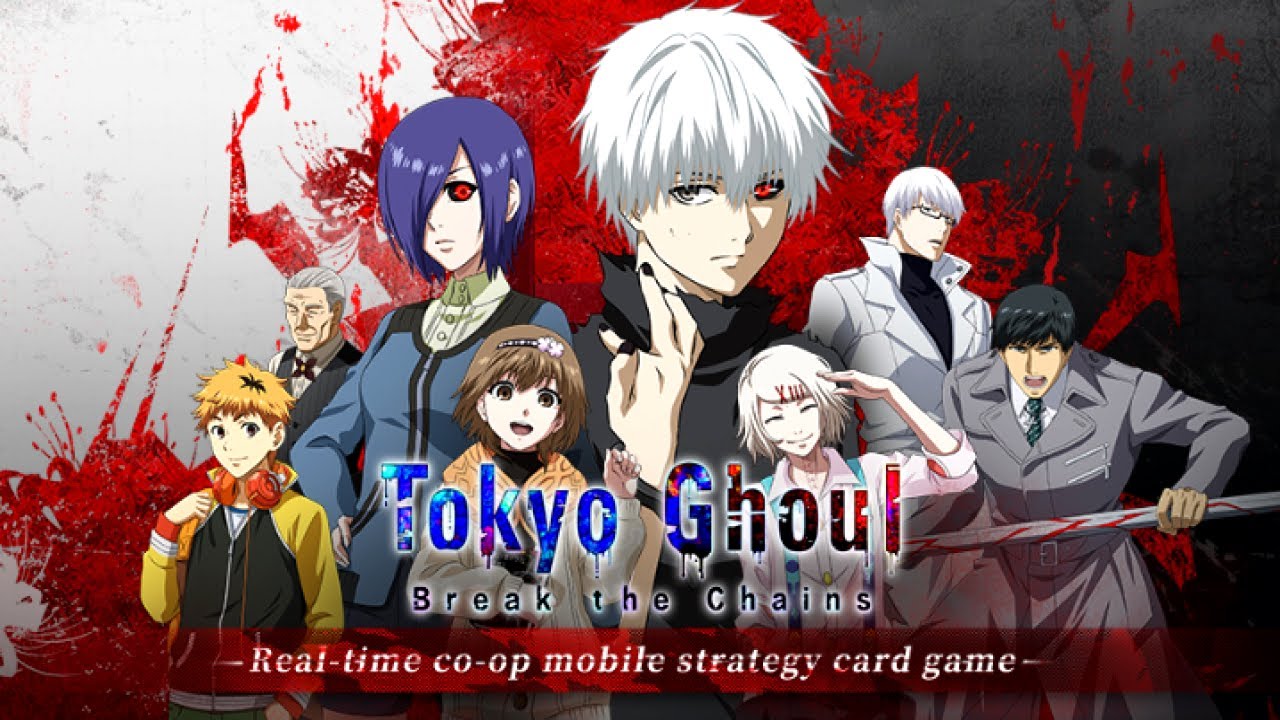
Play Tokyo Ghoul: Break the Chains on PC and Mac
Tokyo Ghoul: Break the Chains is a role-playing game that plunges players into the dark and treacherous world of Tokyo, where flesh-eating creatures known as ghouls move unseen among ordinary humans. Following the story of Ken Kaneki, a young bookworm whose life is irrevocably altered after a chance encounter and a horrific accident, the game faithfully captures the tension, tragedy, and complexity of the beloved Tokyo Ghoul universe. Whether you are a longtime fan of the series or a newcomer drawn in by its atmosphere, this title offers a rich RPG experience that rewards both narrative immersion and tactical thinking, and playing it on PC through MuMuPlayer brings the full scope of that world to a larger stage.
The game brings together a roster of more than 30 characters from the Tokyo Ghoul series, each rendered through detailed 3D cel-shaded CG animation that gives battles a dynamic, animated quality true to the source material. Players can revisit iconic story moments through reimagined cutscenes, assembling a powerful lineup and making meaningful decisions about skill order and ultimate ability timing to gain the upper hand. Beyond the main storyline, the game supports multiple modes including solo challenge instances, cooperative battles with other players, and real-time PVP, ensuring that there is always something to compete in or explore.
MuMuPlayer brings genuine advantages to Tokyo Ghoul: Break the Chains by letting players run the game on a full PC display, where the 3D cel-shaded visuals and animated cutscenes look their most impressive. The larger screen makes it significantly easier to track battle timings, manage skill queues, and respond quickly during real-time PVP encounters, where precise inputs can decide the outcome. Keyboard and mouse controls offer an added layer of comfort during extended play sessions, and MuMuPlayer's stable performance ensures that co-op battles and live PVP modes run smoothly without the interruptions that mobile devices can sometimes bring.
About the Game
In the streets of Tokyo, a hidden world exists beneath the surface of everyday life. Creatures that look entirely human, known as ghouls, prey on people in the shadows, driven by a hunger that cannot be satisfied any other way. This is the world Ken Kaneki stumbles into, not by choice, but through a series of events that begin with something as simple and hopeful as meeting someone at a café. Kaneki, a quiet and bookish young man, finds himself connecting with a woman who shares his tastes and his circumstances. What follows is a date, an accident, and a transformation that strips away the life he once knew.
Tokyo Ghoul: Break the Chains is built around this story, offering players a way to experience the emotional weight and moral complexity of the Tokyo Ghoul universe through an RPG format that emphasizes both character collection and strategic combat. The tone of the game stays close to what made the original series so compelling: a world where the line between monster and human is never as clear as it first appears, and where survival often comes at a cost that is difficult to measure.
At the heart of the gameplay is a roster system that allows players to build and customize a team from over 30 characters drawn from across the Tokyo Ghoul series. Each character arrives with their own abilities and role in battle, and constructing the right combination is a genuine part of the challenge. The game does not simply reward having the rarest characters; it rewards understanding how those characters work together.
Combat mechanics center on a few key elements that separate thoughtful play from simply going through the motions:
- Ultimate Skills carry significant power but require careful timing to deploy effectively
- The sequence in which abilities are used can shift the momentum of a fight
- Lineup construction before battle determines how well a team handles different enemy types
- Reading the situation and adjusting strategy mid-battle often matters as much as raw stat advantages
Visually, the game uses 3D cel-shaded CG animation to recreate the look and feel of the anime, particularly during battle sequences and story cutscenes. Iconic moments from the series are revisited in this style, giving returning fans a chance to see familiar scenes with a renewed sense of motion and detail. The animation approach keeps characters recognizable while adding a layer of expressiveness that static images cannot match.
Outside of the main story progression, the game opens up into several distinct modes that each offer a different kind of experience. Solo instances let players push their lineup to its limits in focused challenge content. Co-op battles bring in other players, turning the strategic layer into a collaborative exercise where coordination matters. Real-time PVP puts those strategies against live opponents, where reaction and preparation meet directly.
For players who want to experience all of this on a larger screen with more control, running Tokyo Ghoul: Break the Chains through MuMuPlayer on PC is a practical choice. The visual detail of the cel-shaded animation and the cutscenes reads better on a full monitor, and the expanded view makes managing the battlefield during multi-character encounters noticeably easier. Keyboard mapping and mouse input provide a more comfortable way to handle skill timing in PVP, where every second of reaction time carries weight. Extended sessions across story content, co-op runs, and ranked PVP are also more comfortable on a desktop setup, without concerns about battery or heat that come with long stretches on a phone.
Tokyo Ghoul: Break the Chains is ultimately a game built for fans who want to spend more time in Kaneki's world, and for RPG players who appreciate a combat system that rewards preparation and attention over button-mashing. The story gives it meaning, the roster gives it depth, and the multiple modes give it staying power long after the main narrative concludes.
Emulator Features
Highest Android 15 Support Best Compatibility on Mac

With a smart button scheme and image recognition function, provide a more concise UI, and support custom button mapping to meet different needs. With a smart button scheme and image recognition, enjoy a cleaner UI and custom button mapping to fit different gaming needs on Mac.

Run multiple games independently at the same time, easily manage multiple accounts, play games while hanging. Take your Mac gaming further with multiple independent instances, easy account management, and seamless AFK gaming on Apple Silicon Mac.

Break through FPS limit, and enjoy a seamless gaming experience without lag and delay! Break through FPS limits for a seamless, lag-free gaming experience on MacBook, Mac mini, iMac, and Mac Studio.

Get a 3-second startup with 52% less memory usage and 65% more stability. Enjoy 3-second startup, 52% less memory usage, and 65% greater stability on Apple Silicon Mac.
How to Download and Play Tokyo Ghoul: Break the Chains on PC and Mac
Installation Guide
Download MuMuPlayer
Download MuMuPlayer and install it on your PC or Mac
Sign-in Google Store
Complete Google sign-in to access the Play Store
Search and Install
Search Tokyo Ghoul: Break the Chains in the Play Store
Enjoy Gaming
Enjoy 120 FPS high-def gameplay with big screen
System Requirements
Windows PC
Vulkan / DirectX supported. 4 cores + 4GB RAM recommended. Up to 240 FPS. VT required.
macOS
Recommended: Apple Silicon Mac with 8GB RAM or above. Up to 240 FPS.