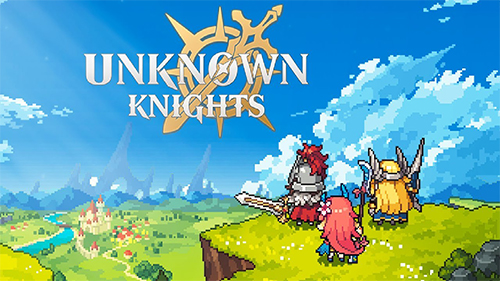
Play Unknown Knights: Pixel RPG on PC and Mac
Download Unknown Knights: Pixel RPG on PC or Mac with MuMuPlayer, get a PC like gameplay along with smart control and high graphics performance.
MuMuPlayer, the top Android emulator for PC and Apple silicon Mac, delivers an optimal gaming experience with minimal RAM usage and high FPS. It also allows you to create multiple instances of the emulator and run several games simultaneously, thanks to its Multi-instance feature. Its advanced emulator features ensure smooth gameplay, even on low-end PCs.
Download and play Unknown Knights: Pixel RPG on PC or Mac with MuMuPlayer and start enjoying your gaming experience now.
About the Game
Love collecting fascinating characters? Tired of same old skills?

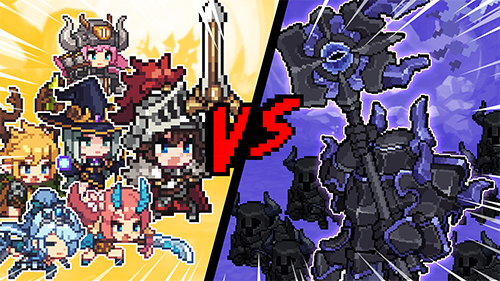
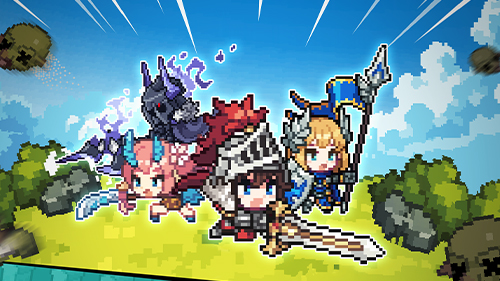
Then look no further than Unknown Knigts: Pixel RPG! With endless oppoprtunities to collect and grow a wide variety of knights, this thrilling RPG adventure is sure to satisfy your craving for character collection and item hoarding. Dive into the exploration of rich and immersive world filled with knights from all walks of life. From skilled archers to fierce warriers, you can collect and upgrade a wide variety of knights to create the ultimate team.

With numerous and unique characters to collect, the potential for progress is truly boundless, with endless opportunities to collect and grow a wide variety of knights. Without further do, let's jump into the exciting world of Unknown Knights: Pixel RPG and start collecting some amazing characters!

◼︎ Calling all pixel enthusiasts! Gather around and join forces in Unknown Knights: Pixel RPG, where you'll find a world full of valiant knights, powerful weapons, and endless fun! Don't wait any longer; join our knightly pixel squad today!

◼︎ Attention all collectors, you won’t want to miss out on the incredible character collection and growth opporunities in Unknown Kinghts: Pixel RPG! From mighty Warriors to stealthy Assassins, don't miss out on collecting these pixel characters. Assemble your team of knights and prepare for battle - once you taste victory, you'll be hooked on collecting even more!

◼︎ Ready for a fresh and exciting gaming experience? With an incredible range of pixel knights with unique occupations, you'll enjoy the joy of collecting and discovering your perfect knight. Don't forget to strike a pose when you achieve victory - each pixel character has their own signature move that adds to the fun and excitement of the game!

◼︎ Delve into a world of sweetness and never-ending rewards! Treat yourself to a huge pile of daily bonuses and exclusive events. Don't miss out on the sugary goodness that awaits you!

◼︎ Ready to upgrade your kills? Let's get started! Collect exclusive knight weapons and become the ultimate Unknown Knight! With powerful skills and endless growth, you'll be unstoppable!

◼︎ Gather items for the battle! Enter 'Knight's territory' and collect battle items for victory. Don't forget to check out all places, including Knight's castle, training grounds, gold mines, and more!

◼︎ Activate synergy effect! Create your own unique 'Battle Deck Strategy' and customize it to your liking! If you and your pixel knight want to grow even stronger, combine characters from the same position. You can even double or triple the skill effects by doing so!

◼︎ No time to hang out? Spend your time with friends and family in Unknown Knights! Collect pixel knights and enjoy PvP mode with your friends and PvE mode to chillax!

Test your limits and become the legend of Unknown Knights: Pixel RPG! Hop on to the world filled with infinite growth and boundless rewards!
Emulator Features

With a smart button scheme and image recognition function, provide a more concise UI, and support custom button mapping to meet different needs.

Run multiple games independently at the same time, easily manage multiple accounts, play games while hanging.

Break through FPS limit, and enjoy a seamless gaming experience without lag and delay!

Get a 3-second startup with 52% less memory usage and 65% more stability.
How to Download and Play Unknown Knights: Pixel RPG on PC and Mac
Installation Guide
① Download and install MuMuPlayer on your PC or Mac. It will identify automatically your current system and download the latest version.
② Start MuMuPlayer and complete Google sign-in to access the Play Store, or do it later.
③ Search Unknown Knights: Pixel RPG in the Play Store.
④ Complete Google sign-in (if you skipped step 2) to install Unknown Knights: Pixel RPG.
⑤ Once installation completes, click the Unknown Knights: Pixel RPG icon on the home page to start the game.
⑥ Enjoy playing Unknown Knights: Pixel RPG on your PC or Mac with MuMuPlayer.
Installation Guide
Recommended computer configuration
For Windows:4-core CPU, 4GB RAM, i5 OS, GTX950+ graphics card
For macOS: 4-core CPU, 4GB RAM
Recommended Android Device performance settings
Graphics renderer mode
Vulkan and DirectX both supported
Performance Settings
Recommended performance settings: 2 cores, 2GB. >>How to adjust performance settings
Recommended Android Device Display Settings
Resolution Settings
Go to Device Settings > Display > Resolution Settings to adjust your device's resolution as needed.
FPS Settings
MuMuPlayer supports up to 240 FPS. >>How to enable high FPS mode
Recommended to enable VT
Enabling VT will significantly improve emulator performance, reduce screen freezing, and make games run more smoothly. >>How to enable VT