Play Game of Empires:Warring Realms on PC Play Game of Empires:Warring Realms on PC and Mac
Download Game of Empires:Warring Realms on PC with MuMuPlayer, get a PC like gameplay along with smart control and high graphics performance.
MuMuPlayer, the top Android emulator for PC and Apple silicon Mac, delivers an optimal gaming experience with minimal RAM usage and high FPS. It also allows you to create multiple instances of the emulator and run several games simultaneously, thanks to its Multi-instance feature. Its advanced emulator features ensure smooth gameplay, even on low-end PCs.
Download and play Game of Empires:Warring Realms on PC with MuMuPlayer and start enjoying your gaming experience now.
Download Game of Empires:Warring Realms on PC or Mac with MuMuPlayer, get a PC like gameplay along with smart control and high graphics performance.
MuMuPlayer, the top Android emulator for PC and Apple silicon Mac, delivers an optimal gaming experience with minimal RAM usage and high FPS. It also allows you to create multiple instances of the emulator and run several games simultaneously, thanks to its Multi-instance feature. Its advanced emulator features ensure smooth gameplay, even on low-end PCs.
Download and play Game of Empires:Warring Realms on PC or Mac with MuMuPlayer and start enjoying your gaming experience now.
About the Game
Have you ever spent a whole night planning your next move? Have you ever been so fascinated by a historical event that you read the same Wikipedia article about it three times over? Have you ever dreamt of building your own empire?

If so, you’ll love Game of Empires!
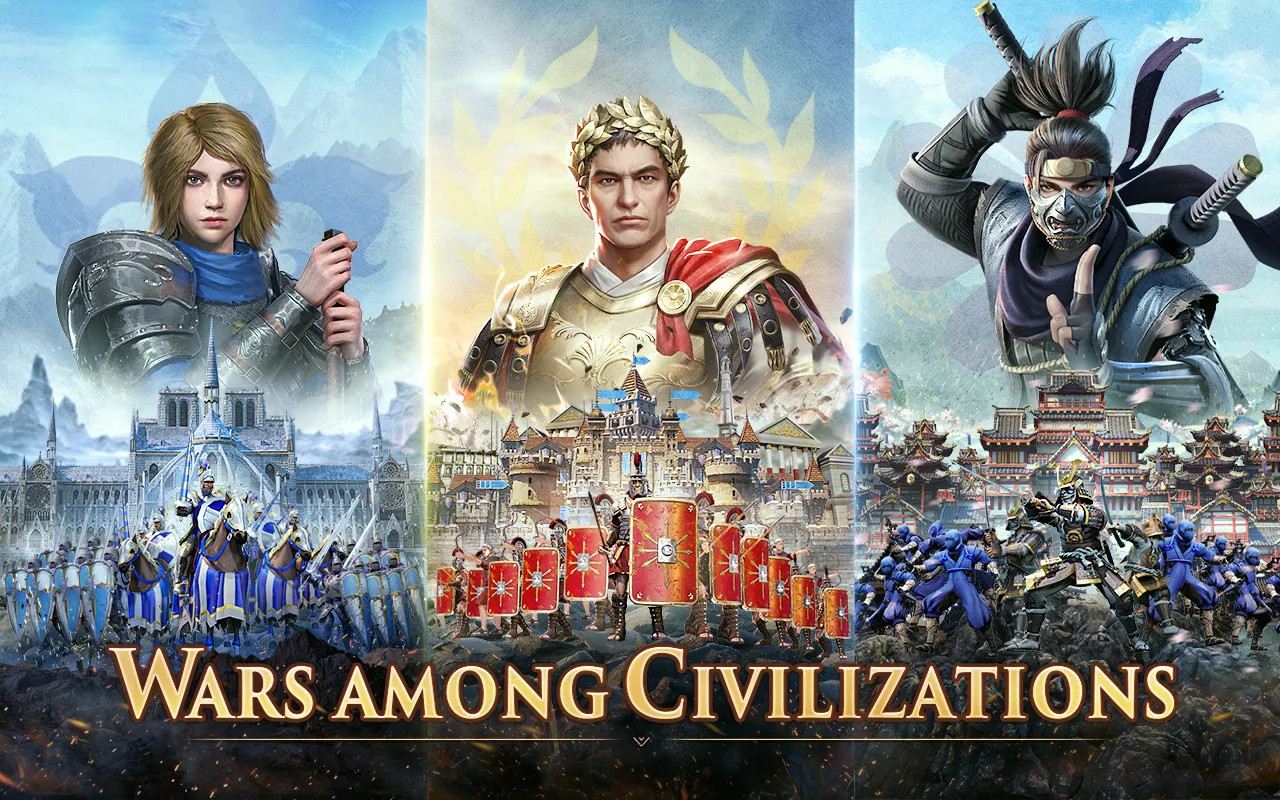
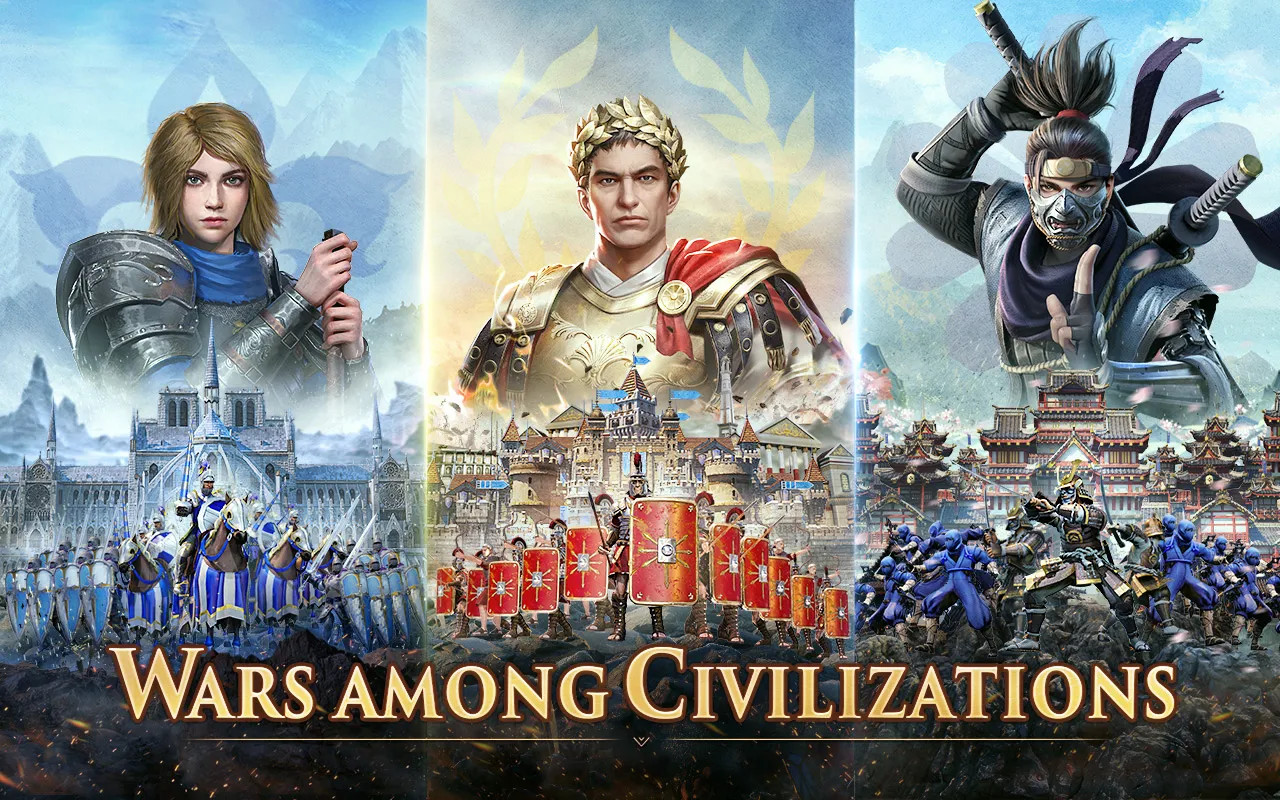
In GOE, you can choose a civilization with whom you can explore a world you're free to conquer. In doing so, you can establish an empire and immerse yourself in different multilayered stories as you discover ancient civilizations, all while setting forth on an epic expedition towards the fabled Atlantis!
Whether you wish to forge diplomatic ties in a bid to peacefully form alliances or throw yourself into military ventures in an attempt to ruthlessly expand your empire, you'll always have the chance to make history, for better or for worse.

★★Features★★
★Choose your own civilization
At the start of your journey, you'll have the chance to choose from one of several different civilizations, each of which can utilize unique buildings, soldier types, and buffs.

★Establish and develop an empire
While there's no telling precisely what you might have to resort to when establishing your empire, you'll undoubtedly need to recruit villagers, build farms, and conduct research on new technology if you're to survive through different eras. What's more, you'll need to crush any barbarians that may wish to stand in your way as well as trade with those villagers willing to help as you prepare your soldiers to conquer the world!

★Recruit historical legends
From Julius Caesar to Genghis Khan to Joan of Arc, Game of Empires will offer you the opportunity to recruit a whole host of legendary historical legends in your bid to forge an empire.
The well-orchestrated epic campaigns on offer in this game will allow you to travel back in time and immerse yourself in the stories of extraordinary figures. In doing so, you'll be afforded the opportunity to learn first-hand about the tactical decisions that shaped their successes.

★Engage in real-time battles
By allowing you to issue real-time commands in your bid to crush your enemies, you'll be afforded the ultimate opportunity to put your tactical prowess to the ultimate test! Only by exploiting the terrain you find yourself on and the weaknesses of the units directly in front of you will you be able to achieve victory in the face of often-overwhelming odds.

★Gradually expand your territory
Should you have what it takes to capture the world's foremost wonders, wrest control of maritime hubs, and take on the ultimate challenge, there's no limit to what you can accomplish. Indeed, every part of the world presented to you is arable land ready to be conquered, be it the plains, the hills, the snow-topped mountains, or the high seas.

★Form an alliance
Forge alliances with those willing to support your bid to build an empire!

★★Official Community★★
Facebook: https://www.facebook.com/gameofempiresofficial/
Emulator Features
Highest Android 15 Support Best Compatibility on Mac

With a smart button scheme and image recognition function, provide a more concise UI, and support custom button mapping to meet different needs. With a smart button scheme and image recognition, enjoy a cleaner UI and custom button mapping to fit different gaming needs on Mac.

Run multiple games independently at the same time, easily manage multiple accounts, play games while hanging. Take your Mac gaming further with multiple independent instances, easy account management, and seamless AFK gaming on Apple Silicon Mac.

Break through FPS limit, and enjoy a seamless gaming experience without lag and delay! Break through FPS limits for a seamless, lag-free gaming experience on MacBook, Mac mini, iMac, and Mac Studio.

Get a 3-second startup with 52% less memory usage and 65% more stability. Enjoy 3-second startup, 52% less memory usage, and 65% greater stability on Apple Silicon Mac.
How to Download and Play Game of Empires:Warring Realms on PC and Mac
Installation Guide
Download MuMuPlayer
Download MuMuPlayer and install it on your PC or Mac
Sign-in Google Store
Complete Google sign-in to access the Play Store
Search and Install
Search Game of Empires:Warring Realms in the Play Store
Enjoy Gaming
Enjoy 120 FPS high-def gameplay with big screen
System Requirements
Windows PC
Vulkan / DirectX supported. 4 cores + 4GB RAM recommended. Up to 240 FPS. VT required.
macOS
Recommended: Apple Silicon Mac with 8GB RAM or above. Up to 240 FPS.