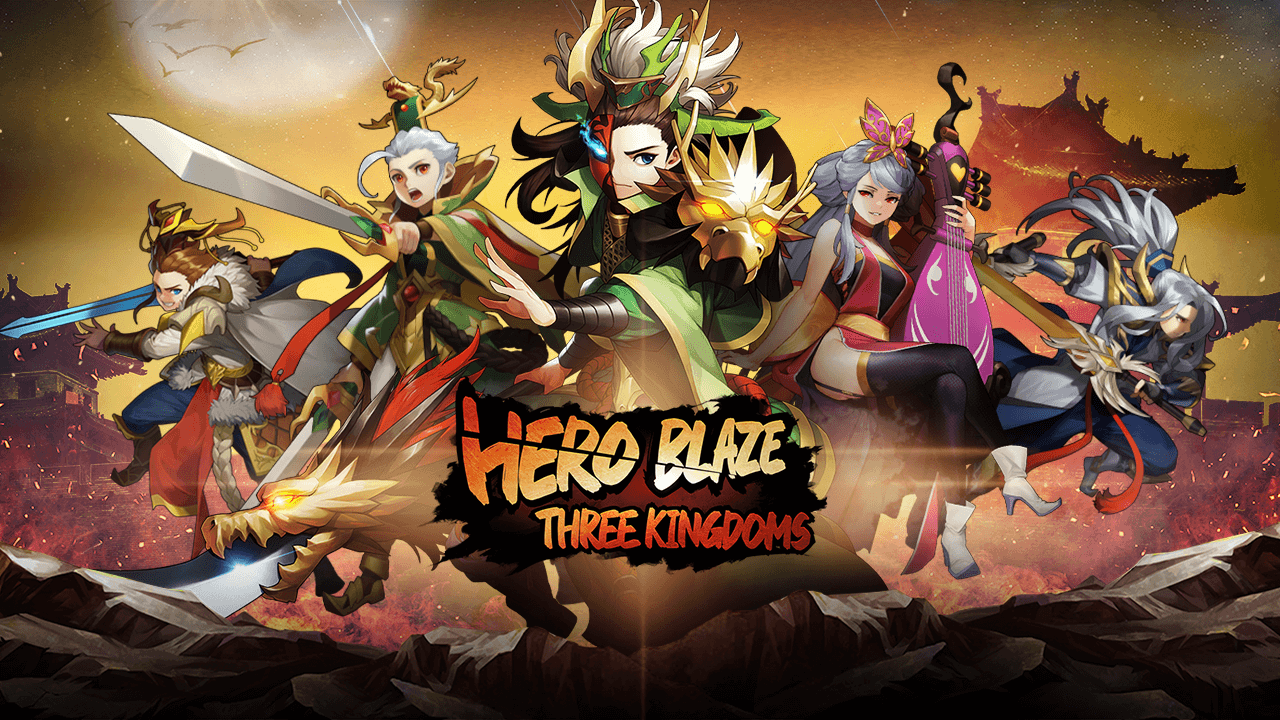
Play Hero Blaze: Three Kingdoms on PC Play Hero Blaze: Three Kingdoms on PC and Mac
Download Hero Blaze: Three Kingdoms on PC with MuMuPlayer, get a PC like gameplay along with smart control and high graphics performance.
MuMuPlayer, the top Android emulator for PC and Apple silicon Mac, delivers an optimal gaming experience with minimal RAM usage and high FPS. It also allows you to create multiple instances of the emulator and run several games simultaneously, thanks to its Multi-instance feature. Its advanced emulator features ensure smooth gameplay, even on low-end PCs.
Download and play Hero Blaze: Three Kingdoms on PC with MuMuPlayer and start enjoying your gaming experience now.
Download Hero Blaze: Three Kingdoms on PC or Mac with MuMuPlayer, get a PC like gameplay along with smart control and high graphics performance.
MuMuPlayer, the top Android emulator for PC and Apple silicon Mac, delivers an optimal gaming experience with minimal RAM usage and high FPS. It also allows you to create multiple instances of the emulator and run several games simultaneously, thanks to its Multi-instance feature. Its advanced emulator features ensure smooth gameplay, even on low-end PCs.
Download and play Hero Blaze: Three Kingdoms on PC or Mac with MuMuPlayer and start enjoying your gaming experience now.
About the Game
Easy, fun Play and Earn game!
Casual Three Kingdoms RPG, Hero Blaze: Three Kingdoms
Collect MUDOL Stones through various contents inside the game and swap them for MUDOL2 Tokens!

▣ Official Website ▣
https://heroblaze3kd.io/

▣ Official Community ▣
- Discord: https://discord.com/invite/heroblaze3kd
- Twitter: https://twitter.com/HeroBlaze3KD

▣ Game Features ▣
◆ The all new Three Kingdoms Action! Hero Blaze: Three Kingdoms
Enjoy casual strategic battles with Generals from the Three Kingdoms!
Conquer the world with your own unique tactics in various battlefields!

◆ Easy, fun Play and Earn Game!
Collect MUDOL Stones through daily quests and other contents inside the game and trade them for MUDOL2 Tokens.
A lot of MUDOL Stones can be earned based on your Duel, Infinity Rush, and Expedition rank!

◆ Tough times call for heroes!
The Generals of the Three Kingdoms have returned stronger and fiercer than ever!
Play over 200 iconic heroes of the Three Kingdoms, each with their own skills!
Build your own invincible army through General Summon, General Combination, General Promotion, Equipment Upgrade, and Research system!
Train Generals through an improved training system and create the strongest team!

◆ Action-packed battles unfolding at your fingertips!
Casual gameplay with easy controls! Immense gaming experience with glamorous skills!
Create the strongest team through General skills, team combination, formation effects,
and be victorious with your unique strategy!

◆ No more boring repetitive gameplay!
An auto-training system that makes you stronger even when you're away!
Instant clear and quick hunting for fast and easy growth!
Endless adventures and challenges unfold as you level up!
Just have fun playing without any pressure!

◆ Endless fun in the Three Kingdoms universe!
Enjoy the Three Kingdoms story through the scenario stage ""Commentary""!
Experience intense battles in Storm the Gate and Expedition where legendary Generals appear as bosses!
Challenge your limits in Infinity Rush! Test your strength in the Arena!
Enjoy a variety of content and blast through enemy lines like never before!

▣ Access Permissions ▣
This app does not require any access permissions.
Emulator Features
Highest Android 15 Support Best Compatibility on Mac

With a smart button scheme and image recognition function, provide a more concise UI, and support custom button mapping to meet different needs. With a smart button scheme and image recognition, enjoy a cleaner UI and custom button mapping to fit different gaming needs on Mac.

Run multiple games independently at the same time, easily manage multiple accounts, play games while hanging. Take your Mac gaming further with multiple independent instances, easy account management, and seamless AFK gaming on Apple Silicon Mac.

Break through FPS limit, and enjoy a seamless gaming experience without lag and delay! Break through FPS limits for a seamless, lag-free gaming experience on MacBook, Mac mini, iMac, and Mac Studio.

Get a 3-second startup with 52% less memory usage and 65% more stability. Enjoy 3-second startup, 52% less memory usage, and 65% greater stability on Apple Silicon Mac.
How to Download and Play Hero Blaze: Three Kingdoms on PC and Mac
Installation Guide
Download MuMuPlayer
Download MuMuPlayer and install it on your PC or Mac
Sign-in Google Store
Complete Google sign-in to access the Play Store
Search and Install
Search Hero Blaze: Three Kingdoms in the Play Store
Enjoy Gaming
Enjoy 120 FPS high-def gameplay with big screen
System Requirements
Windows PC
Vulkan / DirectX supported. 4 cores + 4GB RAM recommended. Up to 240 FPS. VT required.
macOS
Recommended: Apple Silicon Mac with 8GB RAM or above. Up to 240 FPS.