Nightfall: Kingdom Frontier TD (macOS)
Play Nightfall: Kingdom Frontier TD on PC and Mac
Download Nightfall: Kingdom Frontier TD on PC or Mac with MuMuPlayer, get a PC like gameplay along with smart control and high graphics performance.
MuMuPlayer, the top Android emulator for PC and Apple silicon Mac, delivers an optimal gaming experience with minimal RAM usage and high FPS. It also allows you to create multiple instances of the emulator and run several games simultaneously, thanks to its Multi-instance feature. Its advanced emulator features ensure smooth gameplay, even on low-end PCs.
Download and play Nightfall: Kingdom Frontier TD on PC or Mac with MuMuPlayer and start enjoying your gaming experience now.
About the Game
🔥 Giftcode: NIGHTFALL8888

Immerse yourself in a tactical adventure, where you show off your strategy of tower defense to build and battle in an medieval RPG fantasy.

🏰 Once upon a time, in a faraway kingdom, there lived Lord James VII. His land was cursed for an eternal war, when exotic creatures spawned from the darkness every night. His mission is to not only defend his own kingdom but also strike back against enemies and conquer the lands.

⚔️ By day, Lord James VII was a meticulous strategist. He built towering fortifications, trained elite soldiers, and recruited mythical heroes for a glorious attack. When night falls, survival battles began, Lord James VII became an epic warrior.

👑 Would Lord James VII succeed in his quest? That, my friend, is a story yet to be written. It all depends on your strategy, leadership, and unwavering will to push back the shadows. So, are you ready to join Nightfall?

💥 KEY FEATURES:
★ Enemies attack at night, build the kingdom before nightfall and fight against them
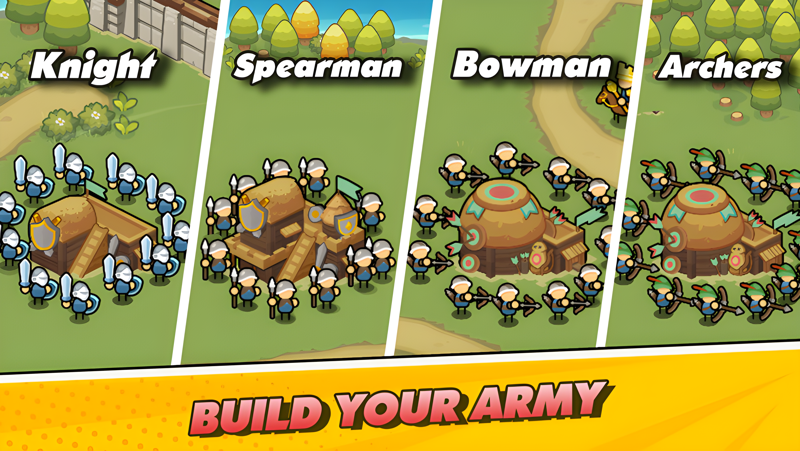
★ Upgrade heroes, troops, and buildings to increase their damage, range, or special abilities
★ Strategically balance the development and placement to maximize the chances to defeat enemies
★ Explore new maps, unlock unique skills, and gacha ultimate heroes & weapons to activate more powerful combat power
★ Experience the fun gameplay of running & shooting as well as building & defending in a strategic role-playing journey
Emulator Features

With a smart button scheme and image recognition function, provide a more concise UI, and support custom button mapping to meet different needs.

Run multiple games independently at the same time, easily manage multiple accounts, play games while hanging.

Break through FPS limit, and enjoy a seamless gaming experience without lag and delay!

Get a 3-second startup with 52% less memory usage and 65% more stability.
How to Download and Play Nightfall: Kingdom Frontier TD on PC and Mac
Installation Guide
Download MuMuPlayer
Download and install MuMuPlayer on your PC or Mac
Sign-in Google Store
Complete Google sign-in to access the Play Store
Search and Install
Search Nightfall: Kingdom Frontier TD in the Play Store
Enjoy Gaming
Enjoy 120 FPS high-def gameplay with big screen
System Requirements
Windows PC
Vulkan / DirectX supported. 4 cores + 4GB RAM recommended. Up to 240 FPS. VT required.
macOS
Recommended: Apple Silicon Mac with 8GB RAM or above. Up to 240 FPS.